EasyManua.ls Logo

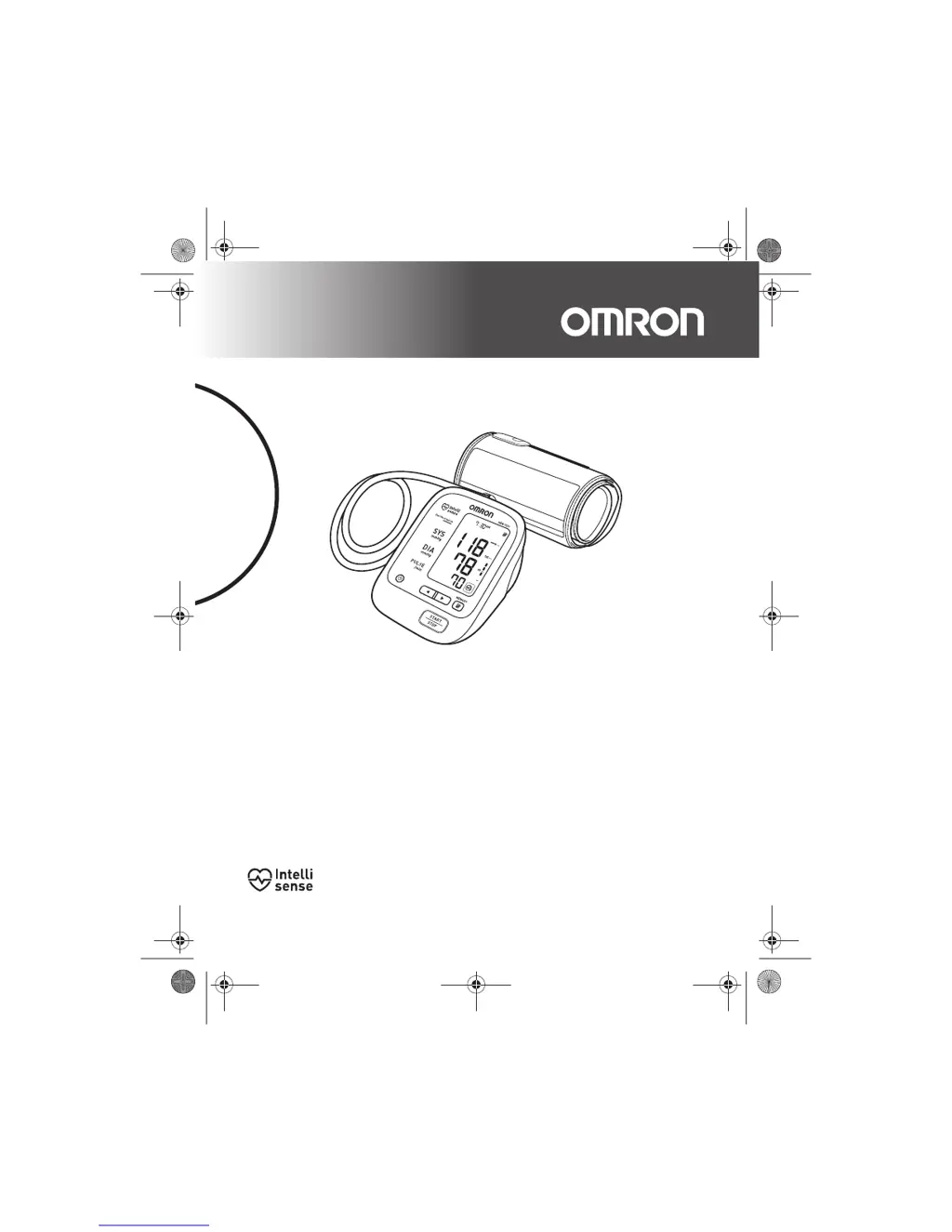
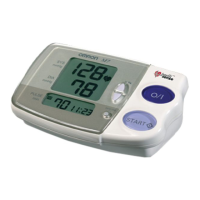
Omron HEM-7221 - User Manual

Omron HEM-7221
56 pages
Print Icon
To Next Page IconTo Next Page
Loading...
HEM-7221-C1_C_M02_101122.pdf
HEM-7221-C1_C_M.book Page 1 Monday, November 22, 2010 1:19 PM
All for Healthcare
Automatic Blood Pressure Monitor
Model HEM-7221
Instruction Manual

Questions and Answers

  • M
    mariagonzalezSep 10, 2025
    Why can't I measure or are the readings too low or too high on my Omron Blood Pressure Monitor?
    • B
      Brian CastroSep 10, 2025
      If you cannot measure or the readings are too low or too high with your Omron Blood Pressure Monitor, it might be because the arm cuff has not been inflated sufficiently. Inflate the cuff so that it is 30 to 40 mmHg above your previous measurement result.
  • F
    floresshaneSep 9, 2025
    Why does the arm cuff deflate too soon on my Omron HEM-7221 Blood Pressure Monitor?
    • A
      aboltonSep 9, 2025
      If your Omron Blood Pressure Monitor arm cuff deflates too soon, it might be because the arm cuff is loose. Apply the cuff correctly so that it is firmly wrapped around your arm.
  • J
    John SmithSep 8, 2025
    What to do if nothing happens when I press the buttons on my Omron Blood Pressure Monitor?
    • H
      Heather HawkinsSep 8, 2025
      If nothing happens when you press the buttons on your Omron Blood Pressure Monitor, the batteries might be empty. Replace them with new ones. Alternatively, the batteries may have been inserted incorrectly. Ensure they are inserted with the correct (+/-) polarity.
  • J
    jenniferwilsonAug 22, 2025
    Why is my Omron HEM-7221 Blood Pressure Monitor reading so high or low?
    • J
      Jessica CollinsAug 22, 2025
      An extremely low or high reading on your Omron Blood Pressure Monitor can be caused by several factors: * The arm cuff may not be applied correctly. * You might have moved or talked during the measurement. * Clothing could be interfering with the arm cuff. Ensure the arm cuff is correctly positioned, remain still and silent during measurement, and remove any constricting clothing.
  • R
    ryan59Sep 5, 2025
    What to do if my Omron HEM-7221 has other problems?
    • J
      Jason Lowe DVMSep 5, 2025
      For other problems with your Omron Blood Pressure Monitor, press the START/STOP button and repeat the measurement. If the problem continues, try replacing the batteries with new ones. If this still does not solve the problem, contact your OMRON retail outlet or distributor.
  • D
    Douglas MillsSep 4, 2025
    What to do if air plug disconnected from my Omron HEM-7221 Blood Pressure Monitor?
    • N
      Nicole PattonSep 4, 2025
      If the air plug is disconnected from your Omron Blood Pressure Monitor, insert the plug securely.
  • C
    Christopher LeeSep 3, 2025
    What to do if my Omron HEM-7221 batteries are exhausted?
    • H
      hickmanraymondSep 3, 2025
      If the batteries in your Omron Blood Pressure Monitor are exhausted, replace them with new ones at once.
  • J
    Jennifer CampbellSep 2, 2025
    What to do if clothing is interfering with the arm cuff of my Omron HEM-7221 Blood Pressure Monitor?
    • D
      david32Sep 2, 2025
      If clothing is interfering with the arm cuff of your Omron Blood Pressure Monitor, remove any clothing interfering with the arm cuff.
  • P
    peterjohnsonSep 1, 2025
    What to do if my Omron HEM-7221 batteries are low?
    • S
      Stephanie HendricksSep 1, 2025
      If the batteries in your Omron Blood Pressure Monitor are low, replace them with new ones ahead of time.
  • S
    scottcraigAug 31, 2025
    Why can't my Omron Blood Pressure Monitor measure or readings are too low or too high?
    • E
      eric47Aug 31, 2025
      If you cannot get a measurement, or the readings are too low or too high on your Omron Blood Pressure Monitor, the arm cuff may not have been inflated sufficiently. Inflate the cuff so that it is 30 to 40 mmHg above your previous measurement result.

Summary

Introduction

Intended Use

Defines the product's purpose and target users for measuring blood pressure and pulse rate.

Important Safety Information

Warnings and Cautions

Highlights hazardous situations that could lead to injury, death, or property damage if not avoided.

1. Overview

Main Unit Components

Identifies and describes the parts of the main blood pressure monitor unit.

Arm Cuff and Storage Case

Details the components and specifications of the arm cuff and the storage case.

Display Indicators

Explains the meaning of various symbols and indicators shown on the monitor's display screen.

2. Preparation

Installing;Replacing the Batteries

Provides step-by-step instructions on how to insert and replace the device's batteries.

Setting the Date and Time

Guides users on how to set the correct date and time for accurate measurement recording.

3. Using the Unit

Applying the Arm Cuff

Instructions on how to properly wrap the arm cuff around the upper arm for measurement.

Arm Cuff Placement

Details the correct positioning of the arm cuff relative to the elbow and arm.

How to Sit Correctly

Provides guidelines for the user's posture and environment to ensure accurate blood pressure readings.

Taking a Reading

Step-by-step guide on initiating and performing a blood pressure measurement.

High Systolic Pressure Adjustment

Instructions for manual inflation adjustment when systolic pressure is expected to be high.

Dual Check System Operation

Explains the function and indicators of the Dual Check System during measurement.

Cuff Wrapping Guide

Describes the Cuff Wrapping Guide feature and its indication of proper cuff tightness.

Storing Measurements

Details how the monitor automatically stores measurements and how to turn it off.

Home Blood Pressure Guidelines

Presents recommended values for home blood pressure monitoring.

Irregular Heartbeat Detection

Explains the irregular heartbeat feature and its implications for measurement results.

Movement Error Indication

Describes the movement error symbol and how to resolve it.

Waiting Between Readings

Advises on the recommended waiting time between consecutive blood pressure measurements.

Self-Diagnosis Warning

Warns against self-diagnosis and self-treatment of measured results.

Using the Memory Function

Overview of how the monitor stores up to 90 measurements and calculates averages.

Viewing Average Value

Instructions on how to access and view the average blood pressure reading.

Viewing Stored Readings

Steps to view individual past measurements stored in the monitor's memory.

Deleting All Stored Readings

Procedure for clearing all saved measurement data from the monitor's memory.

4. Troubleshooting and Maintenance

Icons and Error Messages

Explains common symbols and error messages displayed by the unit and their remedies.

Error Codes and Remedies

Lists specific error codes (E1-E5, Er) and provides corresponding troubleshooting steps.

Troubleshooting Common Problems

Addresses issues like incorrect readings, no pressure rise, and unit inactivity with solutions.

Other Troubleshooting Issues

Covers general problems and advises on repeating measurements or contacting support.

Maintenance and Care

Provides guidelines on how to clean and maintain the blood pressure monitor and its components.

Calibration and Service Recommendations

Suggests periodic inspection for accuracy and recommends consulting authorized service centers.

Storage Instructions

Details how to store the unit properly when not in use to protect it from damage.

5. Optional Parts

Using the Optional AC Adapter

Instructions on how to connect and use the optional AC adapter for powering the unit.

6. Technical Data

Electro Magnetic Compatibility (EMC) Information

Provides important information regarding electromagnetic compatibility and precautions for use.

Correct Disposal of Product

Instructions on how to dispose of the product and its accessories responsibly at the end of its life.

Omron HEM-7221 Specifications

General IconGeneral
BrandOmron
ModelHEM-7221
CategoryBlood Pressure Monitor
LanguageEnglish

Related product manuals