3. Taking a Blood Pressure Measurement and Recording an ECG
EN
EN27
3.3
Taking a Blood Pressure Measurement and Recording an ECG
Note
• To stop a blood pressure measurement and an ECG recording, release both your hands from the electrodes and press the BP [START/
STOP] button on the monitor to deflate the arm cuff.
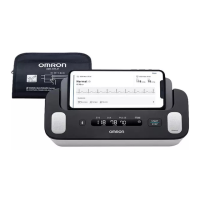
1. Open the “OMRON connect” app on your smartphone.
2. Follow the instructions to start an ECG recording on your smartphone. Refer to the
“Help” section on the app for more detail.
Caution
• DO NOT use this monitor with other medical electrical (ME) equipment simultaneously. This may result in incorrect operation of the
devices and/or cause inaccurate blood pressure readings and/or ECG recordings.
• Remain still and DO NOT talk while taking a blood pressure measurement.
• Remain still while recording an ECG.
• When your fingertips are dry, your ECG recording may not be successful. If dry, moisten your fingers with a wet towel, a water-based
lotion, or something similar.
• DO NOT record an ECG with dirty hands.
• Make sure to place your smartphone on the smartphone stand of the monitor when recording an ECG. If it is not placed appropriately on
the smartphone stand, it may lead to communication issues between the smartphone and the monitor, and your ECG may not be
recorded successfully.
3294330-0B_HEM-7530T-AP3-EN_IM.book Page 27 Thursday, June 2, 2022 11:30 AM


 To Next Page