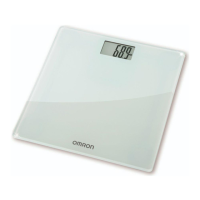
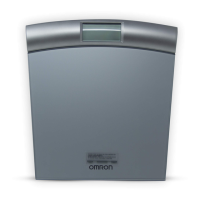
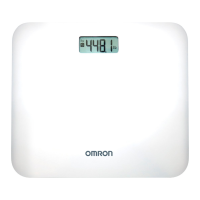
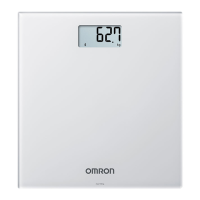
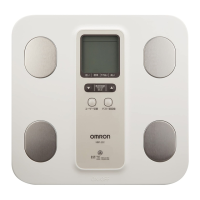
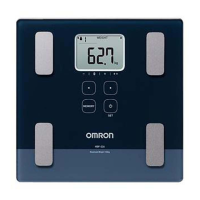
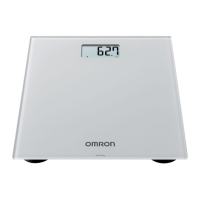
The OMRON Connected Scale HN300T2 Intelli IT (models HN-300T2-EBK / HN-300T2-EGY) is a body weight scale designed for general household use. It is intended to measure and display body weight, and can be used in conjunction with a smart device for tracking weight progress and data transfer.
Function Description
The primary function of the OMRON Connected Scale HN300T2 Intelli IT is to measure and display body weight. It operates by automatically turning on when a user steps onto the scale and displaying the measured weight. The scale is equipped with Bluetooth Low Energy technology, allowing it to connect wirelessly to smart devices for data transfer and management. This connectivity enables users to track their weight progress over time using the "OMRON connect" app. The scale can store up to 30 readings internally, which can then be transferred to a paired smart device. It supports pairing with up to two smart devices, allowing multiple users to manage their measurement data. An "Autofilter" function within the app helps ensure that only a user's own weight data is displayed, even when the scale is used by multiple individuals.
Usage Features
1. Battery Installation and Selection of Weight Metric:
The scale requires four "AAA" manganese or alkaline batteries. After installing the batteries, the scale automatically calibrates itself when placed on a hard, flat, and level floor. Users can select their preferred weight metric (kg, lb, or st) by pressing the [SET] button when the scale is off. The chosen metric is saved automatically after 10 seconds.
2. Pairing with a Smart Device:
To utilize the data transfer feature, the scale must be paired with a smart device. This involves enabling Bluetooth on the smart device, downloading and installing the "OMRON connect" app, and following the in-app pairing instructions. The scale can be paired by pressing the [Bluetooth] button on its side for more than 2 seconds. A successful connection is indicated by an "OK" symbol flashing on the scale's display. The scale can store pairing information for up to two smart devices.
3. Taking a Measurement:
For consistent results, it is recommended to measure weight at the same time each day. The scale should be placed on a hard, flat, and level floor, avoiding cushioned surfaces like carpets or mats. To take a measurement, the user simply steps onto the scale when it is off. The scale will automatically turn on, and the measurement will begin. Users should remain still during the measurement. Once the weight flashes on the display, the measurement is complete, and the user can step off the scale. The scale automatically turns off after 10 seconds.
4. Transferring Readings:
Readings can be transferred to a smart device either automatically or manually.
- Automatic Transfer: Readings are automatically transferred to the paired smart device within 30 minutes after the scale turns off. A "Bluetooth" symbol appears on the display during transfer.
- Manual Transfer: To manually transfer readings, the user presses the [Bluetooth] button when the scale is off. The "Bluetooth" symbol appears, indicating the start of the transfer. A successful transfer is confirmed by the "OK" symbol flashing. If a reading is not transferred successfully, a "SYNC" symbol will appear.
5. Tracking Multiple Users' Weight Progress:
For households with multiple users, the "Autofilter" function in the "OMRON connect" app is recommended. After an initial measurement, the app prompts for registration confirmation. Once registered, subsequent measurement data is filtered based on the latest weight in the app, ensuring that only the individual user's data is displayed.
6. Restoring to Default Settings:
To delete all stored readings and pairing information, the scale can be restored to its default settings. This involves pressing the [Bluetooth] button for more than 2 seconds, then again for more than 5 seconds (until the Bluetooth symbol stops flashing), and finally pressing the [SET] button. This operation does not delete information stored in the app.
Maintenance Features
1. Cleaning:
To protect the scale from damage, it should be cleaned with a soft dry cloth or a soft cloth moistened with mild (neutral) detergent. For cleaning the plate, a soft cloth moistened with rubbing alcohol can be used. Abrasive or volatile cleaners, gasoline, thinners, or similar solvents should not be used. The scale should not be immersed in water.
2. Proper Storage:
The scale recalibrates automatically when not in use. To ensure proper automatic calibration, it should be stored on a level surface, not leaning against a wall, placed upside down, on a carpet or mat, or with any objects placed on it.
3. Battery Replacement:
When the battery symbol flashes or "A1" appears on the display, the four "AAA" batteries should be replaced immediately with new ones. It is important to use only "AAA" manganese or alkaline batteries and to replace all four batteries at the same time, ensuring correct polarity. Used batteries should be disposed of according to local regulations. If the scale will not be used for 3 months or more, the batteries should be removed.
4. Calibration:
If automatic calibration does not work, the scale can be manually calibrated. This involves placing the scale on a hard, flat, and level floor, pressing the surface of the scale with a hand to turn it on, and then immediately releasing the hand. Once "0.0 kg" (or "0.0 lb", "0.0 st") is displayed, the user should wait for 1 minute for the scale to turn off before taking a measurement.
5. Troubleshooting:
The manual provides a comprehensive troubleshooting guide for various display/problem messages, including issues with smart device connection, movement during measurement, magnetic field interference, device errors, weight out of measurable range, misalignment during autocalibration, data transfer failures, low/depleted batteries, incorrect battery polarities, and inaccurate readings due to scale placement or auto-calibration issues. Solutions range from following in-app instructions to replacing batteries or ensuring proper scale placement.


 To Next Page
 General
 Weight and Dimensions