EasyManua.ls Logo

Omron HBF-202 - User Manual

Omron HBF-202
32 pages
Print Icon
To Next Page IconTo Next Page
Loading...
Instruction Manual
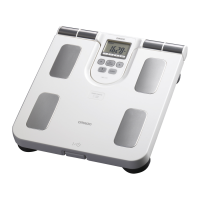
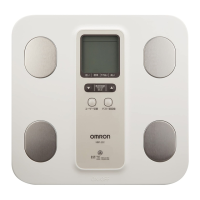
Body Composition Scale
Model HBF-202
Thank you for purchasing the OMRON Body Composition Scale.
Before using this unit for the first time, please be sure to read this
Instruction Manual carefully and use the unit safely and properly.
Please keep this Instruction Manual at hand all the time for future
reference.
HBF-202-AUW_A_M07_101122.pdf
HBF-202-AUW_A_M.fm Page 1 Monday, November 22, 2010 4:35 PM

Questions and Answers

  • R
    Renee ClarkAug 1, 2025
    What to do if my Omron Scales won't turn on?
    • S
      singletonaaronAug 1, 2025
      If nothing is displayed when you turn on your Omron Scales, insert the batteries, check if the polarities of batteries are aligned correctly, and replace all four batteries with new ones.
  • N
    nbryantAug 6, 2025
    Why does my Omron HBF-202 show abnormally high or low body composition?
    • J
      Joy McintyreAug 6, 2025
      If the Omron Scales display abnormally high or low body composition values, ensure the unit is placed on a hard, level floor, not carpet or uneven surfaces. Cold feet or a cold body can affect blood circulation; warm up before taking a measurement. If the electrodes are very cold, move the unit to a warm room for a few minutes. Also, dry feet can be a factor; slightly moisten the soles with a damp towel.
  • K
    Kayla HurstAug 13, 2025
    What to do if body composition measurement does not start on Omron HBF-202 Scales?
    • D
      Derrick SmithAug 13, 2025
      If your Omron Scales do not start body composition measurement after displaying your weight, it might be because a personal data for a Personal Profile Number or Guest mode measurement has not been set. Enter a personal data for a Personal Profile Number or use Guest mode. Also, make sure that Personal Profile Number 1, 2, 3, 4 or GUEST is displayed before measurement.
  • A
    Antonio PowellAug 19, 2025
    How to fix Omron Scales when it shows 0.0 kg?
    • B
      Brian WilliamsAug 19, 2025
      If the Omron Scales display 0.0 kg even when you step on it, or if the weight value barely increases, it may be because you stepped onto the unit before 0.0 kg was displayed. Wait until 0.0 kg is displayed before stepping onto the unit.
  • Z
    zzimmermanAug 25, 2025
    What to do if Omron Scales display “ ” for some results?
    • S
      Shawn PenaAug 26, 2025
      Check the setting entered for your personal data. Change the settings if needed and retake the measurement.

Summary

NOTES ON SAFETY

Safety Warnings and Precautions

Covers dangers, warnings, cautions, and general advice for safe operation and maintenance.

INFORMATION ON BODY COMPOSITION

Principles of Body Composition Scale Measurement

Explains the Bioelectrical Impedance (BI) method and factors used for body composition calculation.

BATTERY INSTALLATION

Battery Installation Procedure

Step-by-step instructions for opening the cover, inserting batteries, and closing the cover.

Battery Life and Replacement

Information on battery longevity, when to replace, and proper disposal guidelines.

SETTING PERSONAL DATA

Personal Profile and Guest Modes

Explains the two options for entering personal data: using personal profiles or guest mode.

Setting Age, Gender, and Height

Details the process of setting age, gender, and height using the unit's buttons.

Changing Personal Data

Instructions on how to update existing personal data for a registered profile.

HOW TO TAKE A MEASUREMENT

Measurement Preparation and Start

Instructions on placing the unit correctly and turning it on to begin measurement.

Performing the Measurement

Instructions on stepping onto the unit, maintaining posture, and what to expect during measurement.

Checking Measurement Results

Explains how to view and interpret the various measurement results by cycling through them.

ERROR INDICATORS

Error Display Codes and Corrections

Lists common error displays, their causes, and recommended corrections for troubleshooting.

TROUBLESHOOTING TIPS

Weight and Body Composition Issues

Addresses problems like incorrect weight display, abnormal body composition values, and varying measurements.

Measurement Start and Power Issues

Solutions for measurement not starting, issues with personal data settings, and automatic power turn-off.

Omron HBF-202 Specifications

General IconGeneral
TypeBody Composition Monitor
Measurement MethodBioelectrical Impedance Analysis (BIA)
Weight Capacity150 kg
Body Fat Percentage Increment0.1%
User Profiles4
DisplayLCD
Auto RecognitionYes
Warranty1 year
Product NameOmron HBF-202
CategoryScales
Weight Increment0.1 kg
Body Fat Percentage Range5.0% - 50.0%
Power SourceBatteries
MeasurementsWeight, Body Fat
Dimensions300 x 300 x 30 mm

Related product manuals