16
SETTING PERSONAL DATA
The current settings for age, gender and height blink on the display, then the display changes to
0.0 kg.
All the settings are completed.
You can now take a measurement using the Personal Profile Number you selected or the Guest
mode.
Refer to HOW TO TAKE A MEASUREMENT on pages 19 to 21.
Refer to Step 2 on page 13 to set the new personal data or press the ON/OFF button to turn off the
power.
NOTES:
Your personal data have not been registered in the following cases. Please re-register the personal
data information. (Refer to page 14.)
• If no buttons are pressed for 3 minutes while setting the personal data and the power is
automatically turned off.
• If the power goes off while you are making settings.
CHANGING PERSONAL DATA
If your personal data change, the information in the Personal Profile Number you selected must be
changed for measurement results to be calculated correctly.
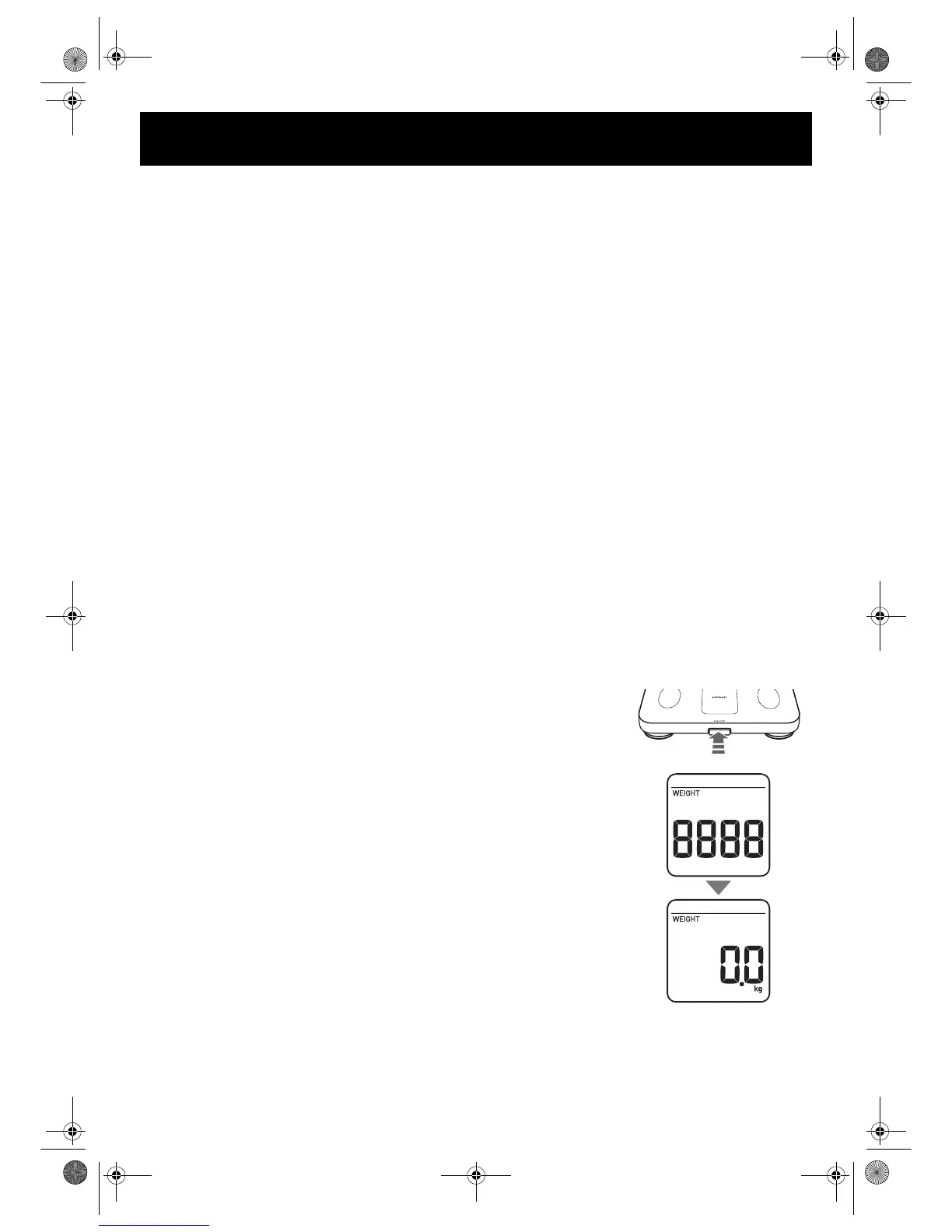
1. Press the ON/OFF button to turn on the power.
“8888” blinks on the display, then the display changes to 0.0 kg.
Wait until 0.0 kg appears on the display.
NOTE: Do not step onto the unit or move it until 0.0 kg appears on
the display. An error message “Err” may appear.
HBF-202-AUW_A_M.fm Page 16 Monday, November 22, 2010 4:35 PM










 To Next Page