EasyManua.ls Logo

Omron NJ301-1200 - User Manual

Omron NJ301-1200
400 pages
Print Icon
To Next Page IconTo Next Page
Loading...
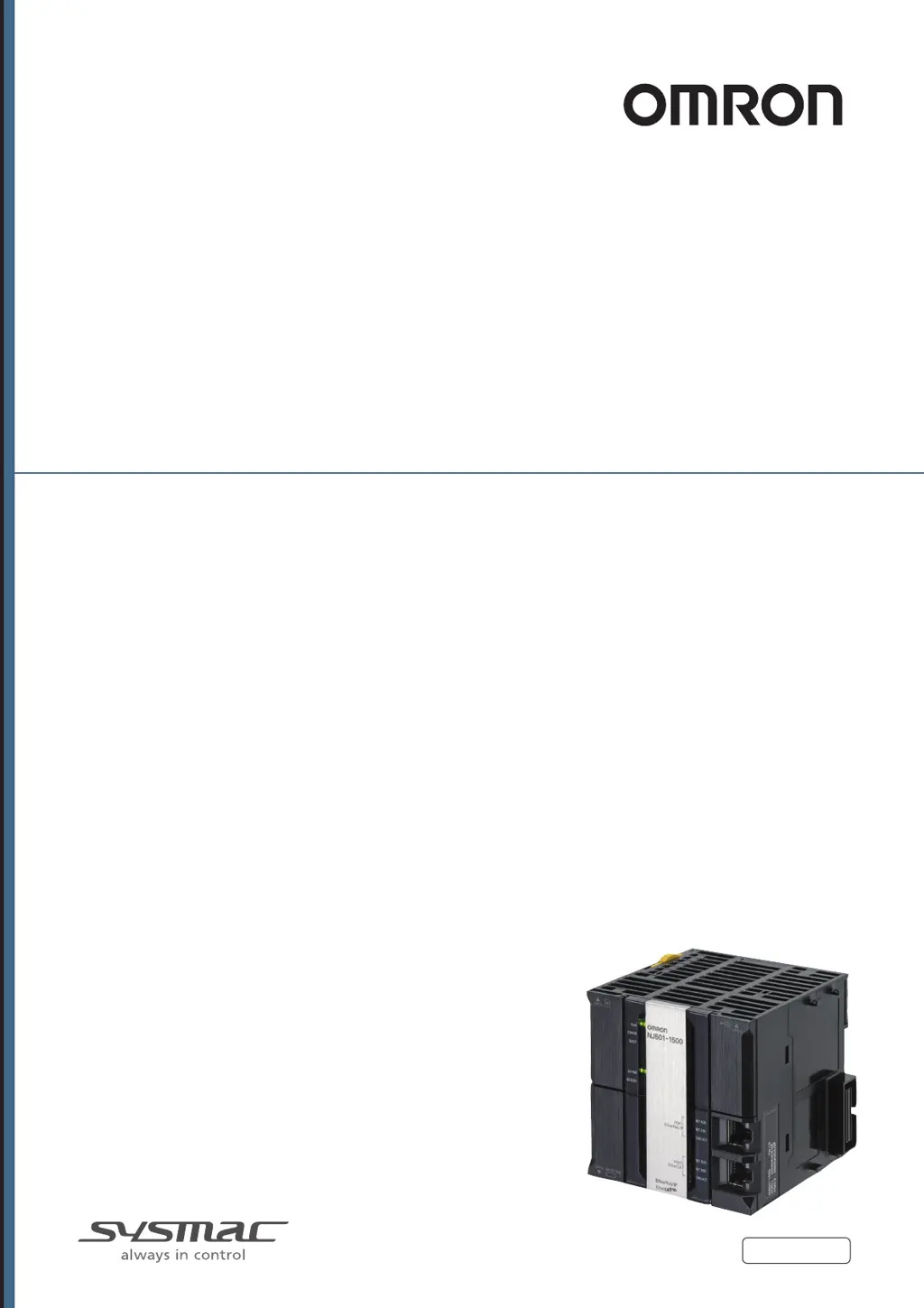
Machine Automation Controller
NJ-series
CPU Unit
Hardware
CPU Unit
Power Supply Unit
Basic I/O Units
User’s Manual
W500-E1-17
NJ501-
NJ301-1
NJ101-
NJ-P3001
CJ1W-ID/IA
CJ1W-INT01
CJ1W-IDP01
CJ1W-OC/OD/OA
CJ1W-MD
CJ1W-B7A

Table of Contents

Other manuals for Omron NJ301-1200

Questions and Answers

  • T
    Taylor TannerAug 20, 2025
    How to fix Omron Control Unit when none of the inputs turn ON and the operation indicators do not light?
    • Z
      zavalacodyAug 20, 2025
      If none of the inputs on your Omron Control Unit are turning ON and the operation indicators are not lit, check the following: * Ensure that the external input power is supplied. * Verify that the external input power supply voltage is within the specified rating. * Tighten any loose screws on the terminal block. * If there is still no improvement, replace the terminal block or connector if there is faulty contact.
  • J
    justinlongAug 22, 2025
    What to do if none of the outputs turn ON on my Omron Control Unit?
    • M
      Megan McbrideAug 22, 2025
      If none of the outputs on your Omron Control Unit are turning ON, check these potential causes: 1. Ensure that the load power is supplied. 2. Maintain the power supply voltage within the rating. 3. Tighten any loose screws on the terminal block. 4. Replace the terminal block or connector if there is faulty contact. 5. Replace the Unit if the fuse in the Output Unit has burned out due to overcurrent. 6. Replace the Output Unit if there is faulty contact on Unit connector or faulty output circuits. 7. Check the load and output wiring if load short-circuit protection has operated.
  • D
    Deborah RamirezAug 25, 2025
    Why do the input bits turn ON and OFF irregularly on my Omron Control Unit?
    • A
      Alexander WilliamsAug 25, 2025
      If the input bits on your Omron Control Unit are turning ON and OFF irregularly, consider the following: * Maintain the external input power supply voltage within the rating, as a low or unstable voltage can cause this issue. * Implement noise countermeasures to address potential malfunction caused by noise. * Ensure the terminal block screws are tightened. * Replace the terminal block or connectors if there's faulty contact.
  • D
    Denise JuarezAug 26, 2025
    What to do if a specific input does not turn ON on Omron Control Unit?
    • C
      Cole HaynesAug 26, 2025
      If a specific input on your Omron Control Unit does not turn ON, check these potential issues: 1. Replace the input device if it is faulty. 2. Check the input wiring for any breaks. 3. Ensure that the screws on the terminal block are tightened. 4. Replace the terminal block or connector if there is faulty contact. 5. Adjust the input device or correct the setting of the input response time if the external input ON time is too short or the input response time is too long. 6. Replace the Input Unit if there are faulty input circuits. 7. Correct the user program if an input bit is used in an Out instruction.
  • D
    Danielle MartinAug 27, 2025
    Why does the output turn ON and OFF irregularly on my Omron Control Unit?
    • E
      elizabethwallaceAug 27, 2025
      If the output on your Omron Control Unit turns ON and OFF irregularly, consider the following: 1. Maintain the load power supply voltage within the rating, as a low or unstable voltage can cause this issue. 2. Correct the user program so that only one Out instruction controls the output bit if the output bit is used in more than one Out instruction. 3. Implement noise countermeasures to address potential malfunction caused by noise. 4. Ensure the terminal block screws are tightened. 5. Replace the terminal block or connectors if there's faulty contact.
  • R
    Robert ChaseAug 29, 2025
    What causes abnormal operation for the output points for the same common on Omron Control Unit?
    • B
      Bryan AndersonAug 29, 2025
      If there is abnormal operation for the output points for the same common (8 or 16 points) on your Omron Control Unit, check the following: * Ensure that the screws on the common terminal are tightened. * Replace the terminal block or connector if there is faulty contact. * Replace the Output Unit if the fuse in the Output Unit has burned out due to overcurrent, or if there are faulty circuits in the Output Unit. * Replace the CPU Unit if it is faulty. * Check the load and output wiring if load short-circuit protection has operated.
  • D
    David StanleyAug 31, 2025
    What to do if a specific output does not turn ON, but the operation indicator is lit on Omron Control Unit?
    • O
      oscarmercerAug 31, 2025
      If a specific output on your Omron Control Unit does not turn ON, but the operation indicator is lit, it could be due to: * A faulty output device (replace the device). * Broken output wiring (check the output wiring). * Loose screws on the terminal block (tighten the screw). * Faulty contact on the terminal block or connectors (replace the terminal block or connector). * A faulty relay for a Relay Output Unit (replace the Output Unit). * Faulty output circuits (replace the Output Unit).
  • K
    Karen FitzpatrickSep 2, 2025
    What to do if none of the inputs turn ON, but the operation indicators are lit on Omron Control Unit?
    • K
      Kathy ChambersSep 2, 2025
      If none of the inputs turn ON, but the operation indicators are lit on your Omron Control Unit, the issue could be faulty circuits in the Input Unit. In this case, replace the Input Unit.
  • H
    Heather DiazSep 4, 2025
    What causes abnormal operation for the input points for the same common on Omron Control Unit?
    • D
      Danielle HayesSep 4, 2025
      If abnormal operation occurs for the input points for the same common (8 or 16 points) on your Omron Control Unit, check for the following: 1. Tighten any loose screws on the common terminal. 2. Replace the terminal block or connector if there is faulty contact. 3. Replace the Input Unit if there are faulty circuits in the Input Unit. 4. Replace the CPU Unit if it is faulty.
  • B
    bryan49Sep 6, 2025
    What to do if a specific output does not turn OFF and the operation indicator is lit on Omron Control Unit?
    • M
      mmillerSep 6, 2025
      If a specific output on your Omron Control Unit does not turn OFF and the operation indicator is lit, the issue may be due to: * The output bit being used in more than one Out instruction in the user program. Correct the user program so that only one Out instruction controls the output bit. * Faulty output circuits. Replace the Output Unit.

Summary

Introduction to NJ-series Controllers

Relevant Manuals

Installation and Wiring

Covers the procedures for installing and wiring the CPU Unit and configuration units.

Troubleshooting

Describes error confirmation methods, corrections, and hardware-related errors for the NJ-series controller.

Inspection and Maintenance

Covers required inspections and maintenance, including battery and power supply unit service lives.

Safety Precautions

Definition of Precautionary Information

Explains the meaning of WARNING and CAUTION notations used throughout the manual.

Symbols

Defines the meaning of various symbols used to convey safety information and precautions.

Warnings

During Power Supply

Warns about hazards when power is supplied or immediately after it is turned off.

Fail-safe Measures

Emphasizes the need for external safety measures to prevent accidents due to abnormalities.

Cautions

Application

Advises against touching units when power is supplied or immediately after it is turned off.

Precautions for Safe Use

Disassembly and Dropping

Warns against disassembling, repairing, or dropping units, which can lead to malfunction or fire.

Installation

Specifies grounding requirements and connection procedures for installation.

Wiring

Provides detailed instructions for correct wiring practices, including terminal block and connector securing.

Precautions for Correct Use

Storage and Installation

Specifies prohibited locations and environmental conditions for operating or storing the controller.

Mounting

Warns about I/O bus check errors if I/O connecting cable connectors are disconnected.

Versions

Installation and Wiring

4-2 Fail-safe Circuits

Provides essential information on implementing fail-safe measures in external circuits to ensure system safety.

4-3 Mounting Units

Provides precautions and instructions for mounting units, including installation in control panels and DIN track mounting.

4-4 Wiring

Details wiring precautions and procedures for power supply, EtherCAT, and I/O units.

Troubleshooting

5-2 Troubleshooting

Provides basic error identification and troubleshooting flowcharts for the NJ-series controller.

5-2-1 Checking to See If the CPU Unit Is Operating

Offers a flowchart to determine if an error in the CPU Unit is fatal or non-fatal.

5-2-2 Troubleshooting Flowchart for Non-fatal Errors

Provides a flowchart to troubleshoot non-fatal errors using indicators and Sysmac Studio.

5-2-3 Error Table

Lists hardware errors and controller operation errors with their event codes, meanings, and assumed causes.

5-2-4 Error Descriptions

Provides detailed information for individual errors, including event name, source, attributes, cause, correction, and prevention.

5-2-5 Troubleshooting Errors That Are Not in the CPU Unit

Offers troubleshooting steps for abnormal conditions related to input and output units.

Inspection and Maintenance

6-2 Replacing the Battery

Describes the purpose of the battery and the procedure for replacing it.

6-2-1 Battery Replacement

Explains the battery service life and the steps involved in replacing the battery.

Omron NJ301-1200 Specifications

General IconGeneral
ModelNJ301-1200
Memory Capacity512 MB
Number of Axes Controlled16 axes
Cycle Time1 ms
Ethernet Ports2
Built-in EtherNet/IP portYes
Built-in EtherCAT portYes
SD Memory Card SlotYes
Power Supply24 VDC
Operating Temperature0 to 55 °C
CPU TypeIntel Atom
I/O CapacityUp to 256 points
EtherCAT Refresh Cycle1 ms
Programming LanguageIEC 61131-3 (LD, ST, FBD, SFC, IL)

Related product manuals