EasyManua.ls Logo

Omron NJ501-1300 - User Manual

Omron NJ501-1300
398 pages
Print Icon
To Next Page IconTo Next Page
Loading...
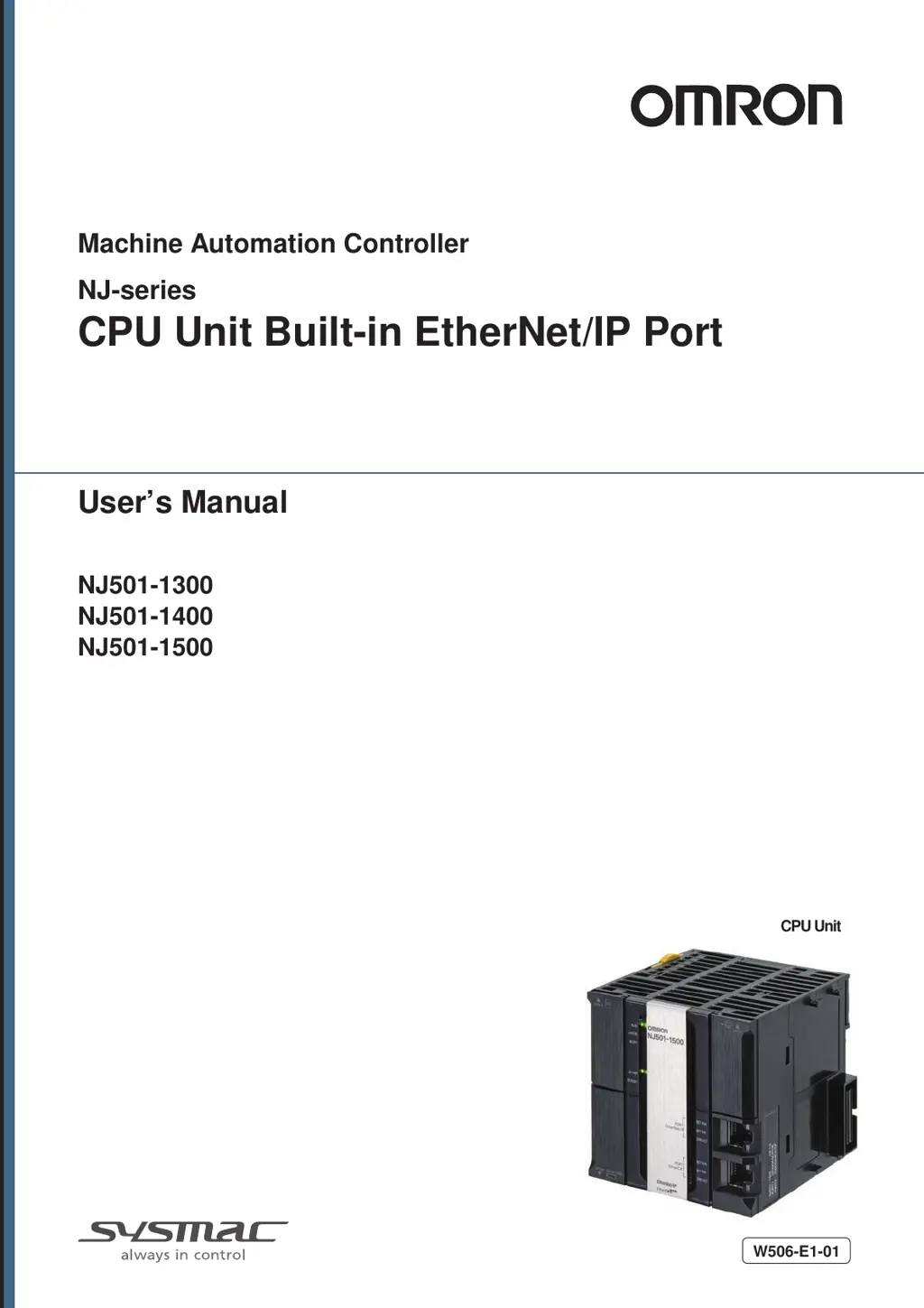
Machine Automation Controller
NJ-series
CPU Unit Built-in EtherNet/IP Port
CPU Unit
User’s Manual
W506-E1-01
NJ501-1300
NJ501-1400
NJ501-1500

Table of Contents

Questions and Answers

  • A
    Ashley ScottAug 2, 2025
    What to do if I have an NTP Server Connection Error on my Omron NJ501-1300?
    • L
      Lauren HartAug 2, 2025
      To resolve an NTP Server Connection Error on your Omron Controller, first, ensure that your NTP server settings are correct. If the settings are correct, verify that the remote server is operating normally. Finally, check the communications path, including EtherNet/IP Unit or built-in EtherNet/IP ports, cable connections, Ethernet switches, routers, and servers, and fix any issues.
  • M
    Matthew BennettAug 7, 2025
    What to do if I get a DNS Server Connection Error on my Omron NJ501-1300 Controller?
    • S
      Stacey TrujilloAug 7, 2025
      To fix a DNS Server Connection Error on your Omron Controller, first, correct any mistakes in the specifications of the connected server and download them again. Next, check if the server at the remote connection is operating normally; if not, set it to operate normally. Finally, inspect the communications path to the server for any problems and take corrective measures.
  • F
    Frank PerezAug 11, 2025
    Why am I getting a TCP/IP Basic Setting Error on my Omron NJ501-1300 Controller?
    • Z
      zdickersonAug 11, 2025
      If you encounter a TCP/IP Basic Setting Error (Local Port IP Address) on your Omron Controller, it could be due to several reasons. It may be caused by: * Power interruption during the download of basic TCP/IP settings. * A memory error. * An illegal IP address acquired from the BOOTP server. * An incorrect DNS server IP address. To solve this, cycle the power supply or reset the Controller. If normal operation returns, a memory error likely occurred. If the problem persists, perform a Clear Memory All operation, identify the error in the event log, and correct the settings. If these steps fail, replace the CPU Unit. Also, correct the IP address provided by the BOOTP server to ensure it's within the range specified for an NJ-series Controller.
  • K
    Kyle BurnsAug 17, 2025
    How to fix Basic Ethernet Setting Error on Omron Controller?
    • M
      Morgan ValentineAug 17, 2025
      If you're experiencing a Basic Ethernet Setting Error on your Omron Controller, it could be due to a power interruption during the download of basic Ethernet settings or a memory error. Try cycling the power supply or resetting the Controller. If normal operation is restored, a memory error likely occurred and may happen again, consider replacing the CPU Unit. If the issue persists, perform a Clear Memory All operation or identify the error in the event log details and correct the settings. If these steps do not resolve the problem, replace the CPU Unit.
  • S
    salazarchristieAug 21, 2025
    What causes TCP/IP Advanced Setting Error on Omron NJ501-1300 Controller?
    • J
      James TaylorAug 21, 2025
      If you're facing a TCP/IP Advanced Setting Error (IP Router Table) on your Omron Controller, the cause may be a power interruption during the download of the advanced TCP/IP settings, a memory error, or a mistake in the IP router table settings. To resolve this, try cycling the power supply or resetting the Controller. If normal operation returns, it was likely a memory error. If the problem continues, perform a Clear Memory All operation, identify the error from the event log details, and correct the settings. If these steps don't work, replace the CPU Unit. Also, ensure you correct the IP router table settings.
  • G
    George HarrisAug 27, 2025
    How to resolve NTP Client Setting Error on Omron NJ501-1300 Controller?
    • A
      ashleychavezAug 27, 2025
      If you are experiencing an NTP Client Setting Error on your Omron Controller, it might be caused by a power interruption while downloading the NTP Client settings or a memory error. To resolve this, cycle the power supply to the Controller or reset it. If normal operation is restored, it suggests a memory error, which may reoccur, consider replacing the CPU Unit. If the problem persists, perform a Clear Memory All operation or identify the error from the event log details and correct the settings. If the issue remains, replace the CPU Unit.

Omron NJ501-1300 Specifications

General IconGeneral
ModelNJ501-1300
Number of I/O pointsUp to 256
Cycle Time1 ms
EtherNet/IP ports1
USB port1
SD Memory Card SlotYes
Power Supply24 VDC
Operating Temperature0 to 55 °C
Communication PortsEthernet, USB

Related product manuals