EasyManua.ls Logo

Omron ZX-L-N - User Manual

Omron ZX-L-N
28 pages
Print Icon
To Next Page IconTo Next Page
Loading...
ZX Series (ZX-L-N) Smart Sensors (Laser Type) 1
Smart Sensors (Laser Type)
ZX Series (ZX-L-N)
.
For the most recent information on models that have been certified for
safety standards, refer to your OMRON website.
Ordering Information
Sensors
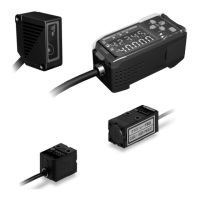
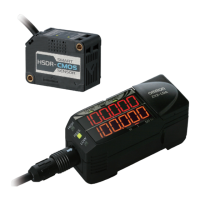
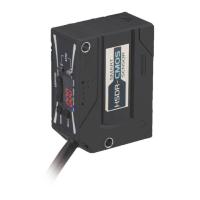
Sensor Heads (Reflective)
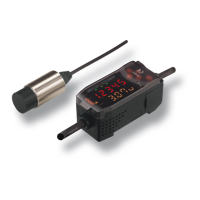
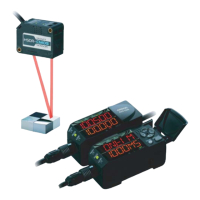
Sensor Heads (Through-beam)
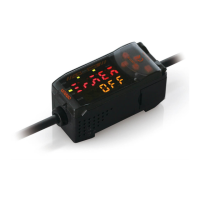
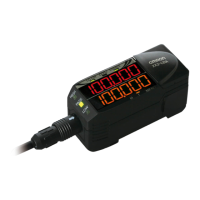
Amplifier Units
Note: Compatible connection with the Sensor Head.
Optical system Beam shape Sensing distance Resolution*1 Model
Diffuse reflective Spot beam 40±10 mm 2 μm ZX-LD40
100±40 mm 16 μm ZX-LD100
300±200 mm 300 μm ZX-LD300
Line beam 40±10 mm 2 μm ZX-LD40L
100±40 mm 16 μm ZX-LD100L
300±200 mm 300 μm ZX-LD300L
Regular reflective Spot beam 30±2 mm 0.25 μm ZX-LD30V
Line beam ZX-LD30VL
*1. For an average count of 4,096.
Optical system Measuring width Sensing distance Resolution*1 Model *2
Through-beam 1-mm dia. 0 to 500 mm 4 μm ZX-LT001
1 to 2.5-mm dia. 500 to 2000 mm ---
5 mm 0 to 500 mm 4 μm ZX-LT005
10 mm ZX-LT010
30 mm 12 μm ZX-LT030 0.5M
*1. For an average count of 64.
*2. The cable length for all models is 0.5 m.
Appearance Power supply Output type Model
DC NPN ZX-LDA11-N 2M
PNP ZX-LDA41-N 2M

Questions and Answers

  • P
    pwatkinsAug 18, 2025
    What to do if the Omron ZX-L-N Accessories Sensor Head is disconnected or shows an error?
    • C
      coryharrisAug 18, 2025
      If the Sensor Head is disconnected, connect it. If the issue persists, replace the Sensor Head.

  • C
    Christopher LopezAug 21, 2025
    How to fix EEPROM destruction or data error on Omron ZX-L-N?
    • P
      Pamela WilsonAug 21, 2025
      To fix an EEPROM destruction or data error, press the ENT Key for 3 seconds or longer. If this doesn't work, replace the Amplifier Unit.
  • E
    emily87Aug 23, 2025
    What to do if Omron ZX-L-N Accessories shows incident level insufficient or distance measurement error?
    • G
      Gabriel GeorgeAug 23, 2025
      If you are experiencing an insufficient incident level or distance measurement error, optimize the gain setting or select the AUTO mode when changing the gain setting. If the problem persists, change to an appropriate workpiece.
  • J
    John TaylorAug 26, 2025
    What to do if Omron ZX-L-N shows incident level saturation or distance measurement error?
    • D
      David WelchAug 26, 2025
      If you are experiencing incident level saturation or a distance measurement error, optimize the gain setting or select the AUTO mode when changing the gain setting. If the problem persists, change to an appropriate workpiece.
  • D
    Danielle BarryAug 28, 2025
    Why am I getting a distance error on my Omron ZX-L-N?
    • H
      haleycamposAug 28, 2025
      If you're getting a distance error, ensure the workpiece is within the measurable range.
  • R
    ronaldwhiteAug 30, 2025
    What causes two-sensor operation communication data error in Omron Accessories?
    • K
      Katherine MoralesAug 30, 2025
      A two-sensor operation communication data error may occur. Try the following: 1. Select the T or RUN Mode for the 1CH Amplifier Unit. 2. Check whether a incident level error has occurred for the 1CH Amplifier Unit. 3. Check whether the connection between the Amplifier Units is normal. If the issue persists, replace the Amplifier Unit or the Calculating Unit.
  • J
    Joshua PerrySep 1, 2025
    What to do if I attempted to set a numeric value larger than the HIGH threshold value to the LOW threshold value on Omron Accessories?
    • S
      Samuel CummingsSep 1, 2025
      If you've attempted to set a numeric value larger than the HIGH threshold value to the LOW threshold value, reset the threshold values, referring to 5-2-3.
  • R
    rbellSep 3, 2025
    What to do if I attempted to set a numeric value smaller than the LOW threshold value to the HIGH threshold value on Omron ZX-L-N Accessories?
    • J
      Julie SmithSep 3, 2025
      If you've attempted to set a numeric value smaller than the LOW threshold value to the HIGH threshold value, reset the threshold values, referring to 5-2-3.
  • B
    Brenda ElliottSep 6, 2025
    What to do if one or all of the judgement outputs are short-circuited on Omron ZX-L-N?
    • M
      mason00Sep 6, 2025
      If one or all of the judgement outputs are short-circuited, clear the load short-circuit.
  • J
    James PowersSep 8, 2025
    What to do if the set numeric value is too large on Omron Accessories?
    • S
      Stacy DelgadoSep 8, 2025
      If the set numeric value is too large, input an appropriate numeric value.

Overview

The Omron ZX Series (ZX-L-N) comprises Smart Sensors (Laser Type) designed for precise measurement and detection in various industrial applications. This series includes sensor heads (both reflective and through-beam types), amplifier units, and a range of accessories for enhanced functionality and system integration.

Function Description

The ZX Series sensors utilize visible-light semiconductor lasers for non-contact measurement. Reflective sensor heads (ZX-LD series) operate by detecting the reflection of a laser beam off a target object, while through-beam sensor heads (ZX-LT series) work by detecting the interruption of a laser beam between an emitter and a receiver. The amplifier units (ZX-LDA series) process the signals from the sensor heads, providing linear output (current or voltage) and judgment outputs (HIGH/PASS/LOW) based on configurable settings. Calculating units (ZX-CAL2) and communication interface units (ZX-SF11) further extend the system's capabilities for complex calculations, data logging, and PC-based monitoring and setup.

Important Technical Specifications

Sensor Heads (Reflective)

  • Light Source: Visible-light semiconductor laser, 650 nm wavelength, 1 mW max output (EN class 2, FDA class II).
  • Measurement Point/Range:
    • ZX-LD40/LD40L: 40 mm (±10 mm range)
    • ZX-LD100/LD100L: 100 mm (±40 mm range)
    • ZX-LD300/LD300L: 300 mm (±200 mm range)
    • ZX-LD30V/LD30VL (Regular reflective): 30 mm (±2 mm range)
  • Beam Shape: Spot beam (ZX-LD series) or Line beam (ZX-LDx0L series).
  • Resolution (average count 4,096):
    • ZX-LD40/LD40L: 2 µm
    • ZX-LD100/LD100L: 16 µm
    • ZX-LD300/LD300L: 300 µm
    • ZX-LD30V/LD30VL: 0.25 µm
  • Linearity: Typically ±0.2% FS (Full Scale) for most models, ±2% FS for ZX-LD300/LD300L.
  • Temperature Characteristic: ±0.03% FS/°C (except ZX-LD300/LD300L: ±0.1% FS/°C).
  • Degree of Protection: IP50 (ZX-LD40/LD100/LD300/LD40L/LD100L/LD300L), IP40 (ZX-LD30V/LD30VL).
  • Materials: Case: PBT, Cover: Aluminum, Lens: Glass.

Sensor Heads (Through-beam)

  • Light Source: Visible-light semiconductor laser, 650 nm wavelength (EN class 1, FDA class II).
  • Maximum Output:
    • ZX-LT001: 0.2 mW max.
    • ZX-LT005: 0.35 mW max.
    • ZX-LT010: 0.2 mW max.
    • ZX-LT030: 0.2 mW max.
  • Measurement Width/Distance:
    • ZX-LT001 (1-mm dia.): 0 to 500 mm
    • ZX-LT005 (1- to 2.5-mm dia.): 500 to 2,000 mm
    • ZX-LT010 (5 mm): 0 to 500 mm
    • ZX-LT030 (30 mm): 0 to 500 mm
  • Minimum Sensing Object (opaque):
    • ZX-LT001: 8-µm dia.
    • ZX-LT005: 0.05-mm dia. (8- to 50-µm dia. for 1- to 2.5-mm dia. measuring width)
    • ZX-LT010: 0.1-mm dia.
    • ZX-LT030: 0.3-mm dia.
  • Resolution (average count 64):
    • ZX-LT001/LT005: 4 µm
    • ZX-LT010/LT030: 12 µm
  • Degree of Protection: IP40.
  • Materials: Case: Polyetherimide, Cover: Polycarbonate, Front filter: Glass.

Amplifier Units (ZX-LDA11-N/ZX-LDA41-N)

  • Measurement Period: 150 µs.
  • Possible Average Count Settings: 1, 2, 4, 8, 16, 32, 64, 128, 256, 512, 1,024, 2,048, or 4,096.
  • Linear Output: Current (4 to 20 mA/FS, max. load 300 Ω) or Voltage (±4 V, ±5 V, 1 to 5 V, output impedance 100 Ω). Switchable.
  • Judgment Outputs: NPN (ZX-LDA11-N) or PNP (ZX-LDA41-N) open-collector outputs (30 VDC, 50 mA max.).
  • Functions: Measurement value display, scaling, display reverse, various hold functions (sample, peak, bottom, peak-to-peak, self-peak, self-bottom, average, delay), timers (ON-delay, OFF-delay, one-shot), deviation, teaching functions (position, 2-point, automatic), hysteresis, timing inputs, reset inputs, mutual interference prevention, laser deterioration detection, zero reset memory, key lock, and (A-B)/(A+B) calculations (with ZX-CAL2).
  • Power Supply: 12 to 24 VDC ±10%.
  • Degree of Protection: IP50.

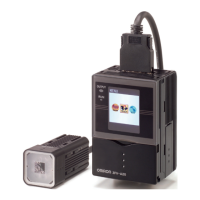
Calculating Unit (ZX-CAL2)

  • Applicable Amplifier Units: ZX-LDA11-N/41-N, ZX-EDA11/41, ZX-TDA11/41.
  • Current Consumption: 12 mA max. (supplied from Smart Sensor Amplifier Unit).
  • Materials: Display: Acrylic, Case: ABS resin.

ZX-series Communications Interface Unit (ZX-SF11)

  • Current Consumption: 60 mA max. (supplied from Amplifier Unit).
  • Max. No. of Amplifier Units: 5 (max. 2 with calculating unit).
  • Communications Port: RS-232C (9-pin D-Sub Connector).
  • Protocol: CompoWay/F.
  • Baud Rate: 38,400 bps.
  • Data Configuration: Data bits: 8, Parity: none, Start bits: 1, Stop bits: 1, Flow control: none.

Usage Features

  • Versatile Sensing: Offers both diffuse reflective and through-beam sensing, with spot and line beam options, to accommodate a wide range of target materials and measurement requirements.
  • High Precision: Provides high resolution and linearity for accurate measurements, critical in applications requiring fine control and detection.
  • Flexible Output: Amplifier units offer both current and voltage linear outputs, allowing integration into various control systems.
  • Advanced Functions: Comprehensive set of functions in the amplifier units, including multiple hold modes, timers, and teaching methods, enable sophisticated measurement and control.
  • System Expandability: Calculating units allow for complex arithmetic operations between multiple sensor heads, while communication interface units facilitate PC connectivity for data logging, monitoring, and remote setup.
  • Safety Compliance: Laser products are classified according to EN and FDA standards (Class 1 or 2 for sensor heads), with clear warnings and precautions for safe operation.
  • Compatibility: All sensor heads and amplifier units are compatible, allowing for flexible system configurations and future upgrades.

Maintenance Features

  • Cleaning: For dust or oil on the sensor head's front filter, use a blower brush to remove large particles, followed by a soft cloth with a small amount of alcohol for remaining dust. Avoid scrubbing to prevent scratches.
  • Power Supply and Wiring: Emphasizes correct wiring and power supply polarity to prevent damage. Advises against disconnecting connectors while power is supplied.
  • Cable Management: Specifies maximum cable lengths and recommends using shielded extension cables to prevent interference and malfunction.
  • Environmental Considerations: Provides guidelines for operating environments, including temperature, humidity, and avoidance of strong electromagnetic fields, direct sunlight, or corrosive gases, to ensure optimal performance and longevity.
  • Repair and Servicing: Users are instructed to return products to Omron for all repair and servicing.
  • Warm-up Period: Recommends a 10-minute warm-up period after turning on the power supply for stable operation.

Omron ZX-L-N Specifications

General IconGeneral
BrandOmron
ModelZX-L-N
CategoryAccessories
LanguageEnglish

Related product manuals