14
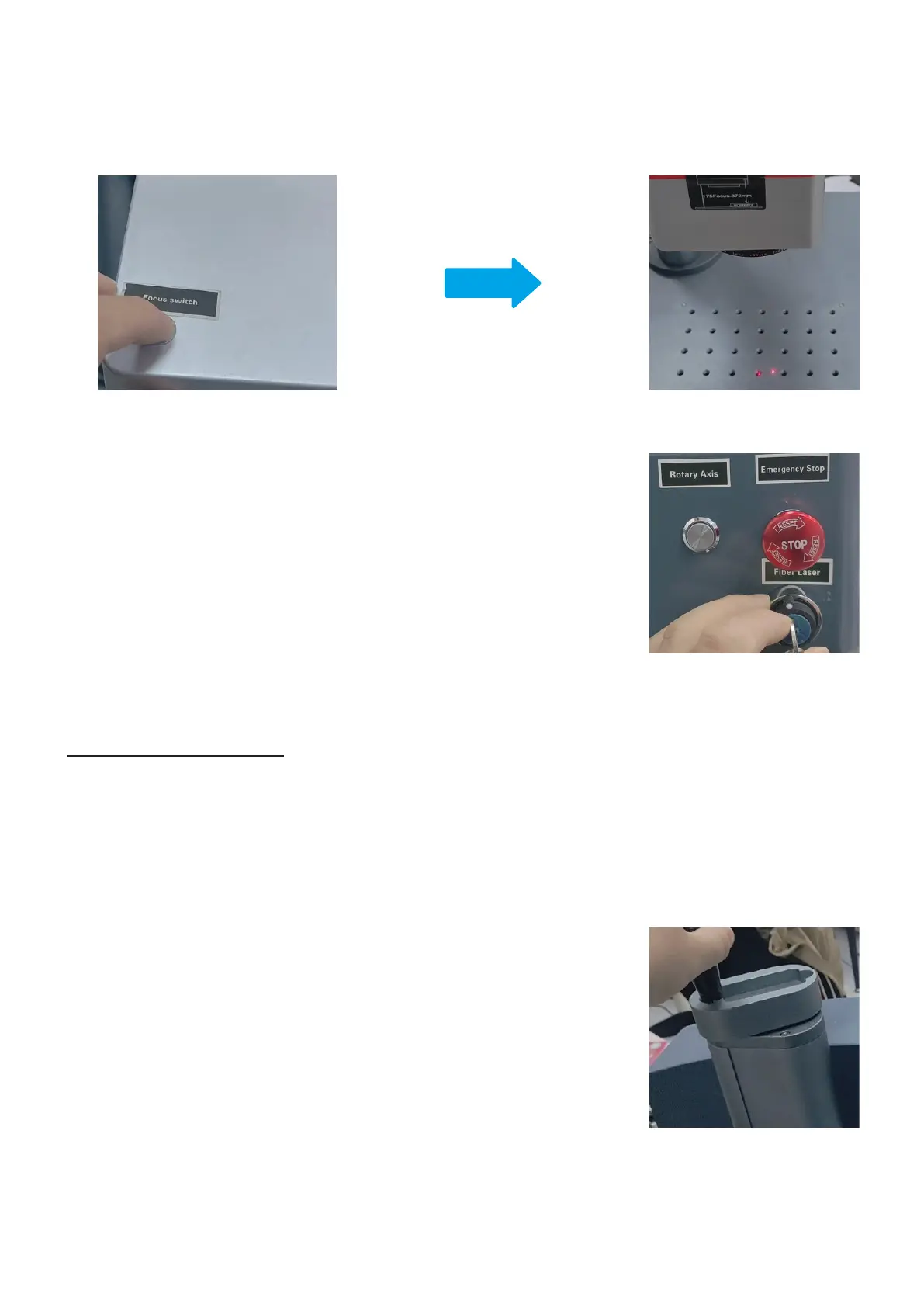
5. Insert the key and turn it clockwise to activate the laser.
2. Rotate the focus adjustment wheel clockwise to lower the scanning head or
rotate it counterclockwise to raise the scanning head until the two red dots
merge into one.
3. Use the provided ruler to measure the distance from the bottom line of the scanning head to the surface of the
test material. Make a note of the distance for future reference.
4.2.2 Adjusting the Focus
1. Place the test material on the processing area and ensure the red dots are displayed on the test material.
Note:
• Make sure the material can be engraved by this machine. See Material Safety Instructions (Page 9) for
details.
• The test material should be the same as the actual material.
4. Press the focus button on the scanning head to turn on the red dot guider.
The two red dots should be displayed on the working platform when the red dot guider is on.



 To Next Page