En-15
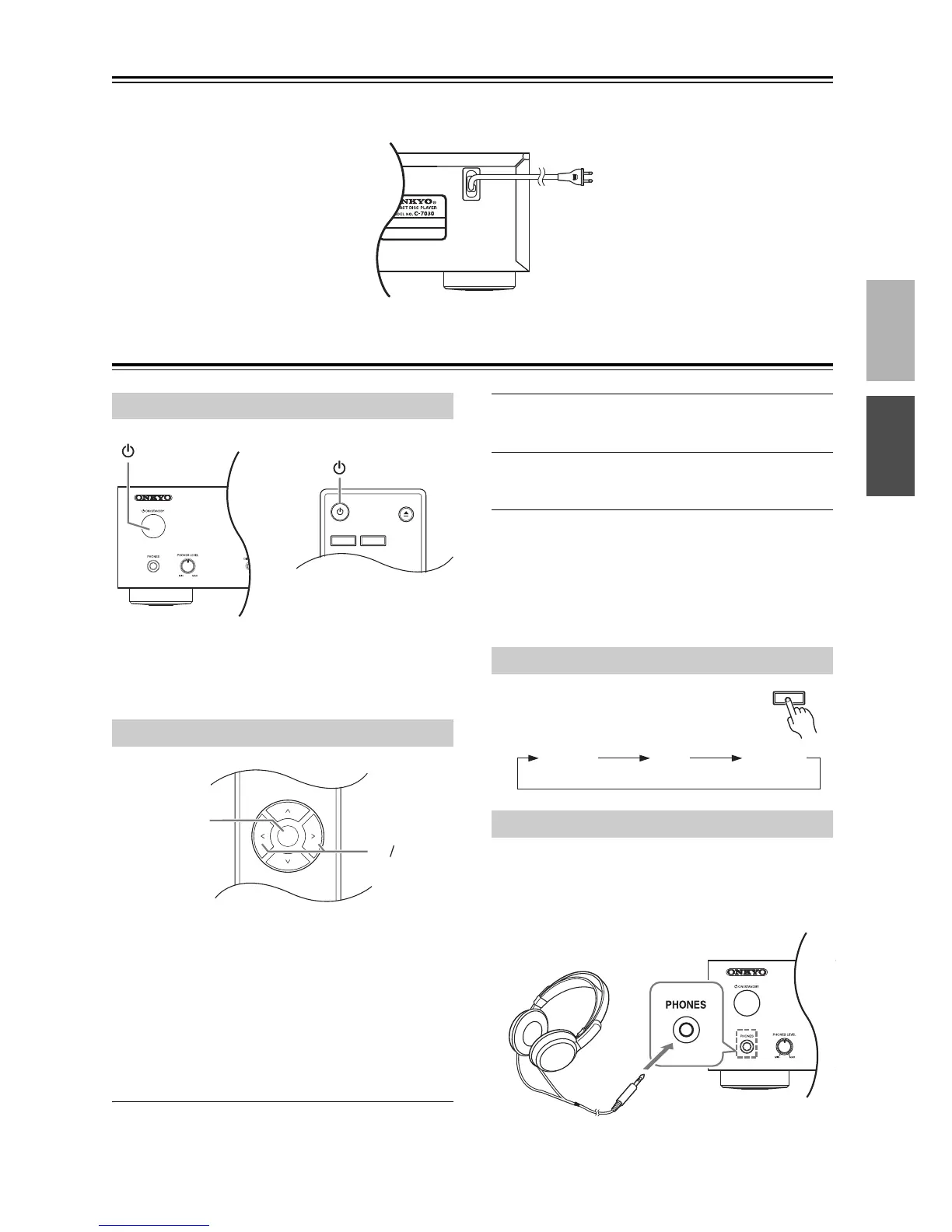
Connecting the Power Cord
Before connecting the power cord, connect all of the other components.
Basic Operation
To turn on the CD Player, press the [ ON/STANDBY]
button on the unit or the remote controller. Press the
[ ON/STANDBY] button again to set the CD Player to
Standby.
You can specify that if the CD Player is left stopped for
30 minutes, the power will automatically turn off, plac-
ing the unit in Standby mode (Auto Standby function).
On the North American model:
The default setting is “Off”.
On the European model:
The default setting is “On”.
Make settings for this function while playback is
stopped.
1
Press the [SETUP] button.
2
Use the [] or [] button to display “ASb”;
then press the [ ENTER ] button.
3
Use the [] or [] button to switch “Off” or
“On”; then press the [ ENTER ] button.
4
“COMPLETE” appears on the display.
Note:
If playback is paused, the power will remain on even
after 30 minutes have elapsed; the Auto Standby func-
tion will not operate.
Press the remote controller’s [DIMMER]
button repeatedly to select the following
options:
Turn down the volume, then connect your stereo head-
phones to the [PHONES] jack.
You can adjust the volume by using the [PHONES
LEVEL] knob.


 To Next Page
 Loading...