En-18
Basic Operation—Continued
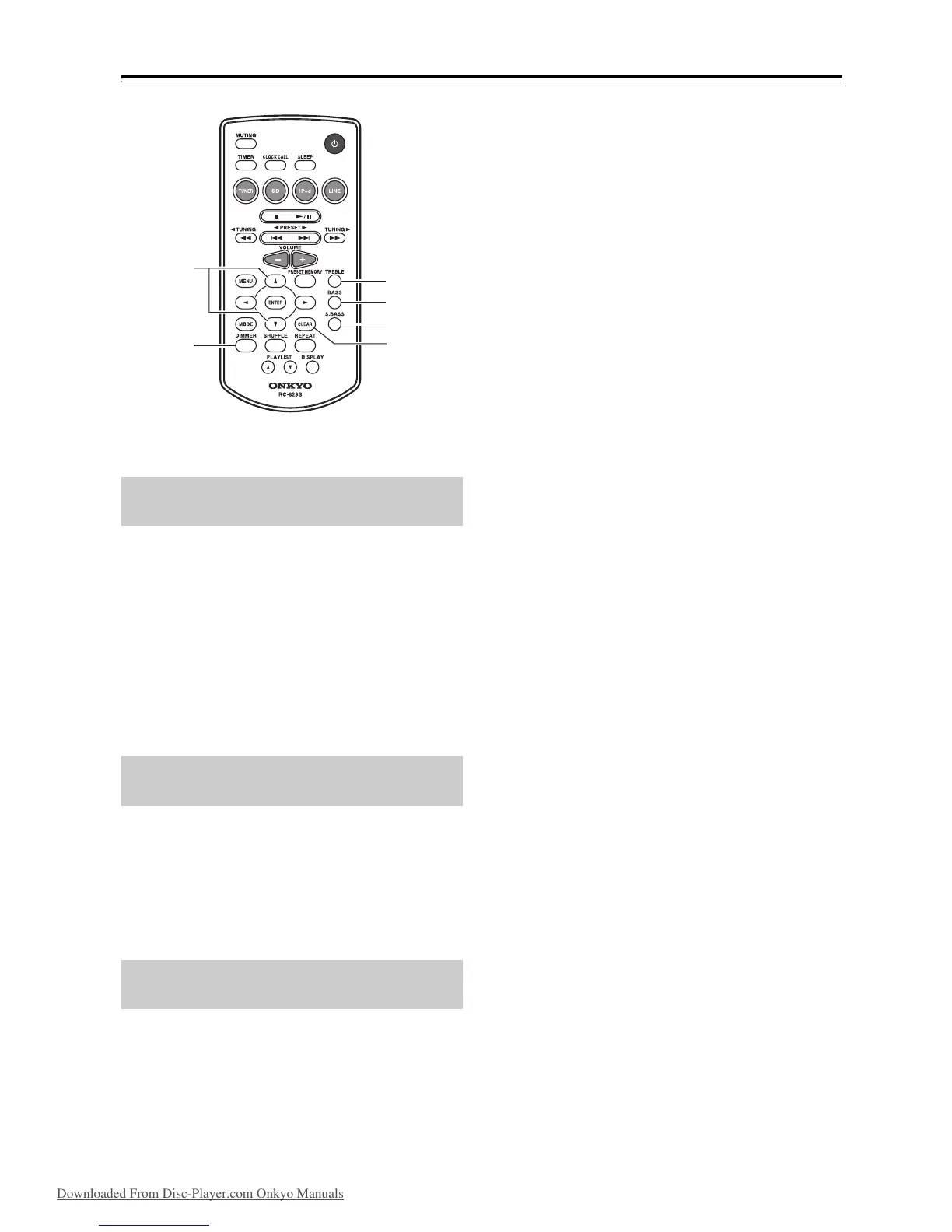
Press the [BASS] or [TREBLE] button, and then
use the []/[] buttons to adjust the bass or
treble, respectively.
The default setting is “0.” You can adjust the bass and
treble from –5 to +5.
While adjusting the bass or treble, you can press the
[CLEAR] button to return the setting to “0”.
Note:
• If you press no buttons for 5 seconds, the previous
display will appear automatically.
To turn on Super Bass, press the [S.BASS]
button.
The setting will alternate between S.Bass Off, S.Bass 1,
and S.Bass 2 each time you press the button.
To turn off Super Bass, press the [S.BASS] button
repeatedly until “S.Bass Off” appears.
You can adjust the brightness of the display.
Press the remote controller’s [DIMMER] button
repeatedly to select: dim, or normal brightness.
Adjusting the Bass and Treble
(remote controller only)
Using Super Bass
(remote controller only)
Changing the Display Brightness
(remote controller only)


 To Next Page
 Loading...