Need help?
Do you have a question about the Onkyo TX-SR606 and is the answer not in the manual?
Covers essential safety warnings and cautions for using the apparatus.
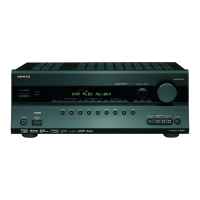
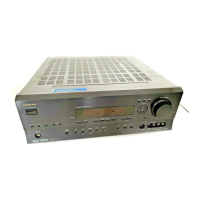
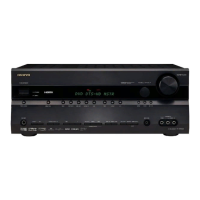
Identifies and explains the function of buttons and displays on the front panel.
Diagram and description of all input and output terminals on the rear panel.
Instructions on using the remote to operate the AV receiver's main functions.
Details on speaker setup, subwoofer connection, and cable labeling.
Important warnings and guidelines for safely connecting speakers to the receiver.
How to connect audio and video signals, and choosing the right connection format.
Step-by-step guide for connecting video and audio to your TV or projector.
Instructions for connecting a DVD player for optimal audio and video playback.
Step-by-step instructions for establishing HDMI connections between components.
Instructions for connecting audio sources like CD players and turntables.
Covers connecting the power cord, turning the unit on/off, and standby mode.
Automated process to configure speaker settings for optimal acoustics.
Manually adjust speaker parameters like impedance, type, and crossover settings.
Configuring automatic audio input detection based on signal presence.
How to select sources, adjust volume, and start playback on connected components.
Guides through setting up speakers, crossover, distance, and levels.
Configures input assignments, levels, and sync for various sources.
Explains how to look up, enter, and reset remote control codes.
Troubleshooting steps for power-on problems and receiver turning off.
Resolving problems related to no sound, subwoofer, Zone 2, signal formats, and noise.
Troubleshooting radio reception, remote control, and component connectivity problems.
Resolving problems with video output quality and HDMI connectivity.
 General
| Frequency range | 50 - 100000 Hz |
|---|---|
| Audio output channels | 7.1 channels |
| Signal-to-Noise Ratio (SNR) | 106 dB |
| Total Harmonic Distortion (THD) | 0.08 % |
| AM band range | 522 - 1611 kHz |
| FM band range | 87.5 - 108 MHz |
| Supported radio bands | AM, FM |
| Radio Data System (RDS) | Yes |
| Connectivity technology | Wired |
| Product color | Silver |
| Dimensions (WxDxH) | 435 x 374.7 x 174.3 mm |
| Power consumption (typical) | 550 W |
 Weight and Dimensions
| Weight | 11400 g |
|---|


 To Next Page