En-44
Zone 2
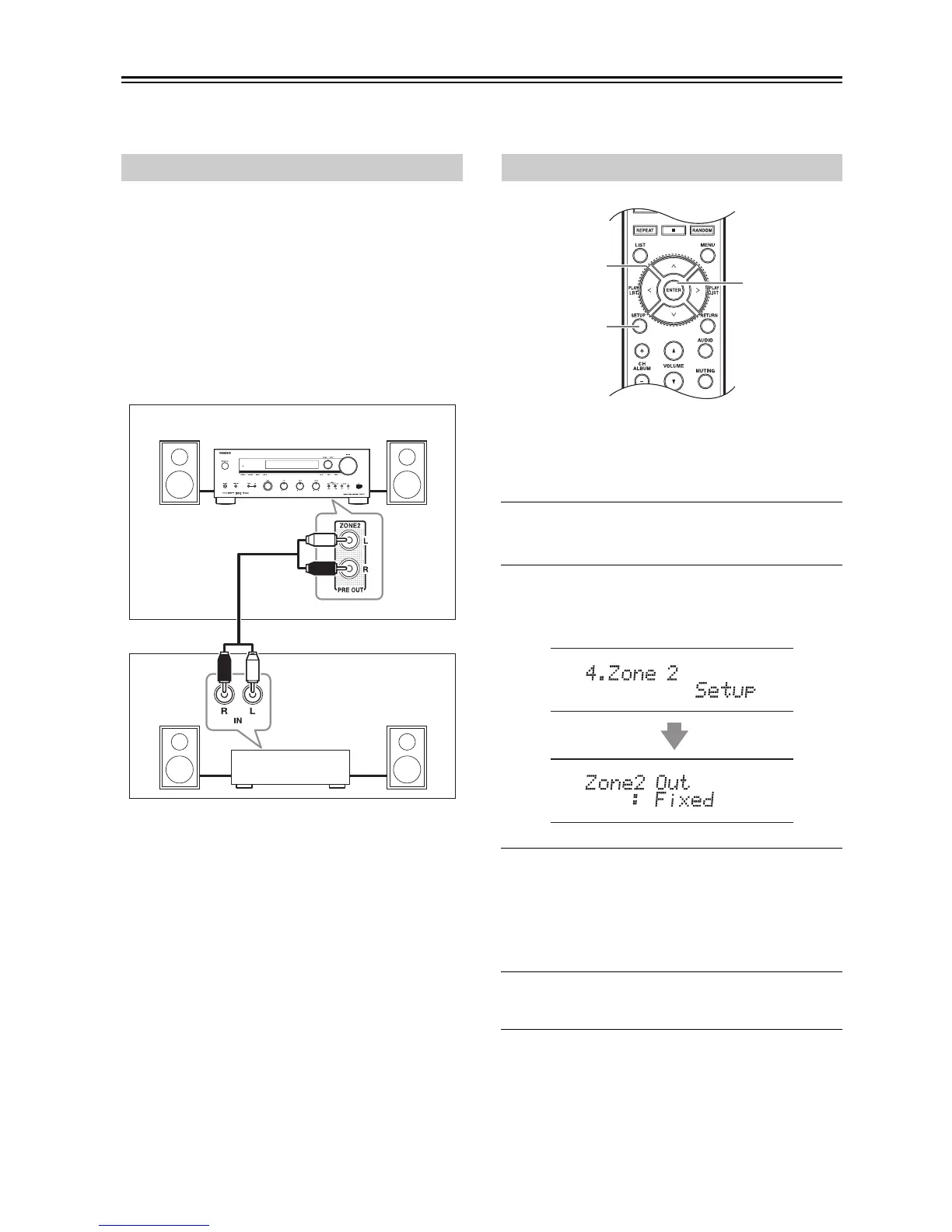
In addition to your main listening room, you can also enjoy playback in a second room referred to as Zone 2. In addition,
you can select a different source for each room.
This setup allows 2-channel playback (with the speaker
set A and B) in your main listening room and 2-channel
stereo playback in Zone 2, with a different source in each
room.
Hookup
• Use an RCA audio cable to connect the receiver’s
ZONE 2 PRE OUT L/R jacks to an analog audio input
on your Zone 2 amp.
• Connect your Zone 2 speakers to the speaker terminals
on your Zone 2 amp.
Notes:
• The Zone 2 volume must be set on the Zone 2 amp.
• If you’re using a power amp with no volume control in
Zone 2, you must set the Zone 2 Out setting to
Variable (
page 42).
If you have connected your Zone 2 speakers to an amp
with no volume control, set the Zone 2 Out setting to
Variable so that you can set the zone’s volume, balance,
and tone on the receiver.
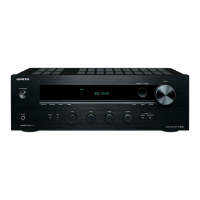
1
Press the [SETUP] button.
The setup menu appears on the display.
2
Use the arrow []/[] buttons to select
“4. Zone 2 Setup” and then press [ENTER].
The Zone 2 Setup menu appears.
3
Use the arrow []/[] buttons to select:
Fixed: The Zone 2 volume must be set on the
amp in that zone.
Variable: The Zone 2 volume can be set on the
receiver.
4
Press the [SETUP] button.
Setup closes.
Connecting Zone 2



 To Next Page