2 - I/O Definitions
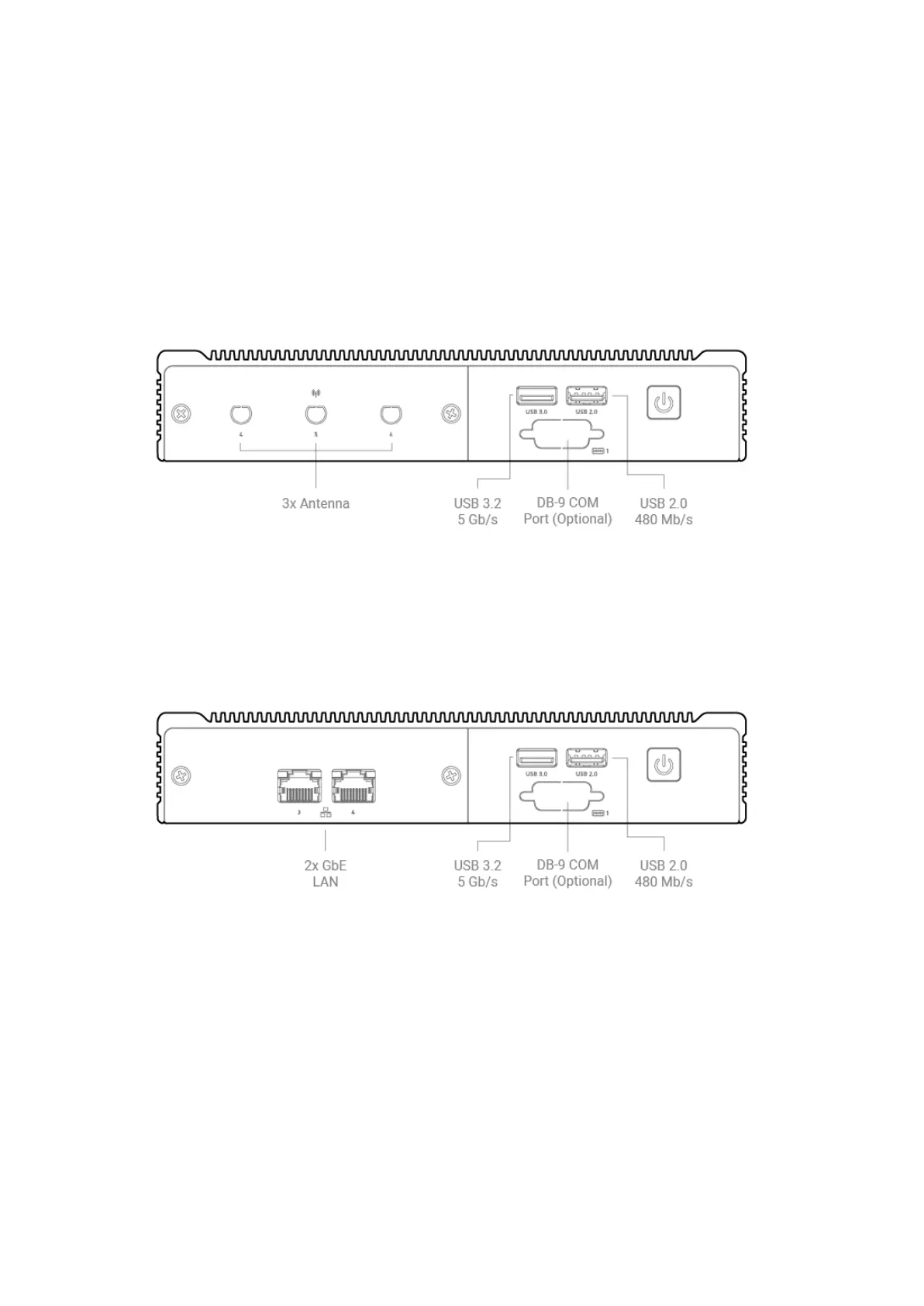
2.1 - Front I/O Definition
The HX310 with the DIO option is pictured.
The HX330 with the additional dual LAN option is pictured.
Power Button / Power LED
The front power button can be used to turn on and off the Helix system. The power button is a
momentary contact button with a blue LED backlight used to display the status of the system. A
single press while the system is on will initiate a graceful shutdown operation from the OS. Pressing
and holding the button for 4 seconds while the system is running will cause a hard reset of the
system. The system can be woken by a single press of the power button from any state.



 To Next Page