Ocularis Web User Guide The View (Live)
PTZ (Pan Tilt Zoom)
PTZ (Pan Tilt Zoom) functions are supported in Ocularis Web.
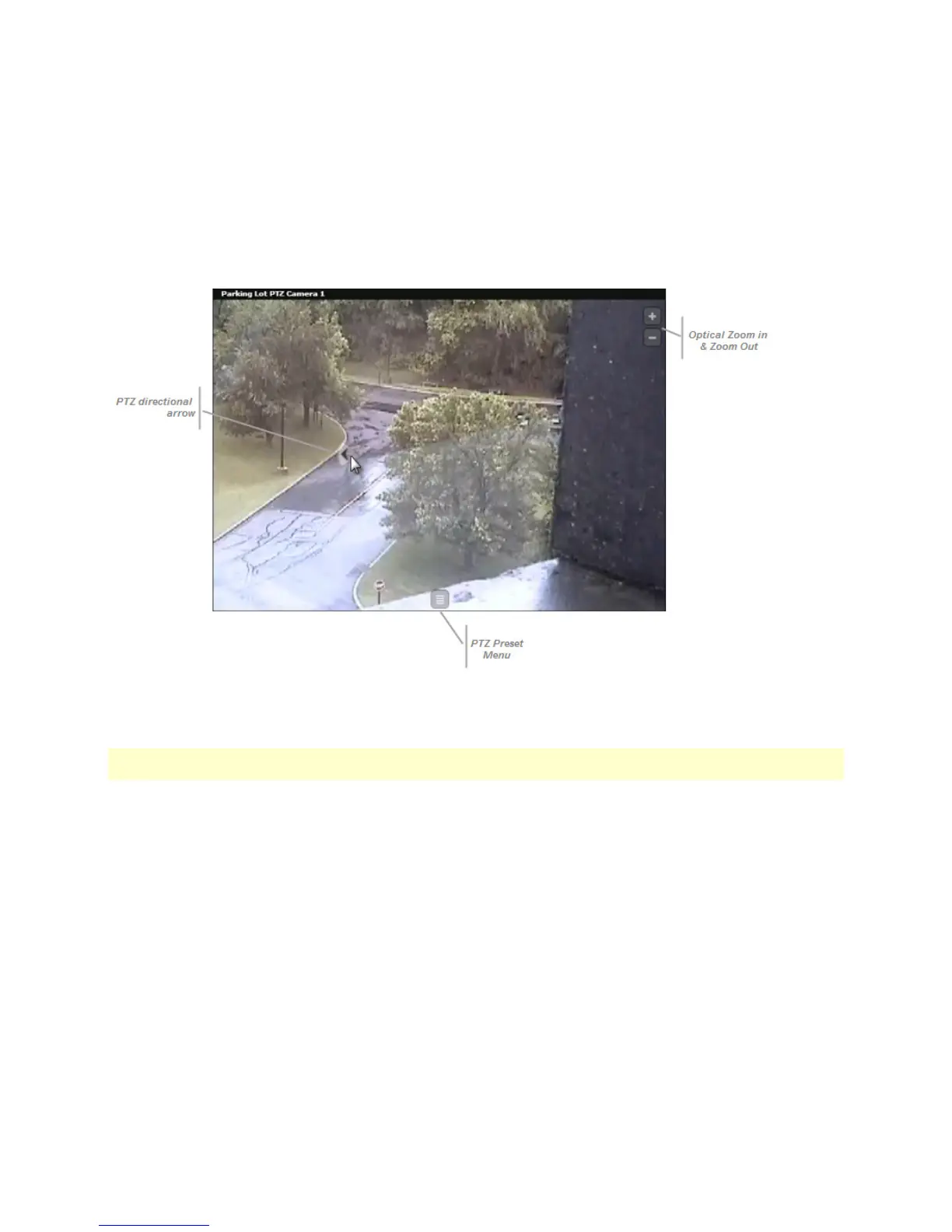
TO PAN OR TILT A PTZ CAMERA
Click the mouse on the area you wish to pan or tilt the camera. A directional arrow appears to indicate the direction the
camera will be moved. Continue to click on the image to adjust the camera position.
TO ZOOM A PTZ CAMERA
To optically zoom a PTZ camera, click the Zoom in or Zoom out ('+' or '-') buttons in the pane with the PTZ video.
Note: camera privileges are inherited from Ocularis Base. Therefore, whatever camera privileges you have when you
use Ocularis Client, you will also have with Ocularis Web.
On-Net Surveillance Systems, Inc. 15



 To Next Page