Power On
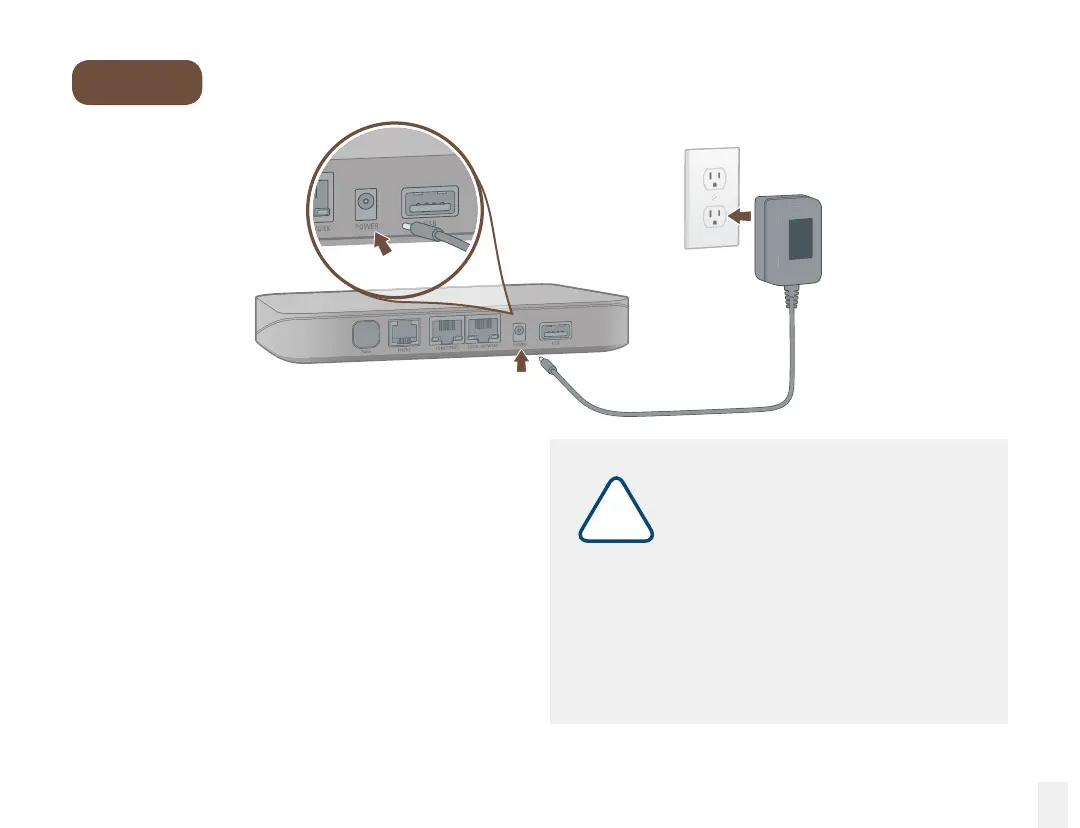
Plug in your Base Station
Plug the provided AC adapter into the POWER port.
It is normal for the status light on the front to blink
for several minutes while the device is booting up.
The status light will turn blue once the system
is powered up. Pick up the phone and listen for
a dialtone to conrm that your system set up
is complete.
Step 4
11
!
If your device requires a software
upgrade, it will take longer to boot
up the rst time.
Downloading the latest version may take
5-10 minutes depending on the speed of
your Internet connection. Do not unplug the
Base Station while it is upgrading. It will
automatically reboot after the upgrade is
complete.



 To Next Page