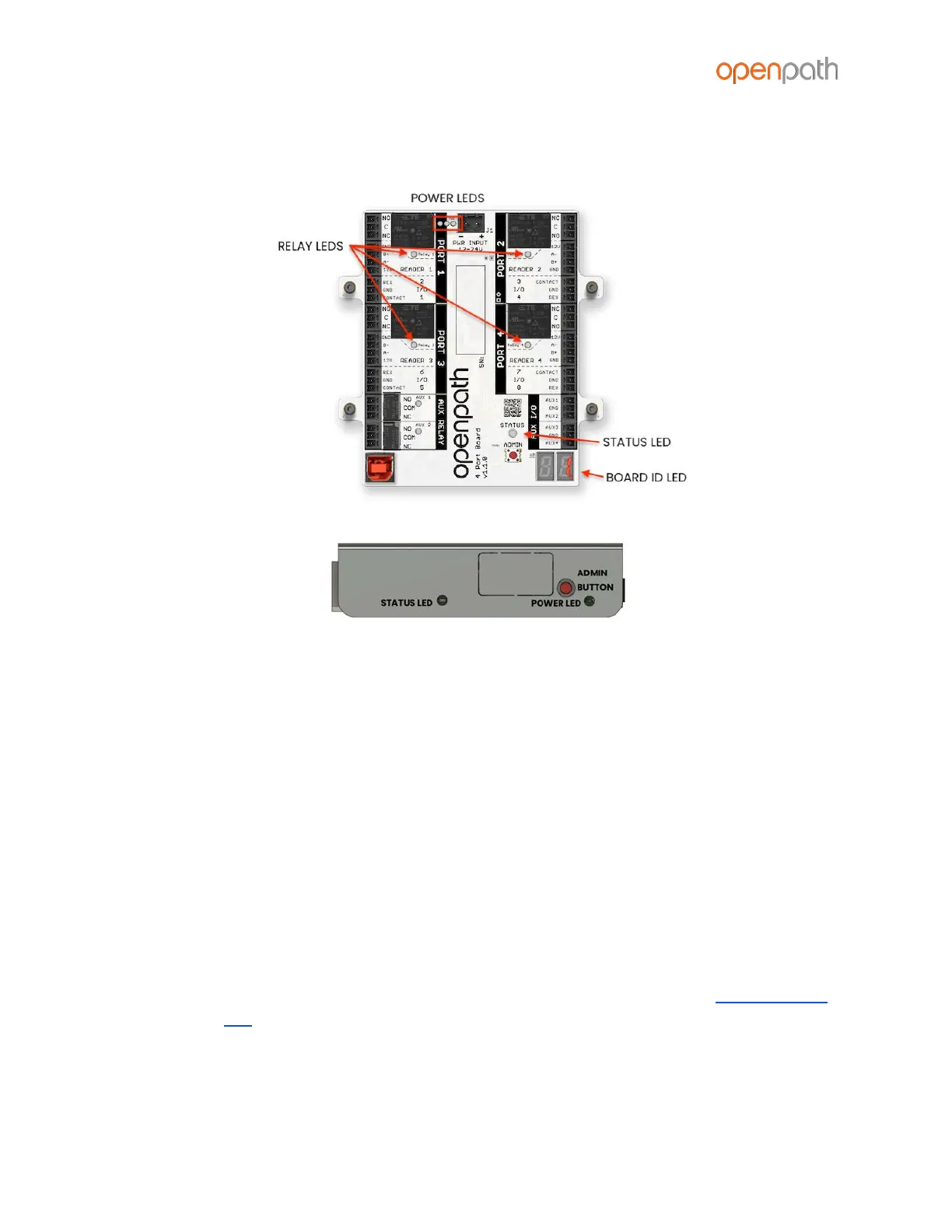
ACU LEDS
Figure 21: Expansion Board and Core LEDs
Openpath ACUs (Cores and Expansion Boards) have several LEDs that indicate the
following:
● POWER LEDs indicate that the board is connected to power
● RELAY LEDs indicate when the relays are activated
● STATUS LEDs indicate that the ACU has been configured with firmware.
○ On the 4-Port and 8-Port Boards, the STATUS LED is solid green when it is
connected and communicating with the Core, and solid red when there
is a connection error
○ If the STATUS LED is solid red, try the following:
■ Power cycle 4-Port/8-Port
■ Unplug and replug USB cable
■ Restart Hardware Communicator in Control Center
○ The STATUS LED on the Core Board has several states, see CORE STATUS
LED
● BOARD ID LEDs match the Expansion Board Number in the Control Center



 To Next Page