TROUBLESHOOTING
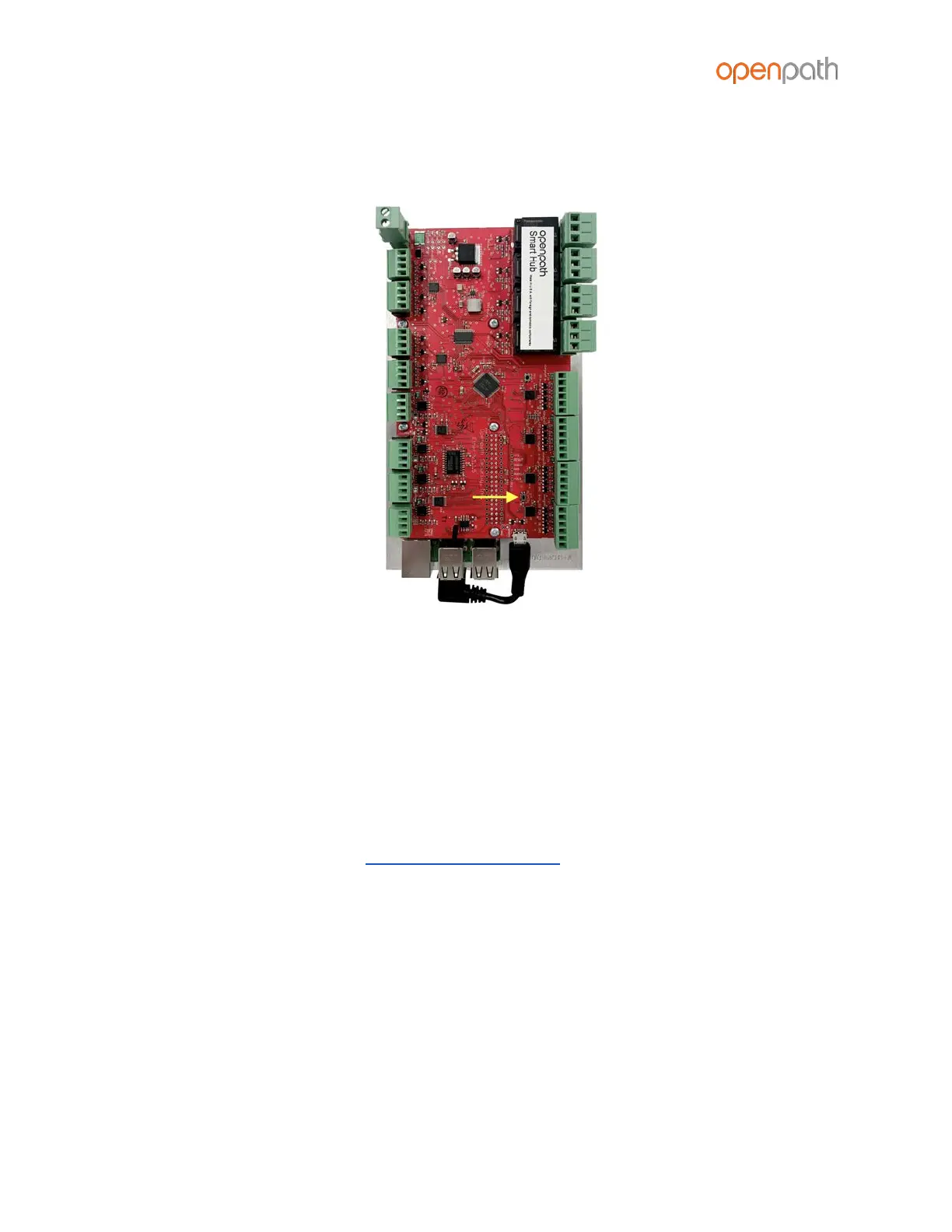
Figure 29: ADMIN Button on 4 Door Controller
To hard reset the ACU:
1. Disconnect power from the ACU
2. Hold down the ADMIN button for 15 seconds
3. While still holding down the ADMIN button, reconnect the power, and continue
to hold the button for another 15 seconds. You should see two POWER LEDs light
up in the top left corner.
4. Wait 15 minutes before PROVISIONING THE ACU



 To Next Page