To configure EOL in the Control Center:
1. Go to control.openpath.com and log in
2. Go to Hardware > ACU Management, then click on the ACU to edit it
3. Click on the Ports tab
4. Click Cable next to the port with EOL configured
5. Select the appropriate End of Line Supervision setting from the dropdown, then
click Save
Troubleshooting
ACU LEDS
READER LEDS
LEGACY WIRING
RESETTING THE ACU
PROVISIONING THE ACU
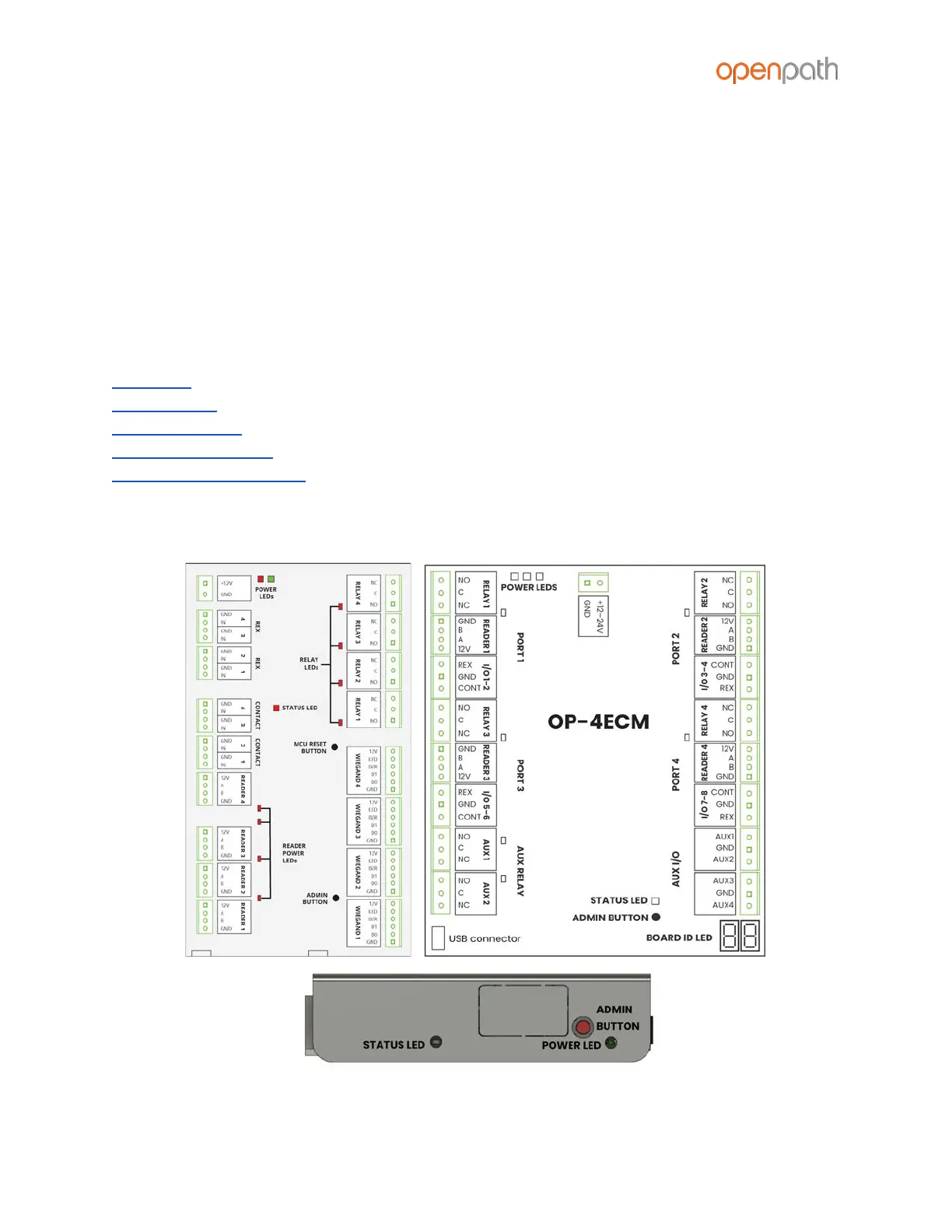
ACU LEDS
Figure 20: Controller Board, Expansion Board, and Core LEDs



 To Next Page