MULTIMEDIA
26
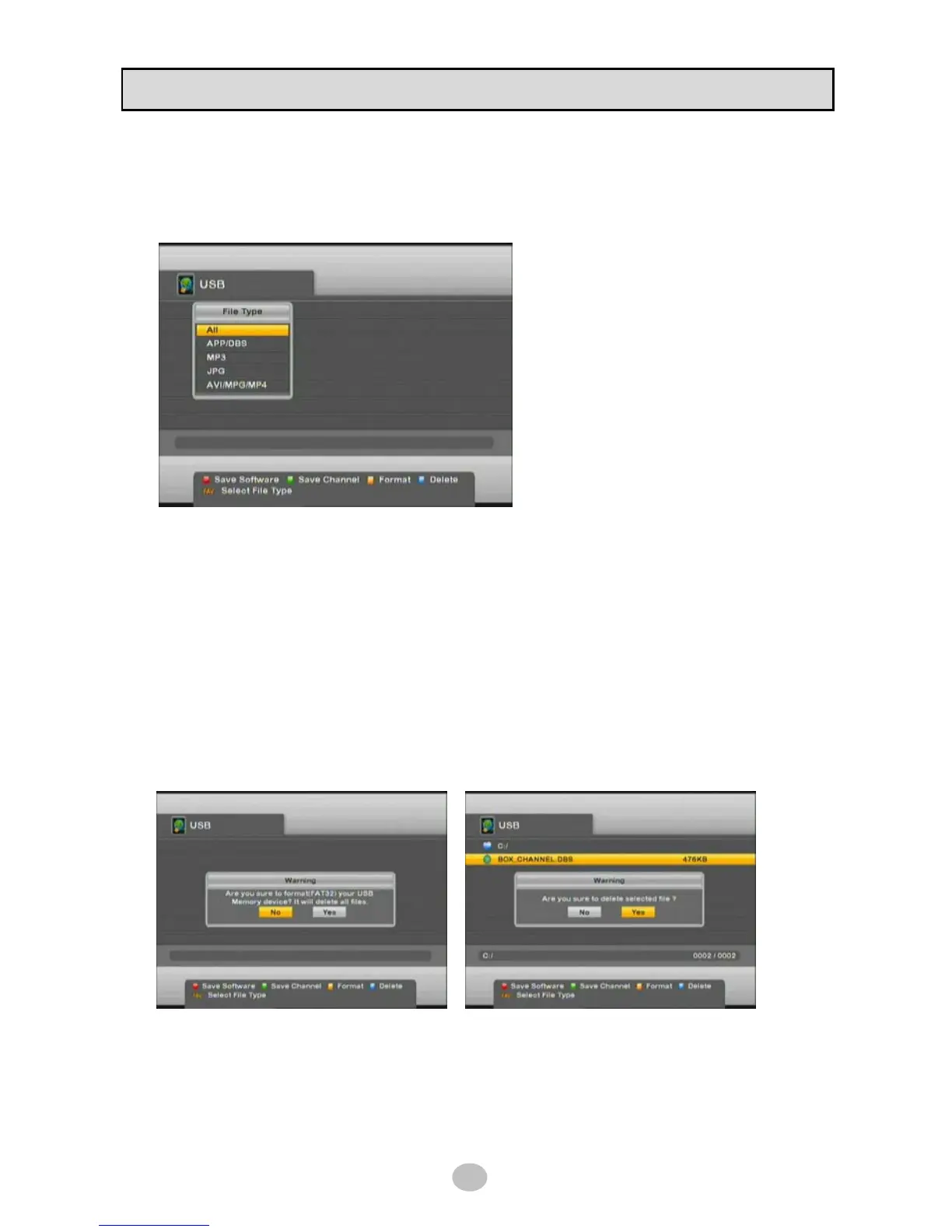
■ File filter
Press [FAV] button on RCU to display files in filter according to there file type as ALL, APP/DBS, MP3,
JPG, AVI/MPG/MP4.
◆ All : display all types of file
◆ APP/DBS : APP file is software and DBS
file is database (channel, TP, etc.) file type.
◆ MP3 : Mpeg Layer-3 audio file type
◆ JPG : JPEG picture file type
◆ AVI/MPG/MP4 : DivX video file type
■ Format
Press [YELLOW] button to initialize new USB device or format USB device.
※ Caution : all data will be deleted in USB device
File system of USB device will be FAT32 after formatting and this is compatible with PC
■ Delete
Press [BLUE] button to delete file or directory in USB device.
※ Caution : directory should be empty


 To Next Page