LIVE MENU
36
9.2 Channel list
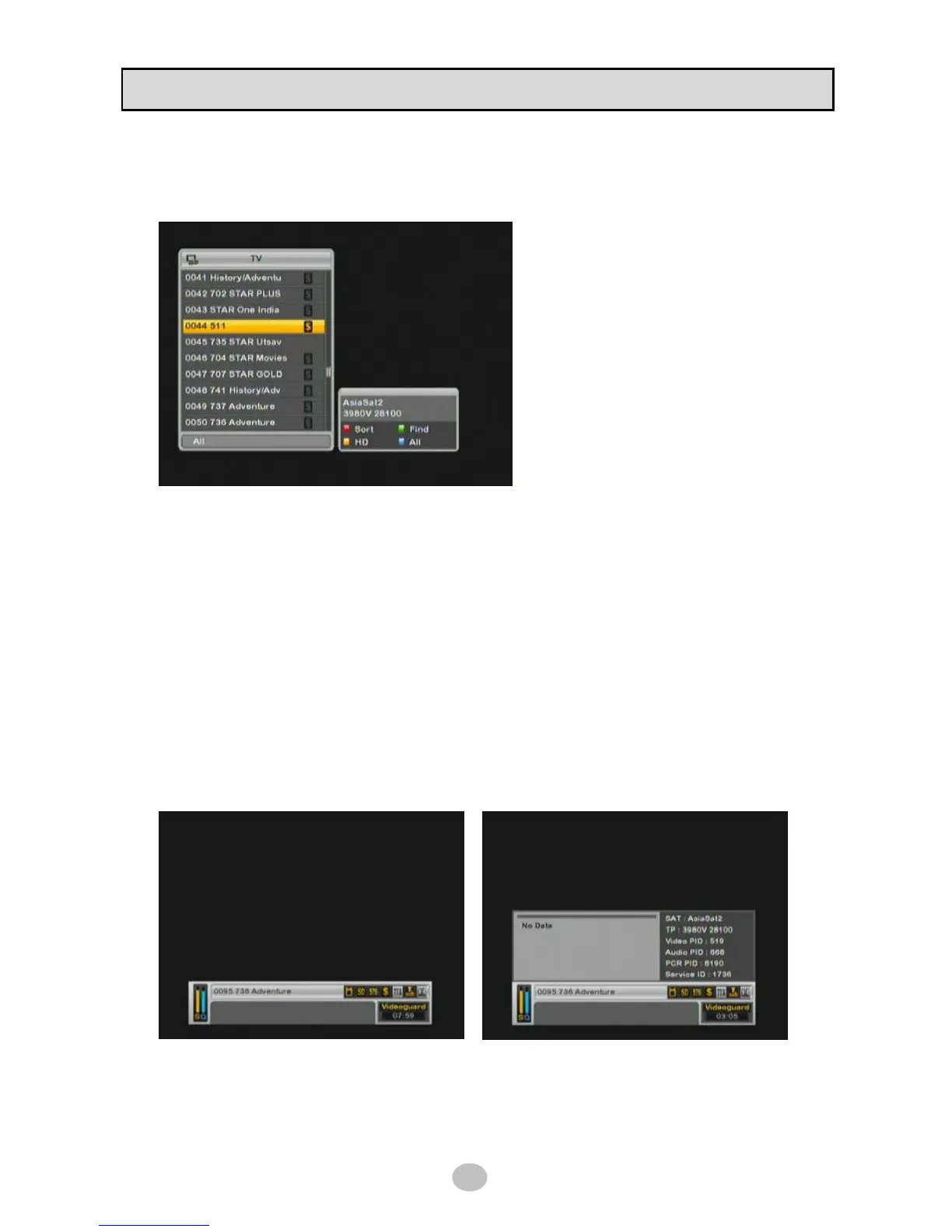
Press OK button in live screen then channel list box will be available as below picture.
Press TV/Rad button to switch TV channel
list to Radio channel list, vice versa.
Press FAV button to show your favorite
channel list.
※ Favorite channel list should be configured
prior to use.
Press SAT button to show only channels that
are belonged to satellite you selected.
SORT – Change channel order by name, CAS or TP Frequency.
To return all channel list, press BLUE button.
FIND – Find channel by entering name in screen keypad, this is shortcut to find channel quickly.
HD – Display only HD channels.
To return all channel list, press BLUE button or press HD button once again.
9.3 Infobar
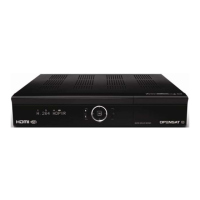
Press INFO button while you’re in live screen then infobox will give you detailed information on watching
channel.
This function toggles as [normal mode] > [extended mode] > [off] by the number you press INFO button.
Extended mode provide you with more information like full EPG, satellite, TP, PID info and service ID
than normal mode.


 To Next Page