MULTIMEDIA
28
■ Software update / backup
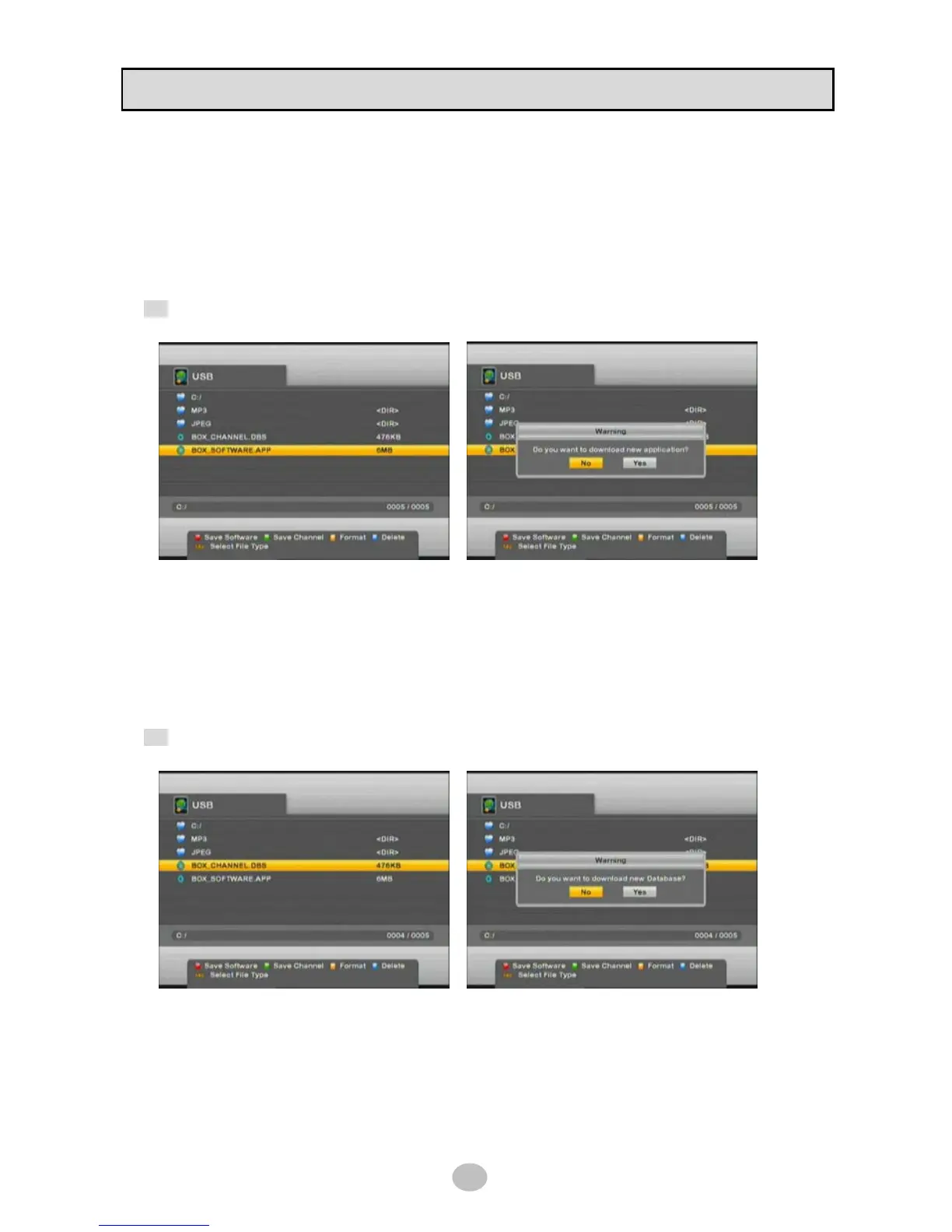
Select APP file in USB manager and press OK to update software of STB.
STB will be automatically rebooted after updating software.
To save or backup current system software, press [RED] button then BOX_SOFTWARE.APP file will be
created in USB device.
Tip keep the saved file in safe storage device for future use
■ DB backup / restore
To save or backup current database (channel list, TP, etc.), press [GREEN] button then
BOX_CHANNEL.DBS file will be created in USB device.
For restoring it, simply select file and press OK as below picture.
Tip keep the saved file in safe storage device for future use


 To Next Page