LIVE MENU
35
9.1 Electronic Program Guide
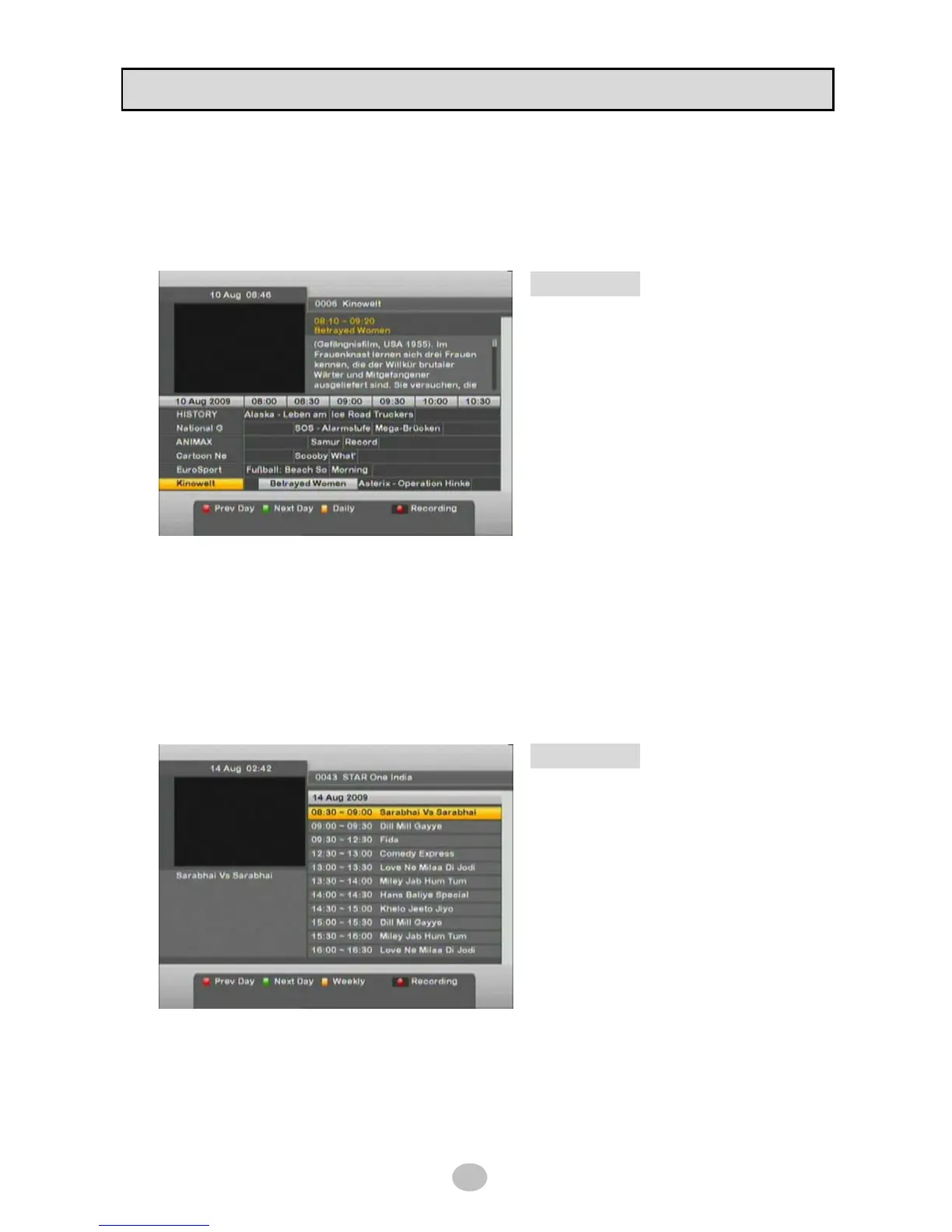
To display program guide (current and next program) for currently viewing channel, press [EPG] button
on RCU then you will see below picture.
Seven days EPG is available.
◆ Key Operation
▲▼ Button : Change channel
◀▶ Button : Change time table
OK Button : Watch channel in PIG
RED Button : Change date to previous day
GREEN Button : Change date to next day
RECORD Button : Reservation for recording
When recording reservation is made, ● icon will be added to selected program and this reservation
will be listed in [TIMER] menu.
※ USB Memory or HDD should be connected before recording started.
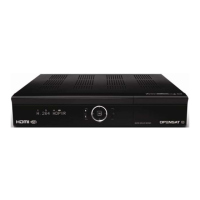
To display EPG in Daily category, press YELLOW Button and you will get below picture.
This menu shows more detailed program description for selected channel from 00:00 to 24:00.
To return Weekly EPG menu, press YELLOW button.
◆ Key Operation
▲▼ Button : Change time table
◀▶ Button : Change Channel
OK Button : Display description of program
RED Button : Change date to previous day
GREEN Button : Change date to next day
RECORD Button : Reservation for recording


 To Next Page