GETTING STARTED
9
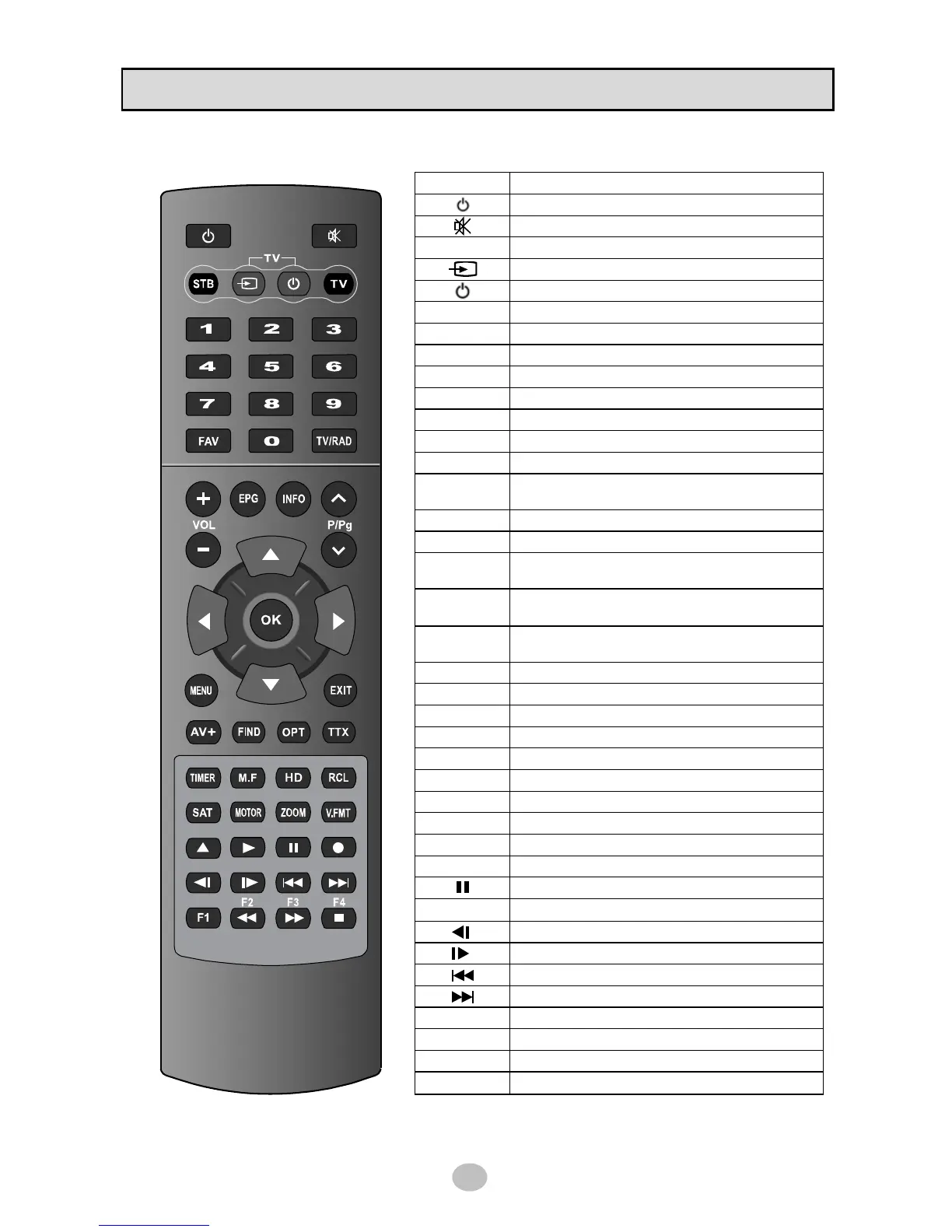
1.4 Remote Control Unit
KEY FUNCTION
Stand by mode [ON/OFF]
Mute the sound
STB Set RCU work with STB
Select AV source of TV
power ON/OFF of TV
TV Set RCU work with TV
MOTOR Display DiseqC 1.2 setup menu
TIMER Display Timer reservation list
V.FMT Set screen format
M.F Display multifeed channels
EPG Show the Electronic Program Guide
INFO Show the current channel information
SAT Display satellite list scanned
MENU
Normal Mode : Show the main menu
Menu Mode : Exit menu mode
EXIT Return to previous menu
ZOOM Display Zoom function
CH
▲▼
Normal Mode : Change channel
Menu Mode : Move menu item
VOL
◀▶
Normal Mode : Adjust the volume
Menu Mode : Change menu item
OK
Normal Mode : Display channel list
Menu Mode: Execute the select item
HD Display HD channel list
RCL Go back to previous channel
AV+ Display audio mode / video mode menu
FIND Display find-window to search channel
OPT Display subtitle / audio language menu
TTX Display Teletext
FAV Show Favorite Channel List
TV/RAD Switch TV/Radio mode
▲
Display USB file browser
▶
Play recorded file / MP3
Pause play / Time shift
●
Start recording
Slow play backward
Slow play forward
Seek backward
Seek forward
F1 Reserved for future use
◀◀
Rewind
▶▶
Fast forward
■
Stop


 To Next Page