114 Operation
Sure Sort™ Operator Manual
OPEX Corporation
4.1.2. Turning the power on/off
To power up the machine
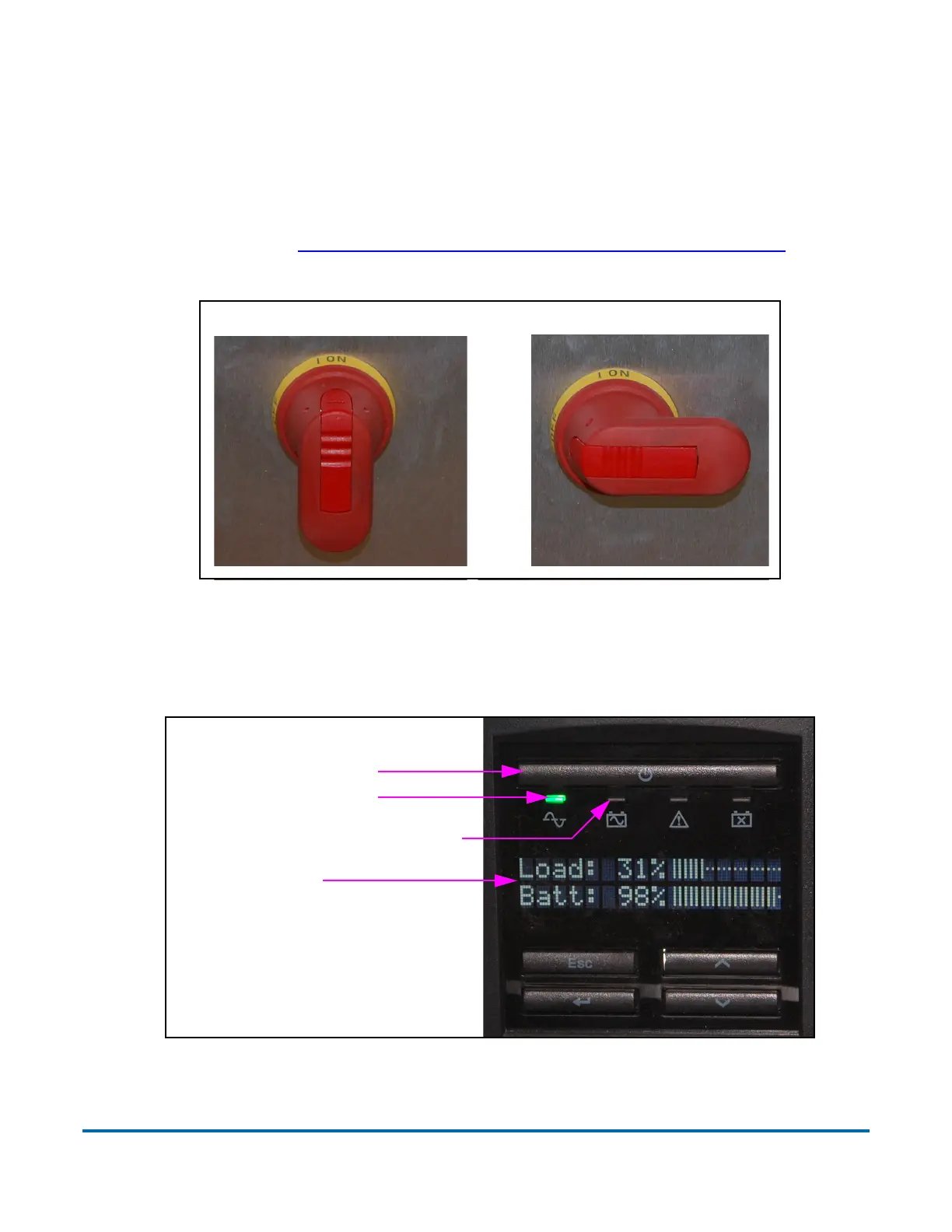
1. Confirm that the red handle of the main disconnect switch found within the
cabinet is in the ON position (refer to
Figure 4-2). If it is in the Off position,
as described in “LOTO - Machine maintenance and repair” on page 72, check
to see if anyone is working on the machine before attempting to power up.
Figure 4-2: Main disconnect switch handle - On/Off positions
2. Press the Power button on the front of the UPS. Confirm that the green
power indicator LED and display screen turn on (
Figure 4-3).
Figure 4-3: UPS control panel
UPS power button
Power indicator LED
Display screen
Battery backup indicator LED



 To Next Page