Operation 117
Sure Sort™ Operator Manual
OPEX Corporation
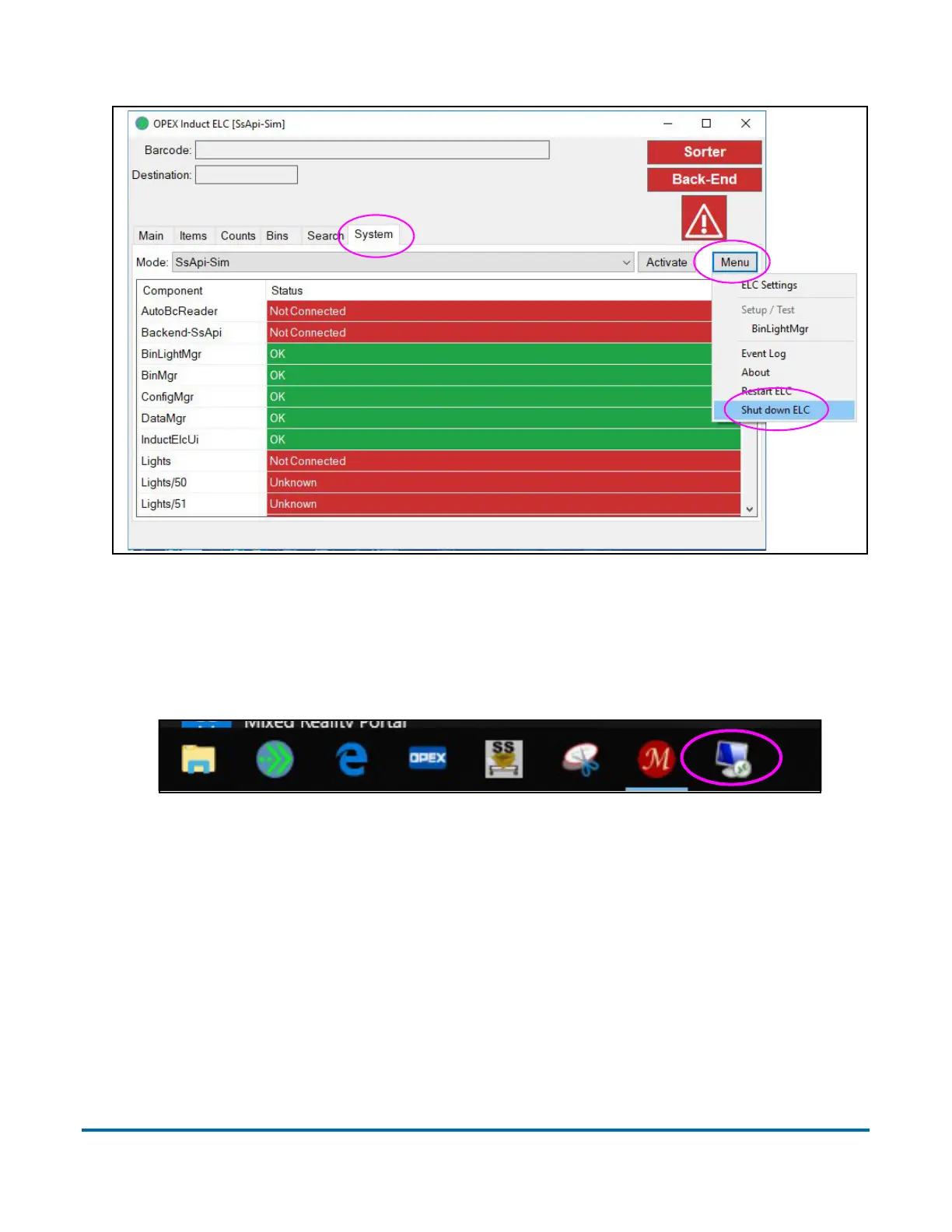
Figure 4-6: Induct ELC user interface
3. Shut down the RTM computer on the scan tunnel as follows:
a. Connect to the RTM computer by selecting the remote desktop icon in
the taskbar of the Host computer (Figure 4-7).
Figure 4-7: Host computer desktop



 To Next Page