144 Statistics
Sure Sort™ Operator Manual
OPEX Corporation
5.1. Overview
The Sure Sort™ statistics provide information on the jobs run on the system.
5.2. Creating Reports
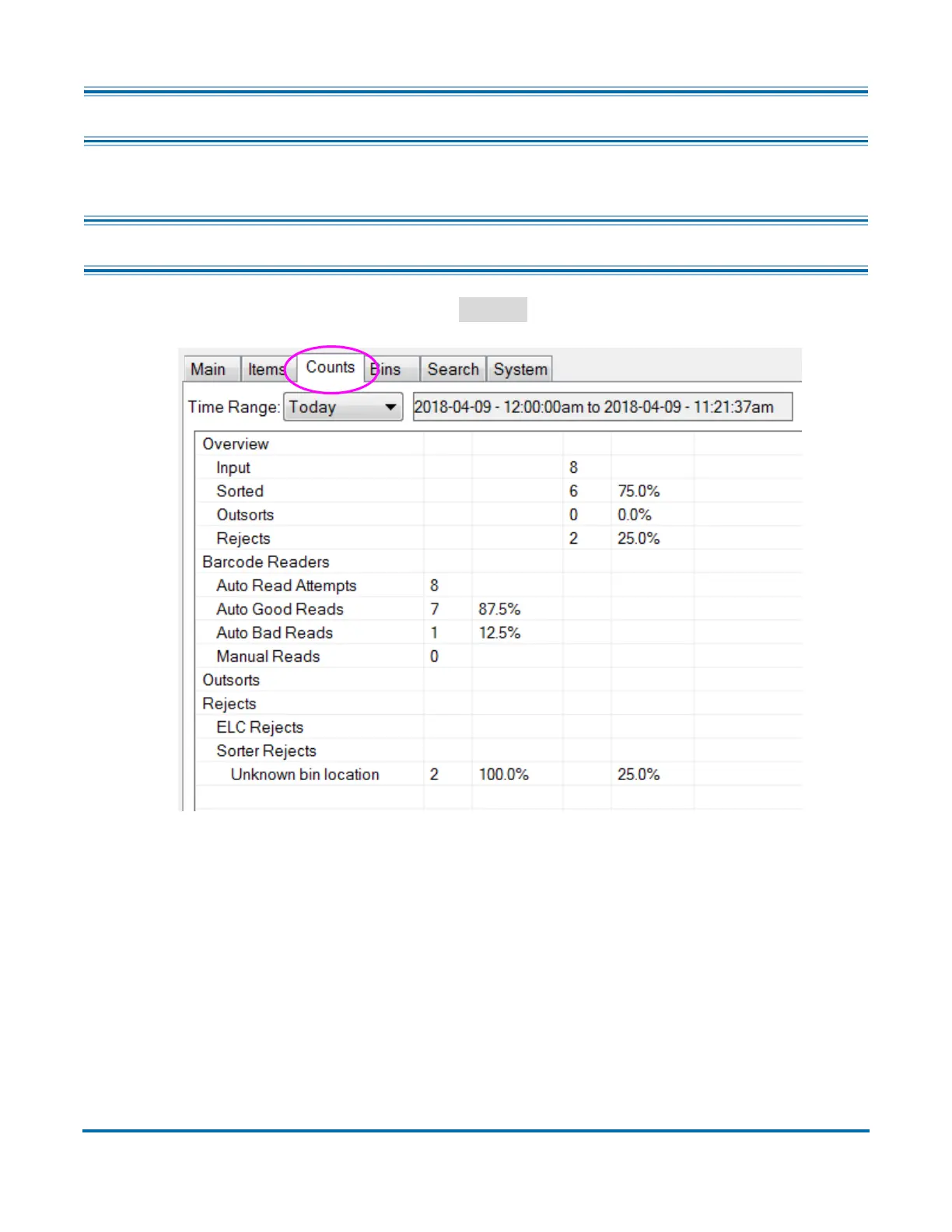
On the Induct ELC screen, click the
Counts
tab (Figure 5-1).
Figure 5-1: Induct ELC screen - counts tab
The Counts tab will show amounts and percentages of the following fields:
• Overview - this sections shows:
- Input - total number of items run through the system
- Sorted - total number of items successfully sorted
- Outsorts - Customer Backend told item to go to a different location and
not to sort
- Rejects - total number of system rejects



 To Next Page