INSTALLATION
6
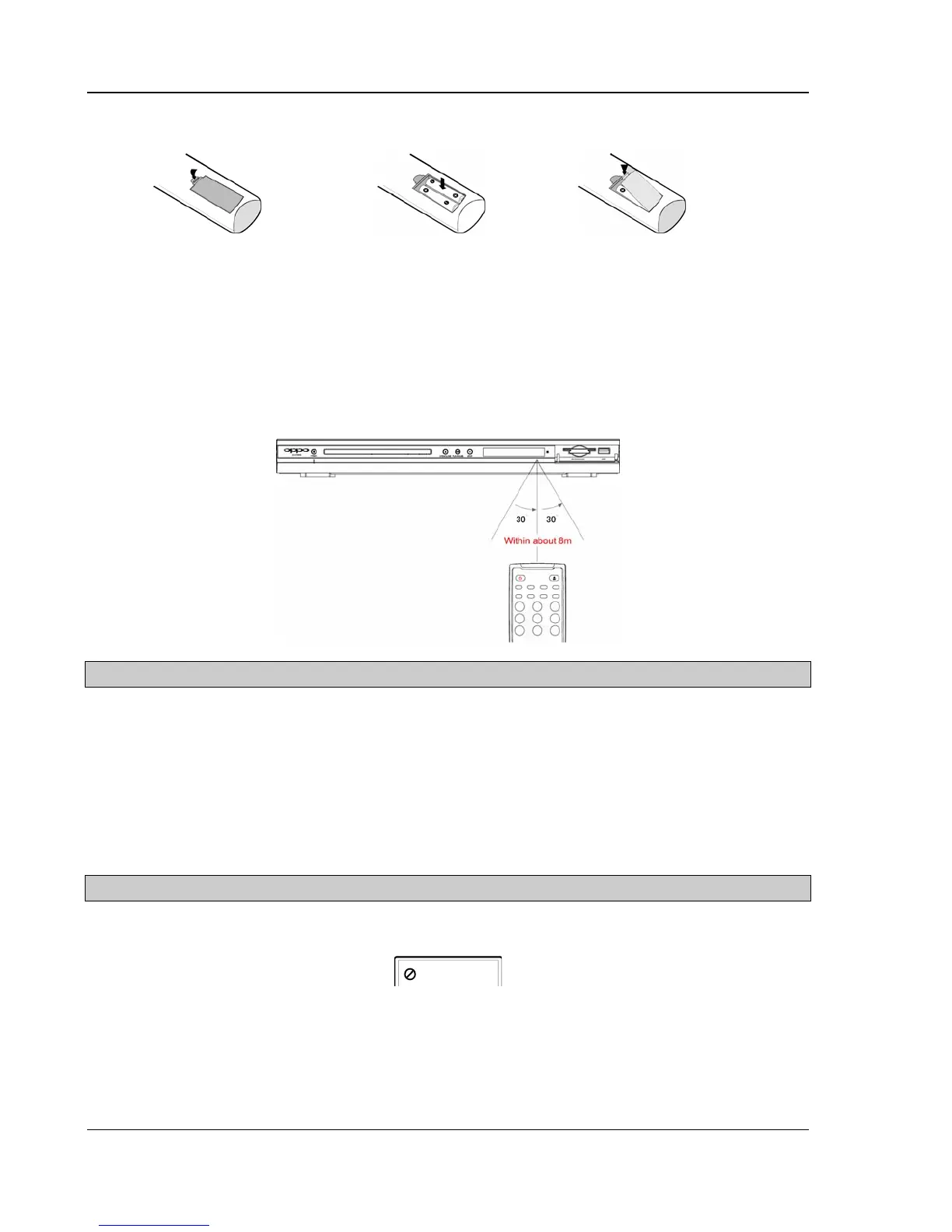
Battery Installation
1. Remove the battery
compartment cover
2. Insert batteries
3. Replace the battery
compartment cover
Using the Remote Control
When using the remote control, the front window of the remote control should be pointed to the infrared sensor
on the front panel within an angle of ±30° and a range of about 26 ft.
CAUTIONS
• Never drop the remote control or expose it to moisture.
• Never expose the infrared remote sensor on the front panel to direct sunlight or strong beams.
• When the batteries become low, replace them in time.
• If the remote control will not be used for a long time, please remove the batteries from it.
NOTES
• When a button is pressed but its function is invalid at the moment, the TV screen displays:



 To Next Page