INSTALLATION
9
Audio Connection
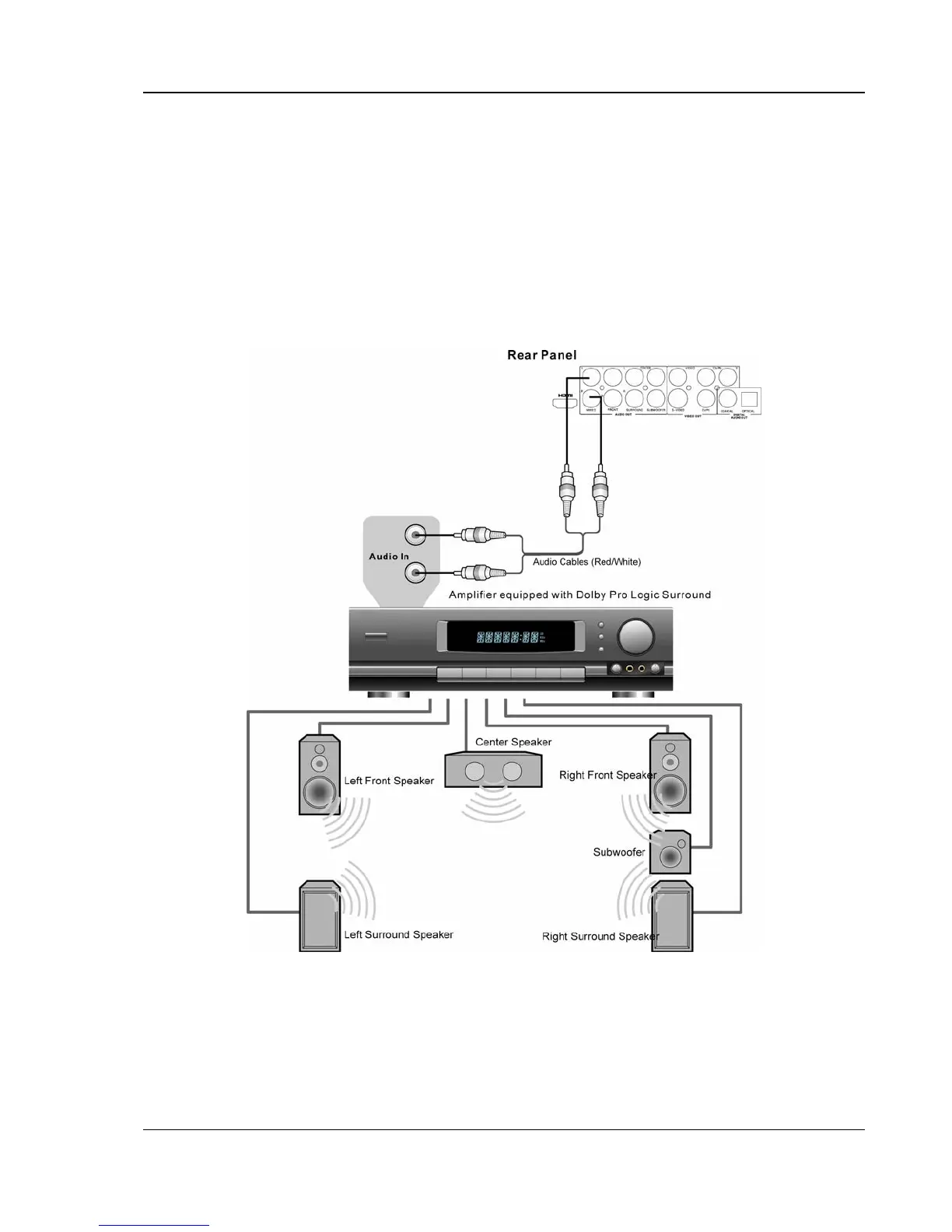
• Please use the Red/White audio cables to connect the MIXED audio output of the DVD player
to the TV. Make sure the audio cables are connected to the same input terminal group on the
TV as the video signals.
• Please set the down-mix mode of the DVD player to “Stereo” or “V. Surround”. (Refer to page
28 for details.)
Connection to an Audio System
Connection to a Stereo or Surround Audio System
• If the audio system does not have surround speakers, please set the down-mix mode to
“Stereo” or “V. Surround”.
• If the audio system has surround speakers and Dolby Pro Logic Surround support, please set
the down-mix mode to “Left/Right”.
(Please refer to page
28 for details.)



 To Next Page