INSTALLATION
7
Connection to a TV
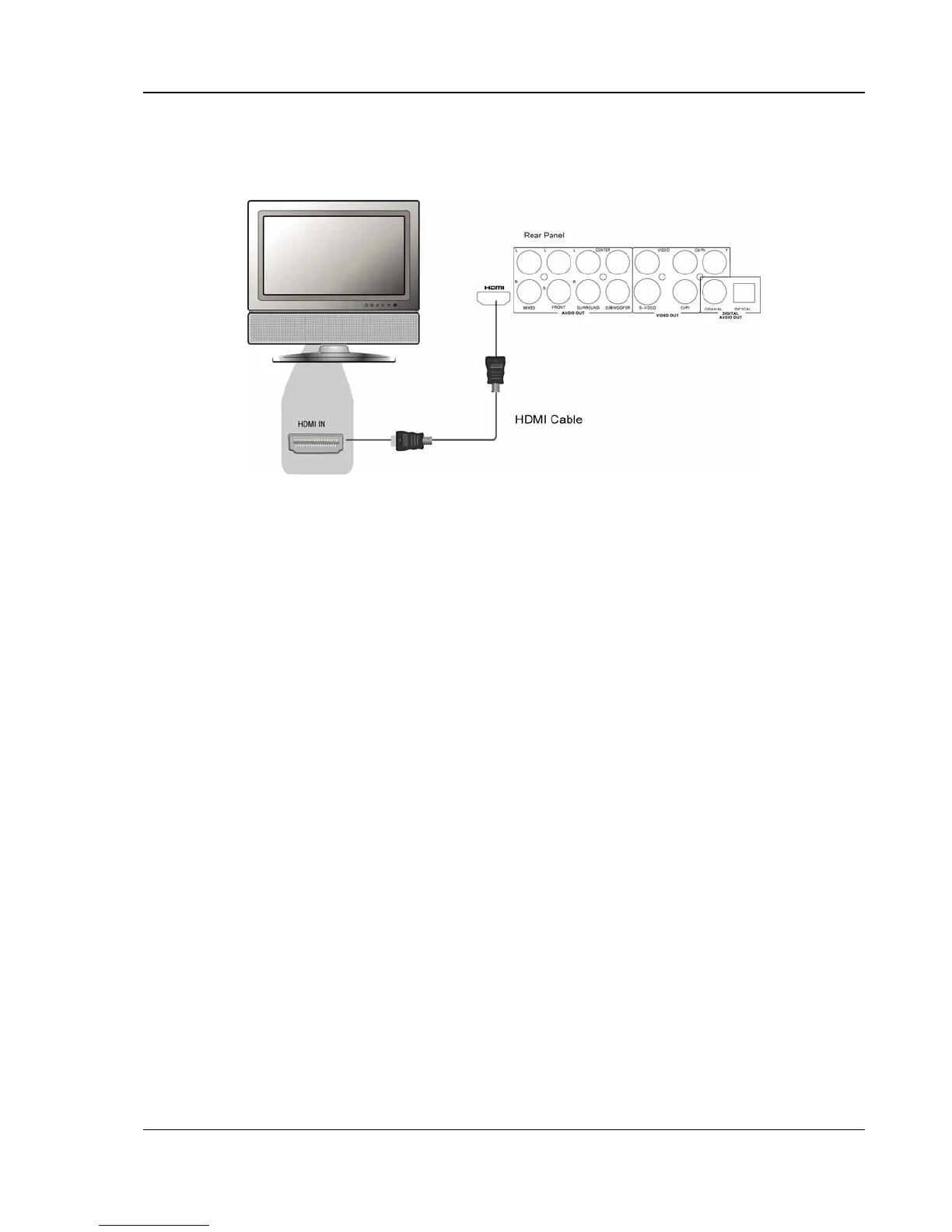
HDMI Connection
• If your TV has an HDMI input, you can use the included HDMI cable to connect the DVD player
to the TV. This is the most preferred connection method since it delivers both video and audio
in pure digital format via a single cable.
• When playback is completely stopped, use the “HDMI” button on the remote control to switch
the video output resolution. Select the resolution that produces the best picture quality on your
TV. (Please refer to page
16 for details.)
• If the HDMI input of your TV is only capable of decoding 2-channel digital audio, it is
recommended that you set audio down-mix mode of the DVD player to “Stereo”. (Please refer
to page
28 for details.)



 To Next Page