EasyManua.ls Logo

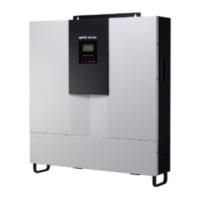
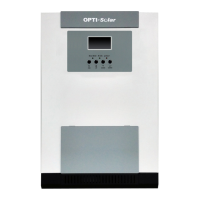
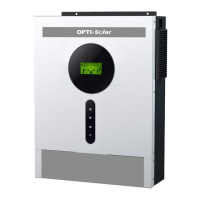
opti-solar SP Handy Series - User Manual

opti-solar SP Handy Series
33 pages
Print Icon
To Next Page IconTo Next Page
Loading...
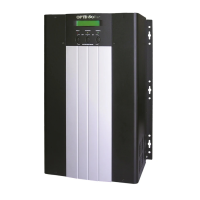
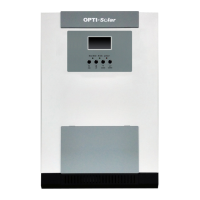
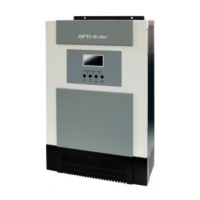
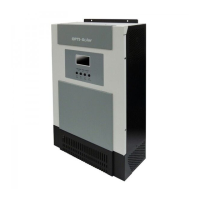
Solar Hybrid Inverter
SP Handy Series 3.5-5.5K
Version: 1.0
User Manual

Questions and Answers

Summary

About This Manual

Purpose

Describes the assembly, installation, operation and troubleshooting of this unit.

Scope

Provides safety and installation guidelines as well as information on tools and wiring.

Safety Instructions

Introduction

Features

Lists key functionalities including pure sine wave, configurable settings, and protection features.

Basic System Architecture

Illustrates the basic setup of the inverter with utility, PV, and battery components.

Product Overview

Installation

Unpacking and Inspection

Details the process of checking the inverter package contents for damage.

Preparation

Instructions on removing the bottom cover before wiring.

Mounting the Unit

Guidelines for selecting placement, ensuring proper clearance and orientation.

Battery Connection

Covers cable size, terminal connection, and wiring polarity for battery packs.

AC Input;Output Connection

Explains connecting AC input/output wires, including grounding and terminal identification.

PV Connection

Details connecting PV modules, including circuit breaker recommendations and cable specifications.

Final Assembly

Procedure for re-attaching the bottom cover after all wiring is complete.

Communication Connection

Instructions for connecting the inverter to a PC for monitoring software.

Operation

Power ON;OFF

How to turn the unit on using the side-mounted switch after installation.

Operation and Display Panel

Overview of the LCD display and touchable buttons for unit control.

LCD Display Icons

Explanation of various icons displayed on the LCD for input, output, and battery status.

LCD Setting

Guide to configuring various inverter parameters via the LCD menu, including output priority and charging settings.

Display Setting

How to navigate and view different information on the LCD display using UP/DOWN keys.

Operating Mode Description

Details on how the inverter operates in different modes like Standby, Fault, Line, and Battery.

Battery Equalization Description

Explanation of the battery equalization function, its benefits, and how to activate it.

Fault Reference Code

List of fault codes, their descriptions, and corresponding icons on the display.

Warning Indicator

Table of warning codes, events, audible alarms, and flashing icons.

Clearance and Maintenance for Anti-Dust Kit

Overview

Information about the integrated anti-dust kit and its role in harsh environments.

Clearance and Maintenance

Step-by-step instructions for cleaning the anti-dust kit's air filter.

Specifications

Line Mode Specifications

Technical details for the inverter's performance when connected to AC utility power.

Inverter Mode Specifications

Technical specifications for the inverter's operation, including output power and voltage regulation.

Charge Mode Specifications

Specifications related to utility and solar charging modes, including current and voltage settings.

General Specifications

Environmental operating ranges, dimensions, and weight of the inverter.

Trouble Shooting

opti-solar SP Handy Series Specifications

General IconGeneral
Brandopti-solar
ModelSP Handy Series
CategoryInverter
LanguageEnglish

Related product manuals