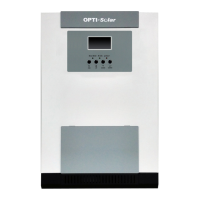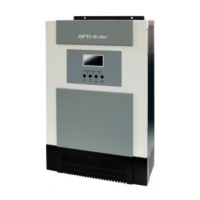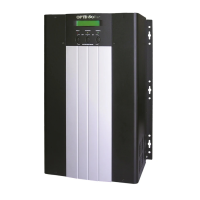
EasyManua.ls Logo

opti-solar SP Series - User Manual

opti-solar SP Series
64 pages
Print Icon
To Next Page IconTo Next Page
Loading...
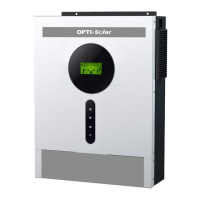
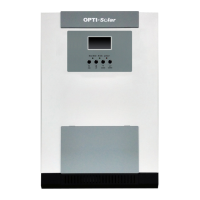
Solar Hybrid Inverter SP Series
&
SP UPS
User Manual

Questions and Answers

  • A
    Amanda HarrisAug 1, 2025
    What to do if AC utility power fails and the opti-solar Inverter load is supplied by battery power with a buzzer alarm every 4 seconds?
    • J
      jsmithAug 1, 2025
      If AC power fails and your opti-solar Inverter is running on battery with the alarm sounding every 4 seconds, it could be due to an AC power failure or an incorrect AC input connection. Try reducing the less critical load to extend backup time and check the rated input or connected line.
  • S
    Stephanie Smith DVMAug 5, 2025
    What happens if AC utility fails and the opti-solar SP is in battery backup mode with a buzzer alarm beeping every second?
    • E
      Eric EdwardsAug 5, 2025
      If the opti-solar Inverter is in battery backup mode and the buzzer beeps every second, it means the battery power is approaching a low level. The Inverter will shut down automatically soon, so save your data or turn off loads quickly.
  • F
    fosteramandaAug 9, 2025
    What to do if the opti-solar SP Inverter is overloaded when AC utility power is normal?
    • A
      Alex GrantAug 10, 2025
      If the opti-solar Inverter is overloaded (load between 100% and 125%) while AC power is normal, the warning LED will light up and the buzzer will beep once per second. Reduce the critical load to below 100% to resolve this.
  • T
    Terry AllenAug 13, 2025
    What to do if the opti-solar SP warning LED does not fade out and the buzzer beeps per 0.5 second when AC utility power is normal?
    • K
      Karen StewartAug 14, 2025
      If the warning LED doesn't fade and the buzzer beeps every 0.5 seconds on your opti-solar Inverter, it means the load is between 125% and 150%. Please reduce the critical load to below 100%.
  • M
    michellewellsAug 18, 2025
    What should I do if the opti-solar SP Inverter warning LED lights up and the buzzer beeps continuously when AC utility power is normal?
    • D
      Dennis SmithAug 19, 2025
      If the warning LED is on and the buzzer beeps continuously while AC power is normal, the load on your opti-solar Inverter exceeds 150%. Reduce the critical load to below 100%.
  • T
    tbowmanAug 22, 2025
    How to fix the fault LED and continuous beeping on my opti-solar SP Inverter when AC power is normal?
    • R
      Roger HillAug 23, 2025
      If the fault LED lights up and the buzzer beeps continuously on your opti-solar Inverter while AC power is normal, the cause might be a damaged charger PCB, a damaged fan, or an unknown error. You can try replacing the charger PCB or the fan. Alternatively, try restarting the Inverter.
  • K
    Kelly SmithAug 27, 2025
    What happens if AC utility power fails and the opti-solar Inverter shuts down automatically?
    • P
      Paul JacobsAug 27, 2025
      If the opti-solar Inverter shuts down automatically after AC power fails, it's likely because the battery ran out. The Inverter will restart when AC power is restored.

Summary

Introduction and Safety

Product Overview and Key Features

Details the SP series inverter's capabilities, design, and benefits.

Important Safety Notices

Highlights critical safety and operational instructions before use.

Installation and Wiring

Safety, Mounting, and Connections

Covers safety rules, mounting procedures, and electrical wiring.

Operation and Settings

Startup, Basic Operation, and LCD Controls

Instructions for startup, storage, basic operation, and LCD interface.

Configuration Settings Guide

Step-by-step guide to adjust voltage, frequency, and system parameters.

Specifications and Troubleshooting

Technical Specifications

Detailed technical data and parameters for the inverter models.

Troubleshooting Common Issues

Provides guidance on diagnosing and resolving common problems.

Introduction and Safety

SP UPS Overview and Safety Precautions

Details the SP UPS capabilities and critical safety instructions.

Installation and System Description

Installation, Connection, and Panel Layout

Guides for installation, wiring, and understanding front panel controls.

UPS Operation and Configuration

Startup, Operation, and LCD Settings

Instructions for startup, operation, and adjusting system parameters via LCD.

Operation Modes and Troubleshooting

Explains operating modes and provides solutions for common UPS issues.

Specifications

SP UPS Technical Specifications

Detailed technical data and parameters for the SP UPS models.

opti-solar SP Series Specifications

General IconGeneral
Output WaveformPure Sine Wave
Operating Temperature-10°C to +50°C
Storage Temperature-20°C to +70°C
DC Input Voltage12V / 24V / 48V DC (depending on model)
Frequency50Hz / 60Hz (depending on model)
Efficiency≥90%
Protection FeaturesOverload, Short Circuit, Reverse Polarity
CoolingFan Cooling
Humidity5% to 95% RH (non-condensing)

Related product manuals