EasyManua.ls Logo

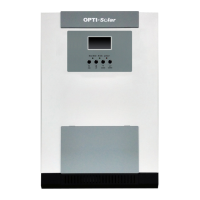
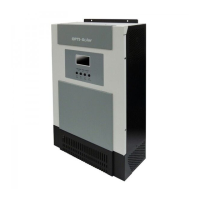
opti-solar SP4000-AVR - User Manual

opti-solar SP4000-AVR
20 pages
Print Icon
To Next Page IconTo Next Page
Loading...
Inverter + UPS
Hybrid Inverter
series
Users Manual
Sine Wave Output
SP4000-AVR
www.opti-solar.com

Questions and Answers

  • B
    Brandon DavisJul 29, 2025
    What to do if my opti-solar SP4000-AVR Inverter beeps and shows overload?
    • A
      Ashley SmithJul 30, 2025
      If your opti-solar Inverter is emitting a continuous beep, the status LED is RED, or the LCD shows “overload” while the power output is normal, it indicates that the inverter is overloaded. To resolve this, turn OFF the Inverter, unplug the excessive load, and then turn the Inverter back ON.
  • D
    denisereynoldsAug 3, 2025
    Why doesn't my opti-solar SP4000-AVR Inverter provide the expected battery run time?
    • D
      Debra HallAug 3, 2025
      There are a couple of reasons why your opti-solar Inverter might not be providing the expected on-battery run time. First, an excessive load might be connected to the Inverter’s outlets. In this case, do not operate the Inverter and leave it plugged in for 10 hours, then test it again. Second, the battery may be weak and unable to provide enough capacity. If the Inverter still cannot provide the expected runtime after the first step, the battery should be replaced.
  • K
    Kevin BrownAug 7, 2025
    What to do if opti-solar SP4000-AVR has no power and shows overload?
    • J
      Joe HillAug 7, 2025
      If your opti-solar Inverter has no power on the outlets, emits a continuous beep, and the status LED shows RED or the LCD displays “overload”, it means the Inverter has shut down due to a severe overload. Unplug the excessive load from the Inverter, press the Silence button to reset the buzzer, and turn the Inverter ON again.
  • J
    James GallagherAug 11, 2025
    How to troubleshoot an opti-solar SP4000-AVR Inverter that shows no reaction to AC input?
    • N
      Nicole JohnsonAug 11, 2025
      If your opti-solar Inverter shows no reaction when AC input is connected, there are several things to check: 1. Ensure the line cord plug is not loose. 2. Inspect the fuse on the rear panel (located inside the drawer of the inlet) and replace it if it's blown. 3. Test the wall socket with a desk lamp to ensure it's not dead.
  • S
    shannon48Aug 15, 2025
    What to do if the button on the front panel of my opti-solar SP4000-AVR doesn't work?
    • A
      alyssa51Aug 15, 2025
      If the button on the front panel of your opti-solar Inverter is not working, it could be due to a couple of reasons. First, the CPU inside the Inverter may not be running correctly. To resolve this, unplug the AC input power cord and push the ON/OFF button for 15 seconds to reset the Inverter. Second, the button itself may be damaged. If this is the case, unplug all the load and the AC input power cord from the Inverter to let it turn OFF automatically, and call for service support.
  • D
    Dalton VillegasAug 19, 2025
    Why does my opti-solar SP4000-AVR beep and show 'Battery replacement' during self-test?
    • R
      Rachel SmithAug 20, 2025
      If pushing the Self Test button on your opti-solar Inverter causes it to emit urgent beeps and the LCD display shows “Battery replacement”, it indicates that the battery is weak and should be replaced. You should replace the batteries.
  • J
    Jason OrtegaAug 25, 2025
    Why my opti-solar SP4000-AVR Inverter can't be turned on?
    • S
      Sandra TranAug 25, 2025
      If your opti-solar Inverter cannot be turned ON, it could be due to a couple of reasons. First, the battery polarity might be wrong; in this case, check the battery connection. Second, the Inverter might be faulty. If the battery connection is correct, call for service support.

Summary

Important Safety Instructions

Cautionary Notes

Special Symbols

Overview and Features

Information Presentation

LED Display Models

Explains information representation via LED indicators for different models.

LCD Display Models

Shows an example of the LCD display and control buttons.

Description of the Rear Panel

Installation Guide

Operation Procedures

Indication and Control

LED Display

Details battery and load level LEDs, and operation status LED.

LCD Display

Covers main control buttons and the LCD screen layout and indicators.

Audible Alarms

Auto Self-Test Function

Remote Control

Reset the Inverter

DIP Switch Settings

Communication Interface

Troubleshooting

Specifications: SP4000-AVR

Solar Charger Specifications

opti-solar SP4000-AVR Specifications

General IconGeneral
Brandopti-solar
ModelSP4000-AVR
CategoryInverter
LanguageEnglish

Related product manuals