EasyManua.ls Logo

opti-solar SP5000 Premium - User Manual

Default Icon
54 pages
Print Icon
To Next Page IconTo Next Page
Loading...
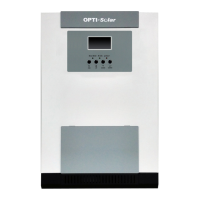
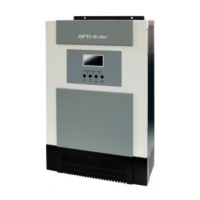
Solar Hybrid PV Inverter
SP5000 Premium
Version: 1.0
User Manual

Questions and Answers

  • S
    Steven PalmerAug 18, 2025
    What to do if my opti-solar SP5000 Premium Inverter shows an 'Over load' error?
    • K
      kylegriffinAug 18, 2025
      If your opti-solar Inverter displays an 'Over load' error, it means the inverter is loaded with more than 110% of its capacity for too long. To resolve this, reduce the connected load by switching off some equipment.
  • C
    Christopher WuAug 20, 2025
    What to do if my opti-solar SP5000 Premium displays a 'GFCI fault'?
    • M
      matthewcarrAug 20, 2025
      If your opti-solar Inverter is showing a 'GFCI fault', it indicates that the leakage current exceeds the limit. You should check the wire and panels which may cause the leakage. If the error persists, please contact your installer.
  • J
    Joan BakerAug 23, 2025
    What to do if my opti-solar SP5000 Premium displays a 'Solar over current' error?
    • J
      Jessica OrtizAug 23, 2025
      If your opti-solar Inverter displays a 'Solar over current' error, it is likely due to a surge. First, restart the inverter. If the error message still appears, please contact your installer.
  • V
    Vanessa GrossAug 25, 2025
    What to do if my opti-solar Inverter displays a 'Solar input power abnormal' error?
    • M
      mcoxAug 26, 2025
      If your opti-solar Inverter displays a 'Solar input power abnormal' error, it could be due to a damaged solar input driver or the solar input power being too high when the voltage exceeds 850V. First, check if the solar input voltage is higher than 850V. If the error persists, please contact your installer.
  • N
    Nancy Velazquez MDAug 27, 2025
    What to do if my opti-solar SP5000 Premium displays a 'Bus voltage over' error?
    • M
      Maria MunozAug 27, 2025
      If your opti-solar Inverter displays a 'Bus voltage over' error, it is likely due to a surge. First, restart the inverter. If the error message still appears, please contact your installer.
  • T
    Tanner JacksonAug 30, 2025
    What to do if my opti-solar SP5000 Premium displays an 'INV over current' error?
    • N
      nicholas70Aug 30, 2025
      If your opti-solar Inverter displays an 'INV over current' error, it is likely due to a surge. First, restart the inverter. If the error message still appears, please contact your installer.
  • K
    Kristen GlennSep 1, 2025
    What to do if my opti-solar SP5000 Premium Inverter displays an 'INV DC current over' error?
    • J
      John Ross PhDSep 1, 2025
      If your opti-solar Inverter displays an 'INV DC current over' error, it is likely due to utility fluctuations. First, restart the inverter. If the error message still appears, please contact your installer.
  • D
    Daniel AllenSep 3, 2025
    What to do if my opti-solar Inverter displays a 'INV DC voltage over' error?
    • J
      Joshua Lucas Jr.Sep 3, 2025
      If your opti-solar Inverter displays a 'INV DC voltage over' error, it is likely due to load fluctuations. First, restart the inverter. If the error message still appears, please contact your installer.
  • C
    Caitlin JohnsonSep 5, 2025
    What to do if my opti-solar SP5000 Premium Inverter displays a 'Battery high voltage fault'?
    • J
      johnpierceSep 5, 2025
      If your opti-solar Inverter displays a 'Battery high voltage fault', it indicates that the battery voltage exceeds the limit. Check the battery voltage. If the error persists, please contact your installer.
  • M
    Miranda ChapmanSep 8, 2025
    What to do if my opti-solar Inverter displays a 'BUS voltage under' error?
    • C
      Cheryl ScottSep 8, 2025
      If your opti-solar Inverter displays a 'BUS voltage under' error, it could be due to a sudden disconnect of the PV or battery. First, restart the inverter. If the error message still remains, please contact your installer.

Summary

2. Important Safety Warning

General Precaution

General precautions and conventions used in the manual for safety warnings.

4. Installation

4-1. Selecting Mounting Location

Considerations for choosing a suitable and safe location for inverter installation.

4-2. Mounting Unit

Instructions and warnings regarding the physical mounting of the inverter unit securely.

5. Grid (Utility) Connection

5-2. Connecting to the AC Utility

Step-by-step guide for wiring the inverter to the AC grid, including polarity and torque.

Software Setting

15. Commissioning

16. Initial Setup

Inverter mode with grid connected

Inverter mode without grid connected

20. Trouble Shooting

20-1. Warning List

List of warning codes, their descriptions, and corresponding icon indicators.

20-2. Fault Reference Codes

Reference table of fault codes, situations, possible causes, and solutions.

21. Specifications

opti-solar SP5000 Premium Specifications

General IconGeneral
Brandopti-solar
ModelSP5000 Premium
CategoryInverter
LanguageEnglish

Related product manuals