THE CLIMATE FACTORY/MANUALS/OPTICLIMATE (INVERTER)
www.theclimatefactory.com info@theclimatefactory.com
© The Climate Factory
PUTTING INTO OPERATION
=
=
T =
FN =
S =
R =
M =
On/Off =
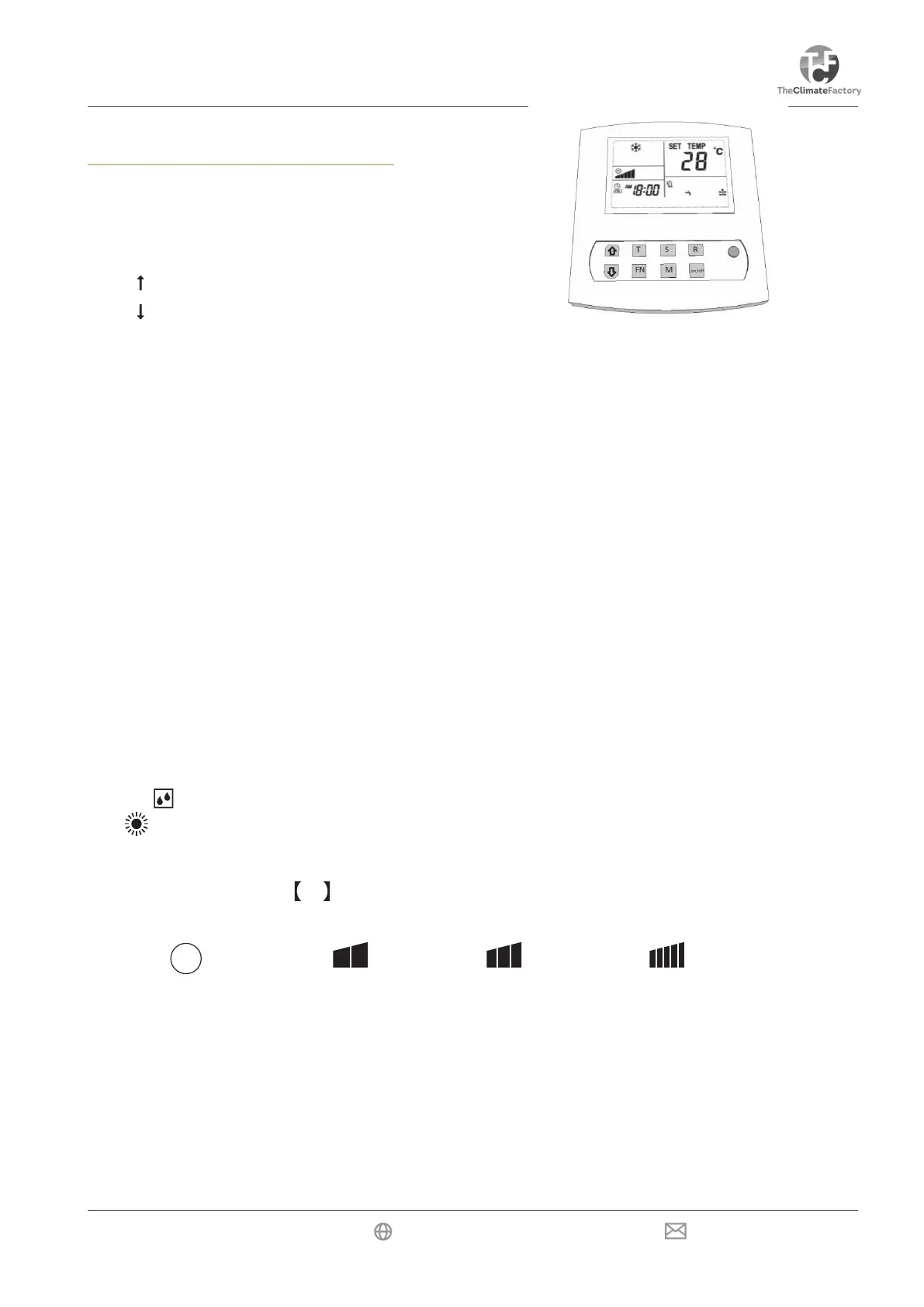
Temp up / scroll
Temp down / scroll
Press and release to set the time / press and hold to set the timer
FN = Fan speed
Press and release to read Sensors / press and hold to bring up the Menu
Press and release to confirm / press and hold to delete error codes
Press and release to switch between day and night mode.
Press and hold to turn automatic light cell mode on/off.
Turn unit on/off or confirm menu option.
1) On/Off key
The unit is switched On or Off using the On/Off key. The LED will be green when the unit is On. The LED
will be red when the unit is Off. In case of malfunctioning, the LED will flash red and green. The On/Off key
is also used to confirm a menu selection.
2) Mode key M
Pressing the mode key will switch the mode from day mode (cooling) to night mode (heating/dehumidifying).
The display will show a lit snowflake in day mode and a sun with drops of water in night mode.
3) Fan speed key
This key is used for selecting the air speed of the fan. The sequence is as follows:
The speed changes whenever the Fn key is pressed. If you select the automatic fan mode in the Cool mode,
the unit will ventilate more or less depending on the need for cooling.
By selecting day or night with the mode key a different fan speed can be chosen for both day and night.
For the night we recommend the lowest fan speed for heating and dehumidifying. If a great deal must be
dehumidified during the night, the fan speed can be set to position 2 or 3.
Temperatures for the day and night can be set using the mode function. These can be changed
later, if required.
Fn
A
Remote Control
automatic low medium high



 To Next Page