EasyManua.ls Logo

Opticon MDI-4000 Series - User Manual

Opticon MDI-4000 Series
139 pages
Print Icon
To Next Page IconTo Next Page
Loading...
Serial Interface Manual
MDI-4000 Series
MDI-4000, MDI-4050, MDI-4100, MDI-4150
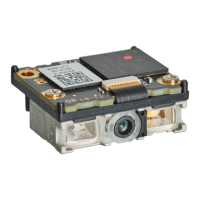
Low Profile, High-Performance, 2D Imager Engine

Table of Contents

Questions and Answers

  • K
    Kristina HarperAug 2, 2025
    How to fix Opticon MDI-4000 Barcode Reader that cannot communicate?
    • L
      Lisa KnightAug 3, 2025
      If your Opticon Barcode Reader isn't communicating, ensure your communication settings (transfer speed, character format) are correct. Send the Z2 command to apply most communication settings. Also, verify the handshake setting.
  • O
    ovelasquezAug 18, 2025
    What to do if Opticon Barcode Reader has no response when sending command?
    • W
      William HawkinsAug 18, 2025
      If you're not getting a response when sending a command to your Opticon Barcode Reader, verify that your communication settings, such as transfer speed and character format, are correct. Also, ensure the code being read matches the character code of your communication tool.

Summary

3 Configuration

Command-Based Configuration

Explains command packets, sending precautions, permanent factory default changes, and fast boot mode.

4 Interface Options

UART Interface

Covers UART settings, signals, handshaking, and troubleshooting for serial communication.

USB Interfaces

Details USB-COM and USB-HID interfaces, including setup, drivers, confirmation, and troubleshooting.

5 Power Management and Timing

Power Mode Transitions and Recovery

Details power mode transitions, current consumption, low power modes, and recovery methods.

Power and Read Timing

Describes power ON/OFF timing and read timing parameters like read time and trigger control.

6 Barcode Options

Setting Readable Barcodes

Configures which barcode symbologies are readable, including postal, GS1, and 2D types.

7 Data String Options

8 Read Options

9 Indicator Options

Opticon MDI-4000 Series Specifications

General IconGeneral
Protection classIP42
Supported SymbologiesComposite, GS1 DataBar
InterfaceRS232, USB
Operating Temperature0 to +40 °C / 32 to +104 °F
Storage Temperature-20°C to 60°C (-4°F to 140°F)
Humidity5% to 95% (non-condensing)
Ambient light immunityUp to 100, 000 lux
Drop Specification1.5 m
Weight220 g / 7.8 oz (excl. cable)
Light sourceLED
Min. resolution at PCS 0.90.127 mm / 5 mil

Related product manuals