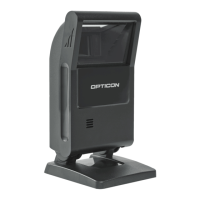
OPC-3301i
Specifications Manual
22
17. Supported Symbologies
17.1. Default Setting
The scanner is set to default settings by reading the following menu labels.
Function Menu label Menu code
SET
_ZZ_
ZZ
Default
_SO_
SO
END
_ZZ_
ZZ
17.2. Supported Symbologies
17.2.1. 1D Bar Codes
Code type Default Minimum length Note
UPC ○ -
UPC Add-on 2
UPC Add-on 5
EAN (JAN) ○ -
EAN Add-on 2
EAN Add-on 5
EAN-13 ○
EAN-13 Add-on 2
EAN-13 Add-on 5
EAN-8 ○
EAN-8 Add-on 2
EAN-8 Add-on 5
Code 39 ○ 1 Not transmit ST/SP
Tri-Optic ○ - Not transmit ST/SP
Codabar (NW7) ○ 5 Not transmit ST/SP
Industrial 2 of 5 ○ 5
Interleaved 2 of 5 ○ 6
S-Code ○ 5
Code 128 ○ 1 GS1 conversion (setting required)
Code 93 ○ 1
IATA ○ 5
MSI/Plessey ○ 3
UK/Plessey ○ 2
TELEPEN ○ 1
Code 11 1
Matrix 2 of 5 5
Chinese Post Matrix 2 of 5 -
Korean Postal Authority -


 To Next Page