OPC-3301i
Specifications Manual
4
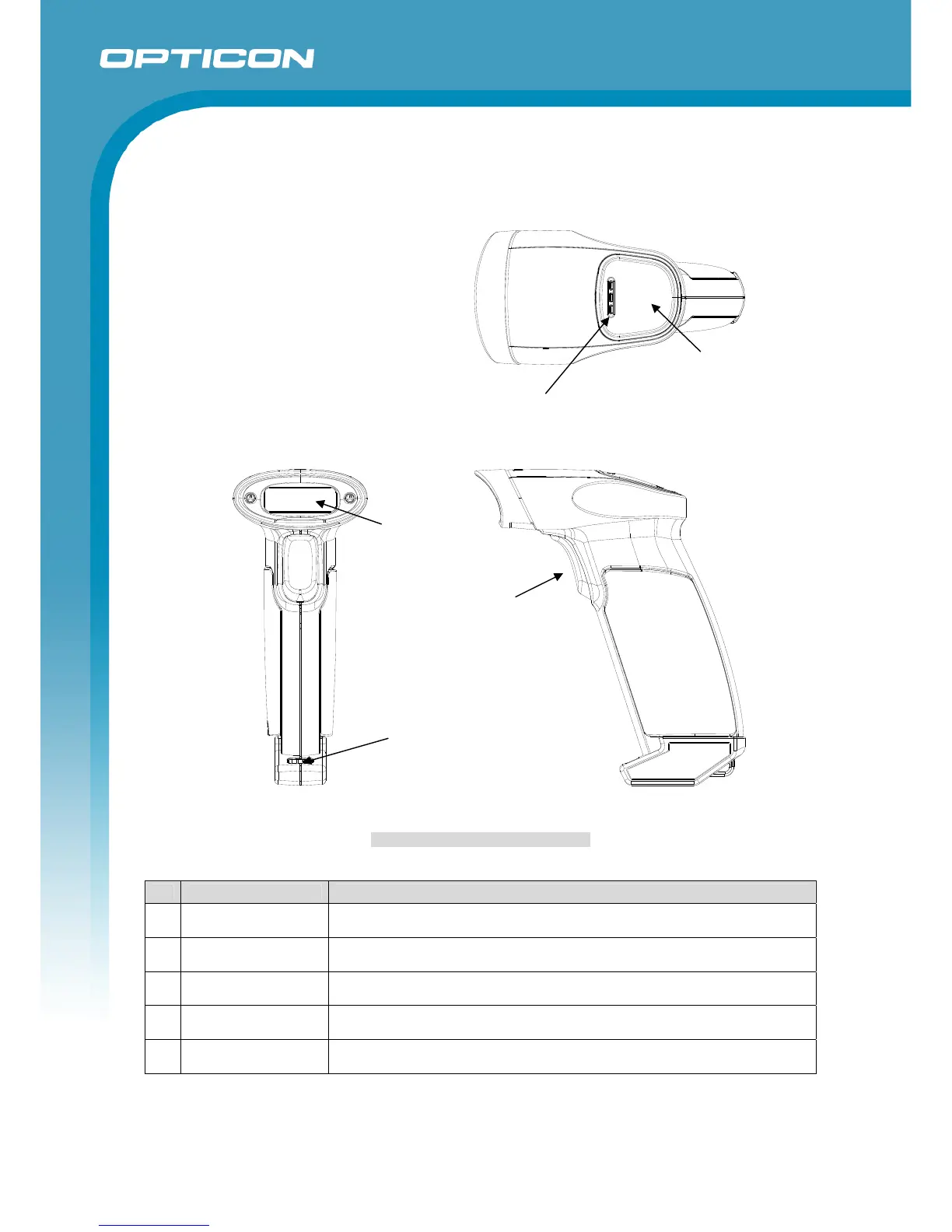
4. Detailed View
Figure 1: Detailed View of OPC-3301i
No Name Description
1 Trigger Key A key to read bar codes
2 Scan Window LED illumination is emitted from this window to read bar codes.
3 Status LED
The operating statuses, such as bar code reading, Bluetooth connection
and warning, are indicated by different colors.
4 Buzzer Holes A sound from a built-in buzzer comes out through these holes.
5 Charging terminals Charging pins connected to the dedicated charging cradle CHG-3201
1
3
5



 To Next Page