8
Preferences
If the way you want it is the way you want it, you’ve got the ability to customize your experience
to match your desires. Manage your personal program library whenever and as often as you like.
Set your preferences
You can customize your own personal preferences for when you record an episode or a series.
+ Press
on your remote.
+ Highlight Settings and press SELECT.
+ Choose TV and press SELECT.
+ Highlight Preferences and press SELECT.
+ Highlight Recording Preferences and press SELECT.
+ Choose Series Preferences or Episode Preferences.
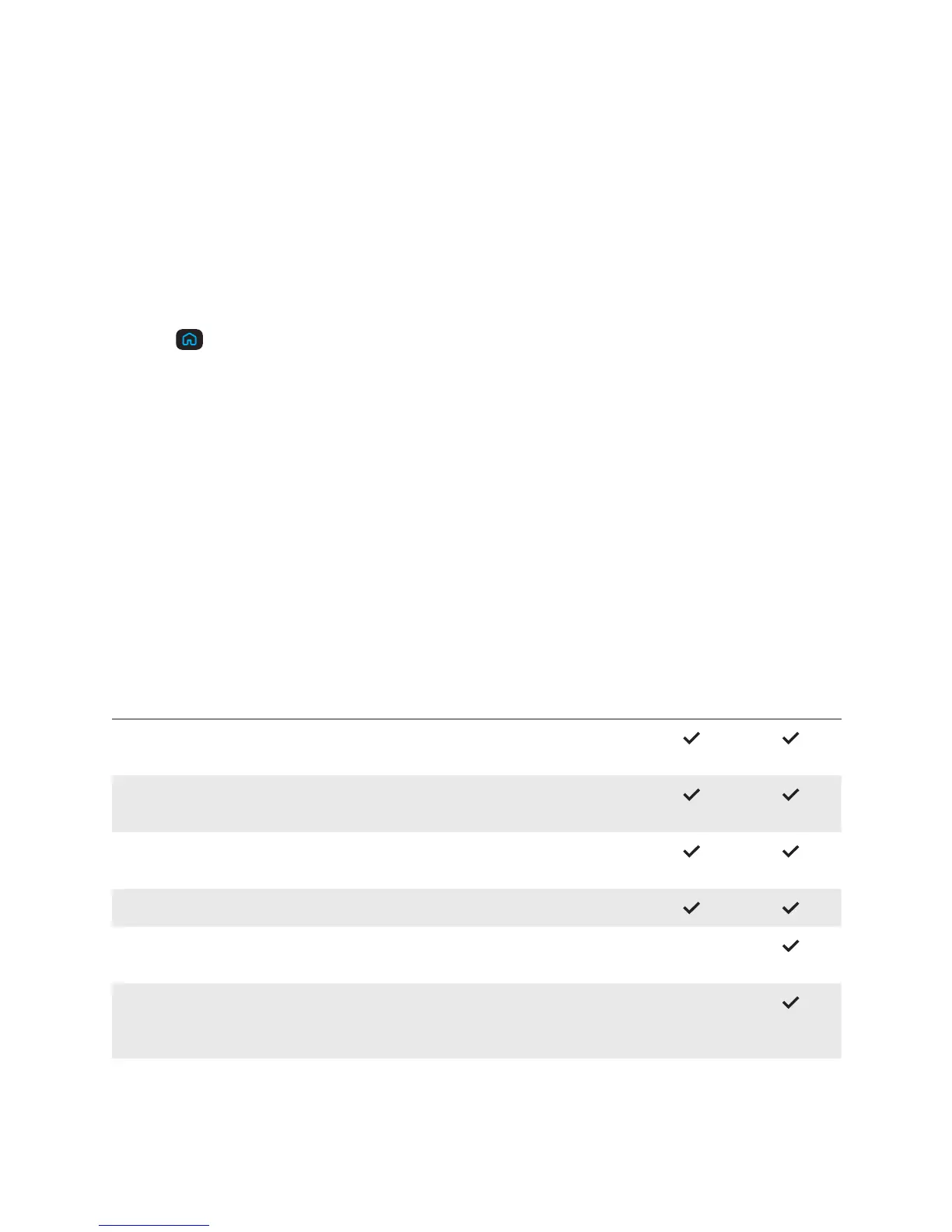
Recording options
Depending on whether you’re recording a show just once or if you’re recording the entire series,
you have a range of recording options.
One-Time
Recording
Series
Recording
Start — Choose up to 15 minutes when modifying or set in
preferences.
Stop — Change the recording’s stop time from on time (default) to
up to 3 hours after airing.
Keep Until — Choose until you delete, until space is needed (default)
or up to 14 days.
Record — Choose this episode only (default) or series.
Save Latest — Choose to record all episodes (default), or up to 5
episodes.
Series Option — Choose to record all new and repeat episodes
(default), new episodes only, or those that air at a specific time
and/or day.



 To Next Page