15
•
Passthrough Function
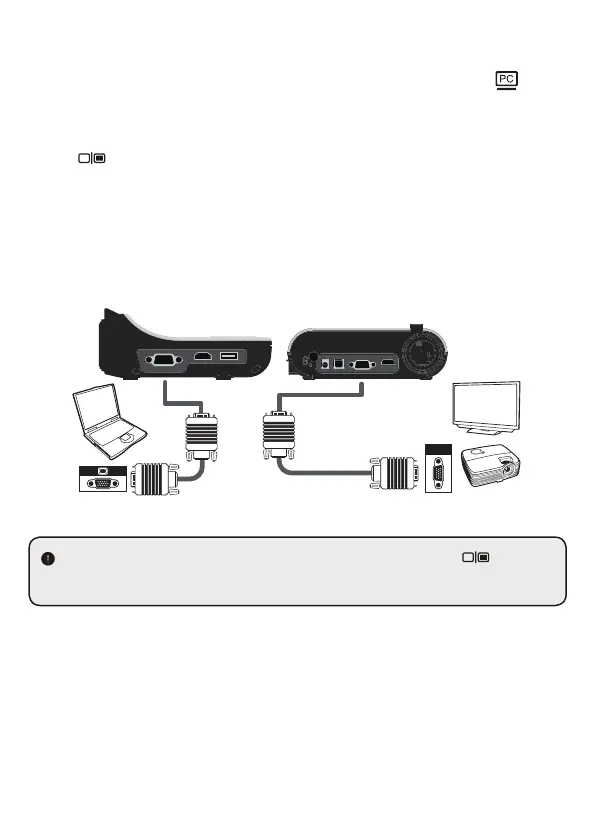
To display computer image, press PASSTHROUGH button ( ) on
the control panel.
For laptop to output display mode, use the keyboard command
( Fn +
) to swtich between the display modes. For different
command, please refer to your laptop manual.
The signal is only pass through from VGA IN port to VGA OUT port
or HDMI In port to HDMI Out port on document camera.
Please connect an output device to display the image on computer.
For laptop to output display mode, use the keyboard command ( Fn + ) to
switch between the display modes. For different command, please refer to your
laptop manual.
RGB
VGA IN
HDMI IN USB DISK


 To Next Page