14
English ...
Max. 29.5"(75.0cm) 73.8"(187.5cm) 123.0"(312.5cm) 172.2"(437.5cm) 196.9"(500.0cm) 246.1"(625.0cm)
Min. 24.6"(62.5cm) 61.5"(156.3cm) 102.5"(260.4cm) 143.5"(364.6cm) 164.0"(416.7cm) 205.1"(520.8cm)
Max.(WxH)
23.60" x 17.70"
(60.0 x 45.0cm)
59.04" x 44.28"
(150.0 x 112.5cm)
98.40" x 73.80"
(250.0 x 187.5cm)
137.76" x 103.32"
(350.0 x 262.5cm)
157.52" x 118.14"
(400.0 x 300.0cm)
196.88" x 147.66"
(500.0 x 375.0cm)
Min.(WxH)
19.68" x 14.76"
(50.0 x 37.5cm)
49.20" x 36.90"
(125.0 x 93.8cm)
82.00" x 61.50"
(208.3 x 156.2cm)
114.80" x 86.10"
(291.7 x 218.8cm)
131.20" x 98.40"
(333.4 x 250.0cm)
164.08" x 123.06"
(416.6 x 312.5cm)
3.94'(1.2m) 9.84'(3.0m) 16.40'(5.0m) 22.97'(7.0m) 26.25'(8.0m) 32.81'(10.0m)
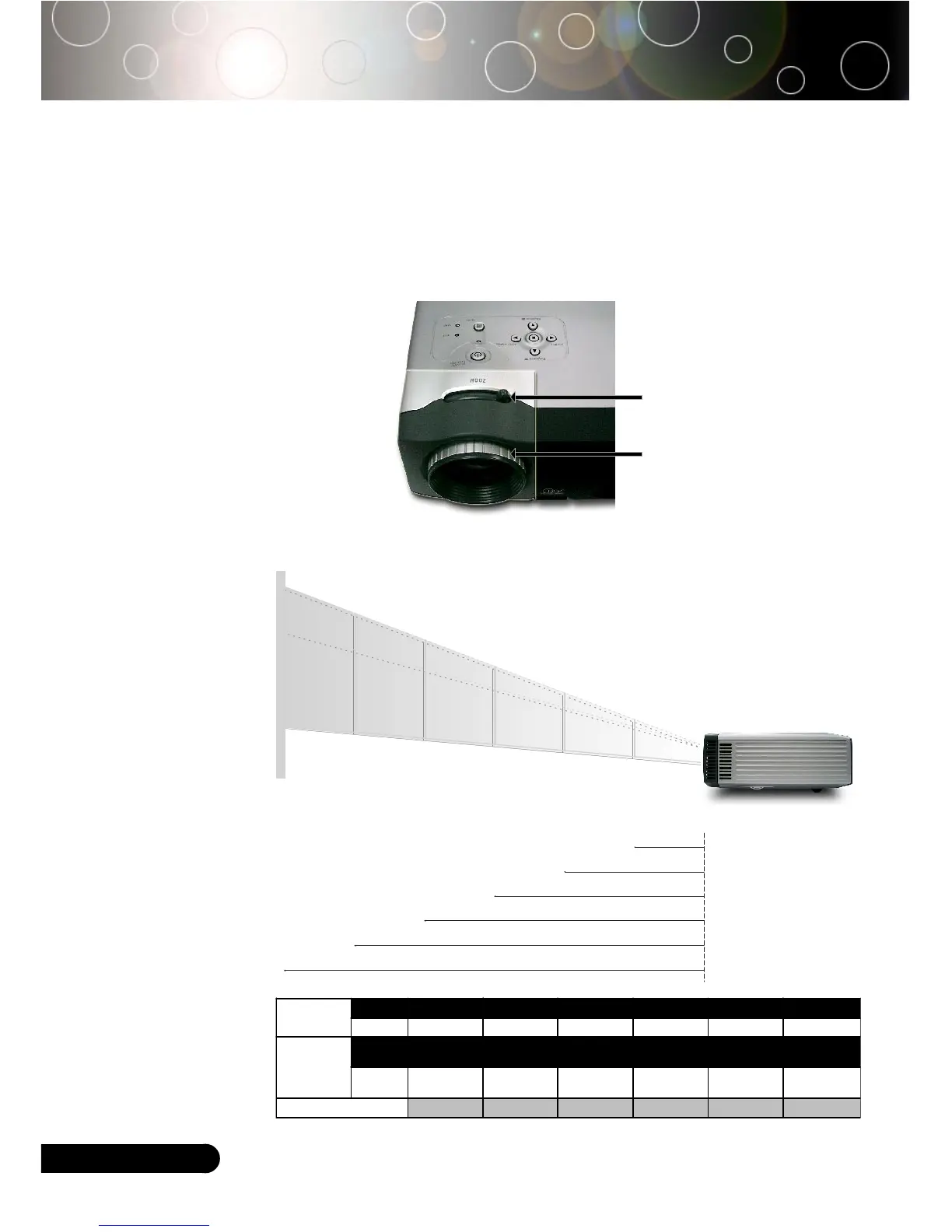
Focus Ring
Zoom Ring
Adjusting the Projector Zoom / Focus
You may turn the zoom ring to zoom in or out. To focus the image,
rotate the focus ring until the image is clear. The projector will
focus at distances from 3.9 to 32.8feet (1.2 to 10.0 meters).
Adjusting Projection Image Size
61.5"
(156.3cm)
102.5"
(260.4cm)
143.5"
(364.6cm)
164.0"
(416.7cm)
205.1"
(520.8cm)
29.5" (75.0cm)
73.8"(187.5cm)
123.0"(312.5cm)
172.2"(437.5cm)
196.9"(500.0cm)
246.1"(625.0cm)
3.94'
32.81'
26.25'
22.97'
16.40'
9.84'
(1.2m)
(10.0m)
(8.0m)
(7.0m)
(5.0m)
(3.0m)
24.6"
(62.5cm)
Screen
(Diagonal)
Screen
Size
Distance
This graph is for user’s reference only.
Installation



 To Next Page