24
English ...
“Saturation”, “Tint”
and “Sharpness”
function is not
supported under
DVI-D mode.
User Controls
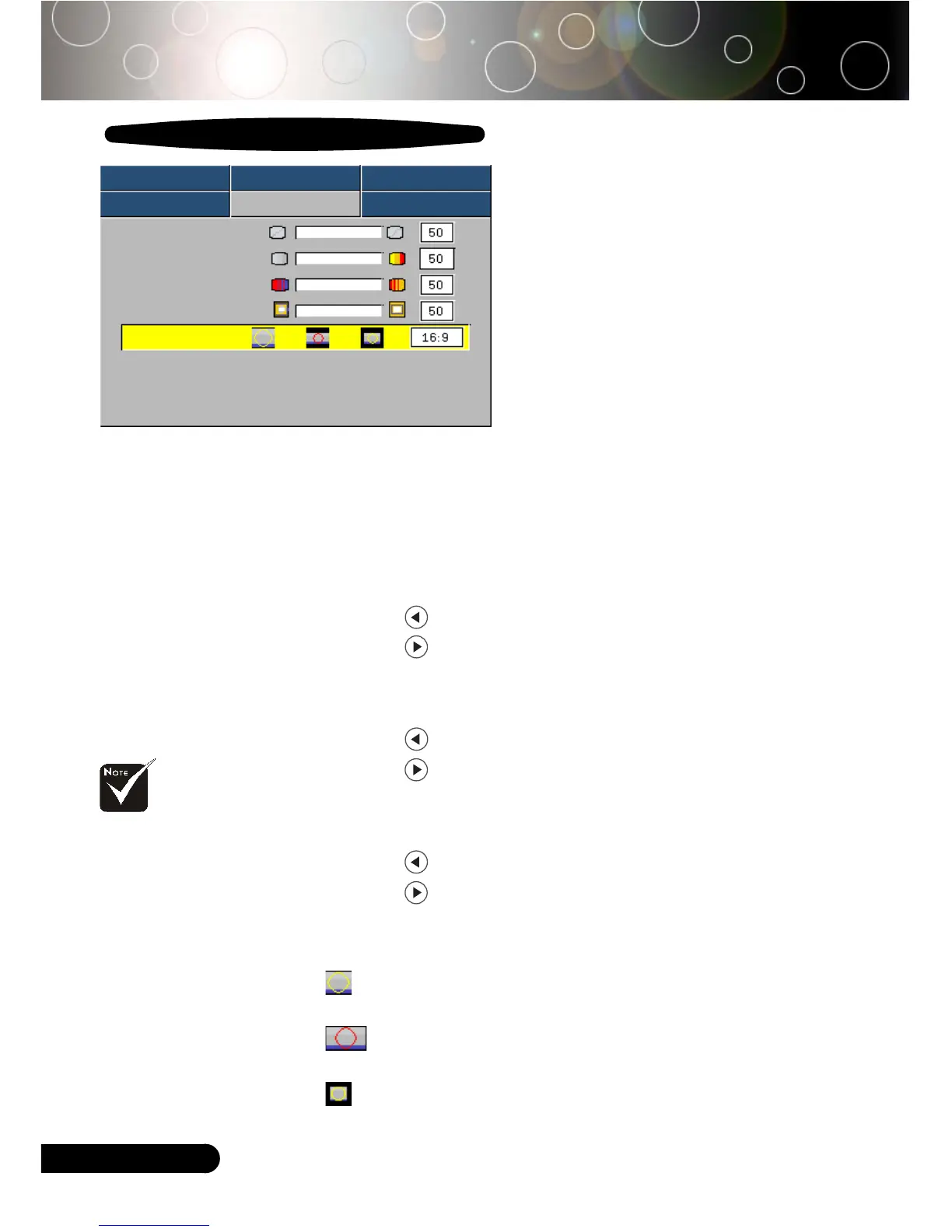
Image-II
(Video Mode)
Video Mode
Image-I Image-II Audio
Language Management Lamp setting
Degamma
Saturation
Tint
Sharpness
Aspect Ratio
16:9 Image Position Press Enter to Set
Degamma
This allows you to choose a degamma table that has been fine-
tuned to bring out the best image quality for the input.
Saturation
Adjusts a video image from black and white to fully saturated
color.
4
Press the to decrease the amount of color in the image.
4
Press the to increase the amount of color in the image.
Tint
Adjusts the color balance of red and green.
4
Press the to increase the amount of green in the image.
4
Press the to increase the amount of red in the image.
Sharpness
Adjusts the sharpness of the image.
4
Press the to decrease the sharpness.
4
Press the to increase the sharpness.
Aspect Ratio
Use this function to choose your desired aspect ratio.
4
4:3 : The input source will be scaled to fit the projection
screen.
4
16:9 : The input source will be scaled to fit the width of the
screen.
4
Window: When a 4:3 image is bigger than a 16:9 screen,
select the “Window” mode to fit the image onto the screen
without changing the projection distance.



 To Next Page