22
English ...
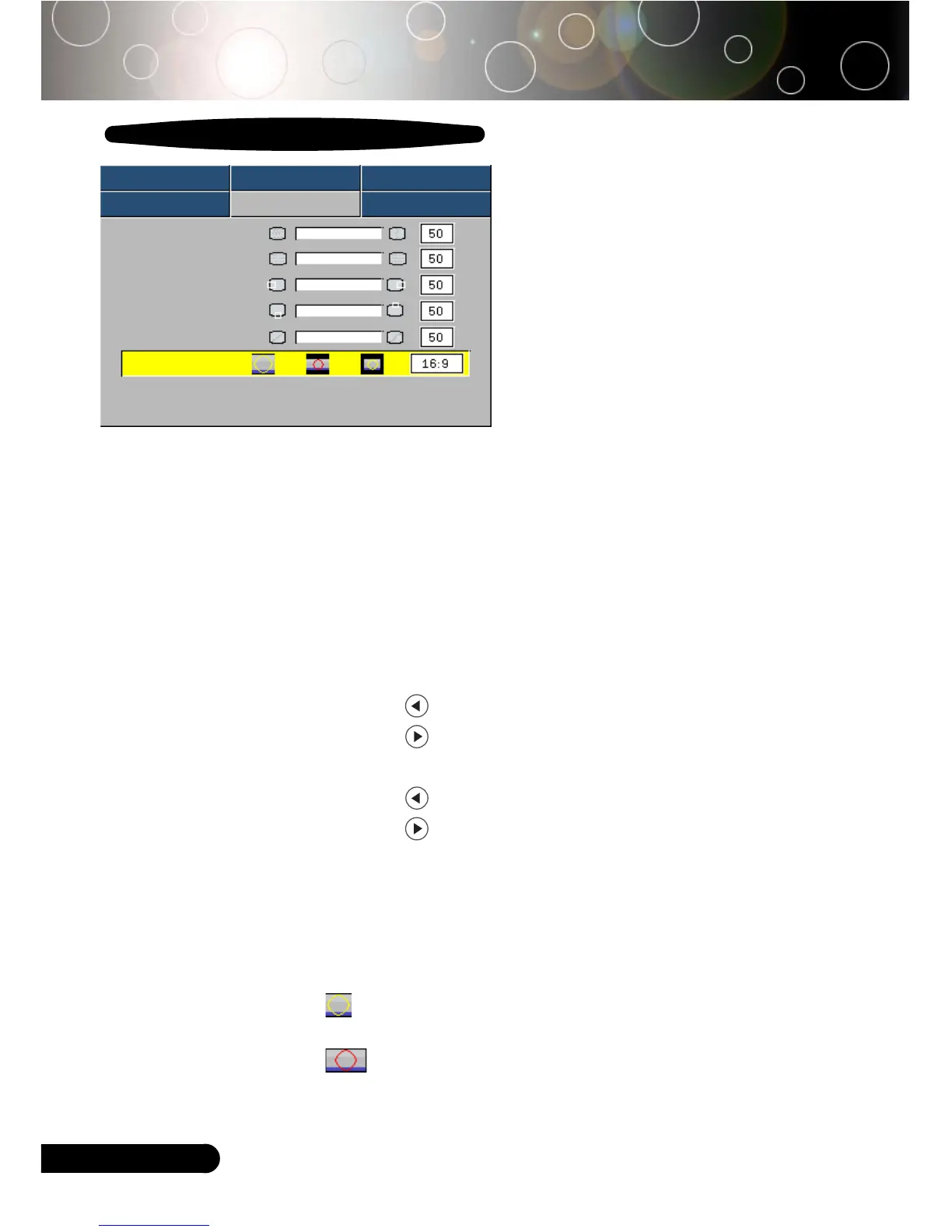
Image-II
(Computer Mode)
Computer Mode
User Controls
Image-I Image-II Audio
Language Management Lamp setting
Frequency
Tracking
H. Position
V. Position
Degamma
Aspect Ratio
16:9 Image Position Press Enter to Set
Frequency
“Frequency”changes the display data frequency to match the
frequency of your computer’s graphic card. If you experience a
vertical flickering bar, use this function to make an adjustment.
Tracking
“Tracking” synchronizes the signal timing of the display with the
graphic card. If you experience an unstable or flickering image, use
this function to correct it.
H.Position (Horizontal Position)
4
Press the to move the image left.
4
Press the to move the image right.
V. Position (Vertical Position)
4
Press the to move the image down.
4
Press the to move the image up.
Degamma
This allows you to choose a degamma table that has been fine-
tuned to bring out the best image quality for the input.
Aspect Ratio
Use this function to choose your desired aspect ratio.
4
4:3 : The input source will be scaled to fit the projection
screen.
4
16:9 : The input source will be scaled to fit the width of the
screen.



 To Next Page