15
... English
User Controls
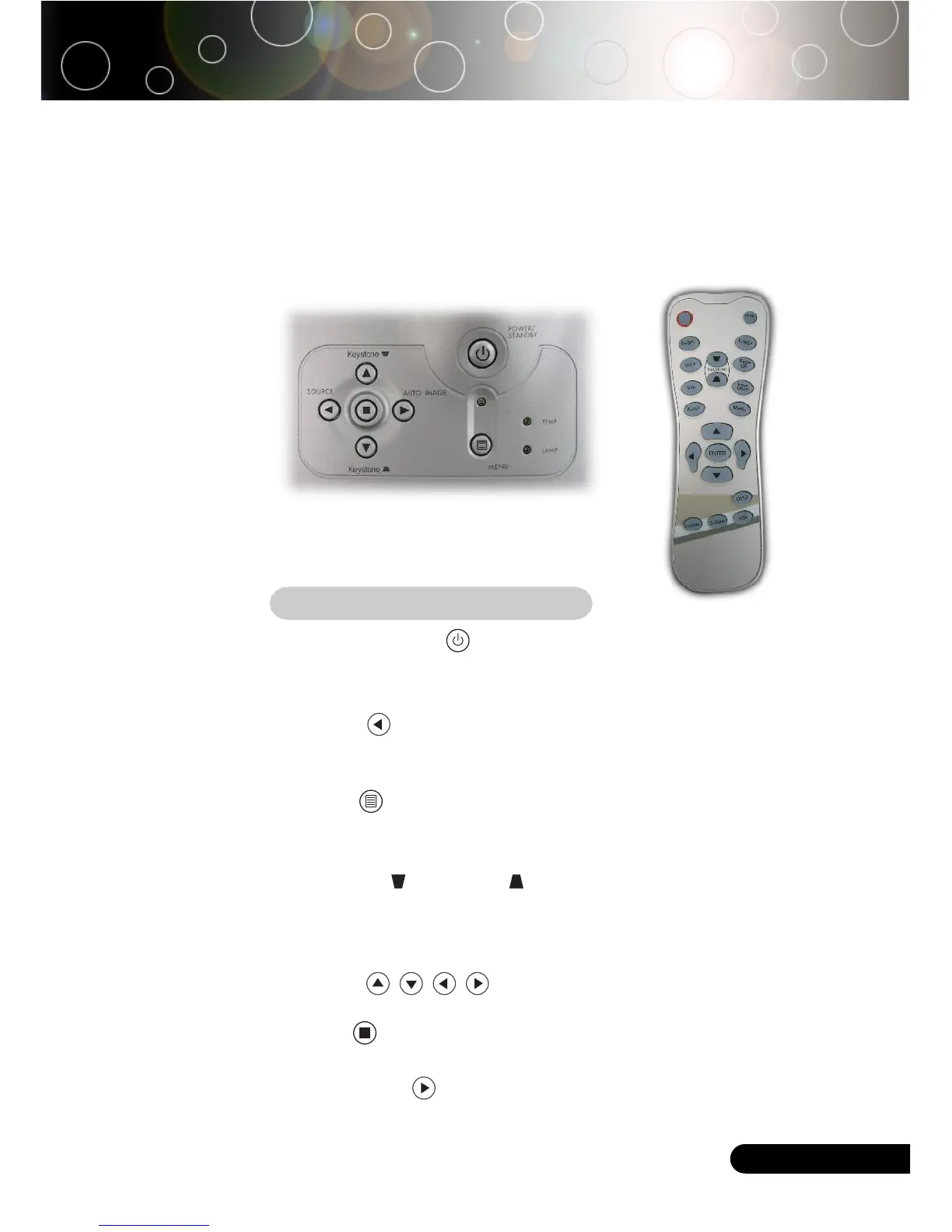
Remote ControlControl Panel
Control Panel & Remote Control
There are two ways for you to control the functions: Remote
Control and Control Panel.
Using the Control Panel
Power/Standby
4
Refer to the “Power On/Off the Projector” section on pages
11-12.
Source
4
Press “Source” to choose RGB, Component-p, Component-i,
S-Video, Composite Video and HDTV sources.
Menu
4
Press “Menu” to launch the on screen display (OSD) menu.
To exit OSD, press “Menu” again.
Keystone /Keystone
4
Adjusts image distortion caused by tilting the projector (±16
degrees).
Four Directional Select Keys
4
Use to select items or make adjustments to
your selection.
Enter
4
Confirm your selection of items.
Auto Image
4
Automatically synchronizes the projector to the input source.



 To Next Page