27
... English
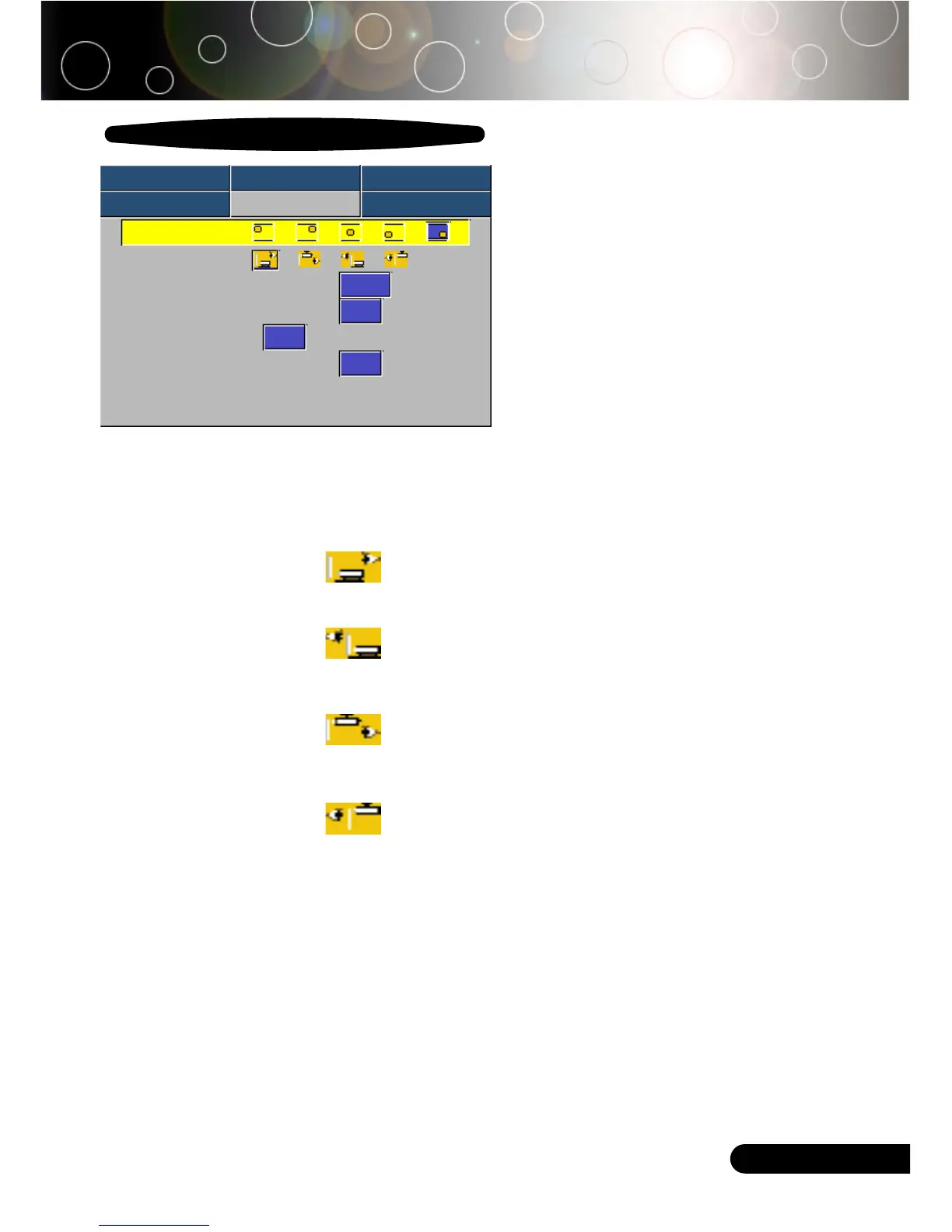
Menu Location
Choose the Menu location on the display screen.
Projection
4
Front-Desktop
The factory default setting.
4
Rear-Desktop
When you select this function, the projector reverses the image
so you can project behind a translucent screen.
4
Front-Ceiling
When you select this function, the projector turns the image
upside down for ceiling-mounted projection.
4
Rear-Ceiling
When you select this function, the projector reverses and turns
the image upside down at same time. You can project from
behind a translucent screen with ceiling mounted projection.
Signal Type
Select signal type RGB or Video surces.
Source Lock
When source lock is turned off, the projector will search for other
signals if the current input signal is lost. When source lock is turned
on, it willl continue to search for the “lost signal” after “Source “ is
pressed.
User Controls
Management
Computer / Video Mode
Image-I Image-II Audio
Language Management Lamp setting
Menu Location
Projection
Signal Type
RGB Video
Source Lock
On Off
High Altitude
On Off
Reset
Yes No



 To Next Page