17
English
User Controls
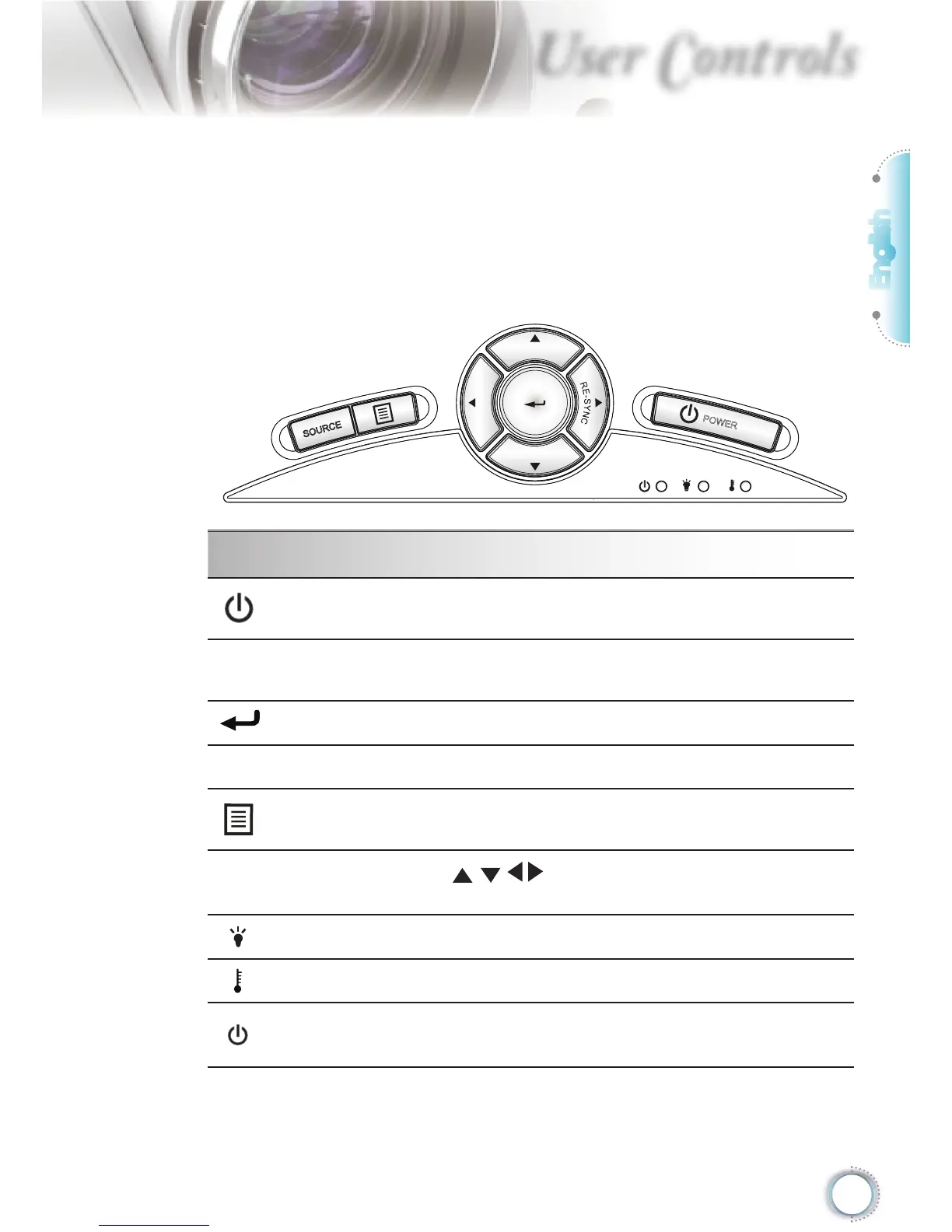
Using the Control Panel
Power
Refer to the “Power On/Off the Projector” section on
pages 13-14.
RE-SYNC
Automatically synchronize the projector to the input
source.
Enter
Confi rm your item selection.
SOURCE
Press “SOURCE” to select an input signal.
Menu
Press “Menu” to launch the on-screen display (OSD)
menu. To exit OSD, Press “Menu” again.
Four Directional
Select Keys
Use to select items or make adjustments
to your selection.
Lamp LED Indicate the projector’s lamp status.
Temp LED Indicate the projector’s temperature status.
On/Standby
LED
Indicate the projector’s status.
Control Panel
Control Panel & Remote Control
There are two ways for you to control the functions:
Control Panel and Remote Control.





 To Next Page