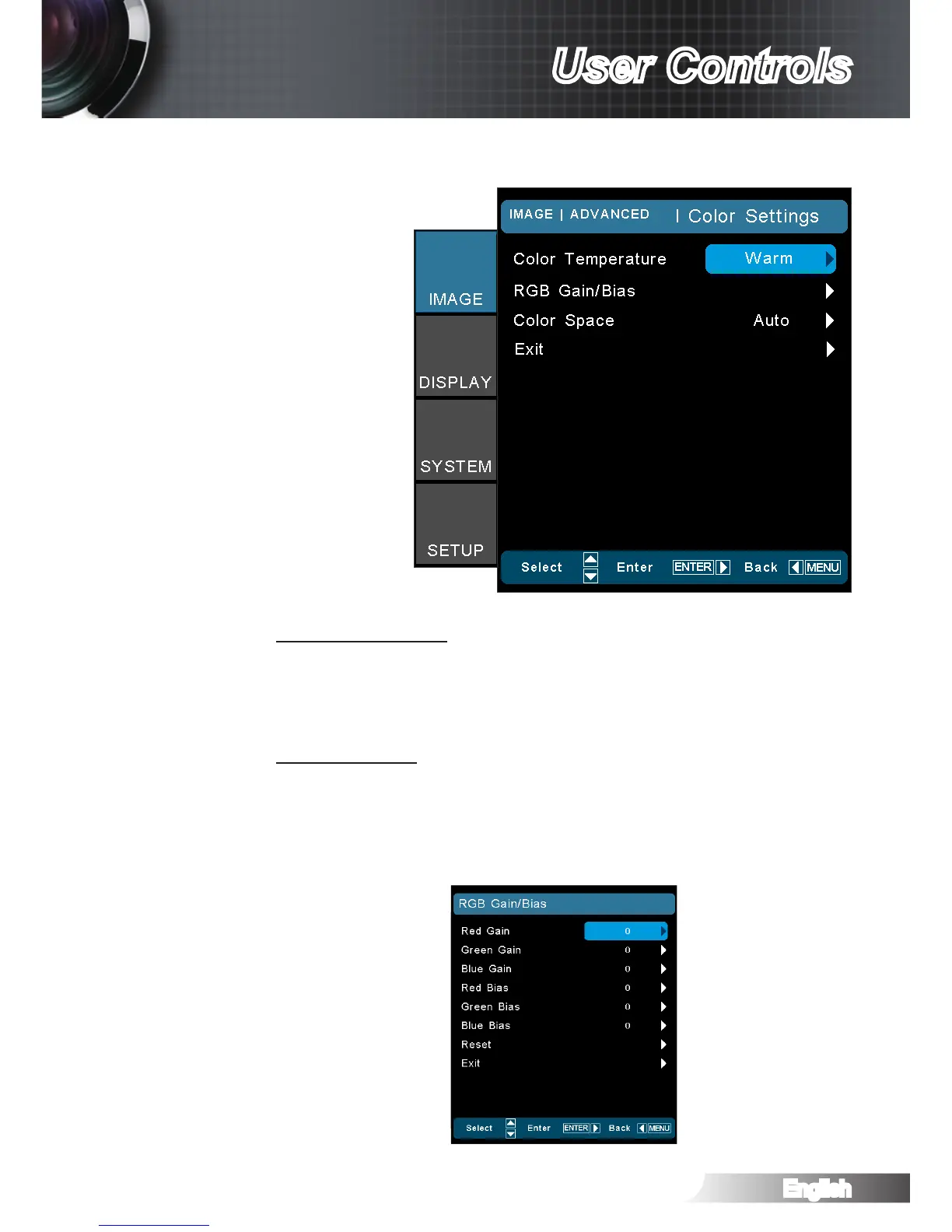
Color Temperature
If set to cold temperature, the image looks more blue. (cold im-
age)
If set to warm temperature, the image looks more red. (warm im-
age)
RGB Gain/Bias
Press ► into the next menu and then use ▲ or ▼ to select item.
Use ◄ or ► to select Red, Green, or Blue for brightness `
(Gain) and contrast (Bias).
Reset: Choose “Yes” to return the factory default settings for `
color adjustments.
IMAGE | Advanced | Color Settings



 To Next Page