Appendices
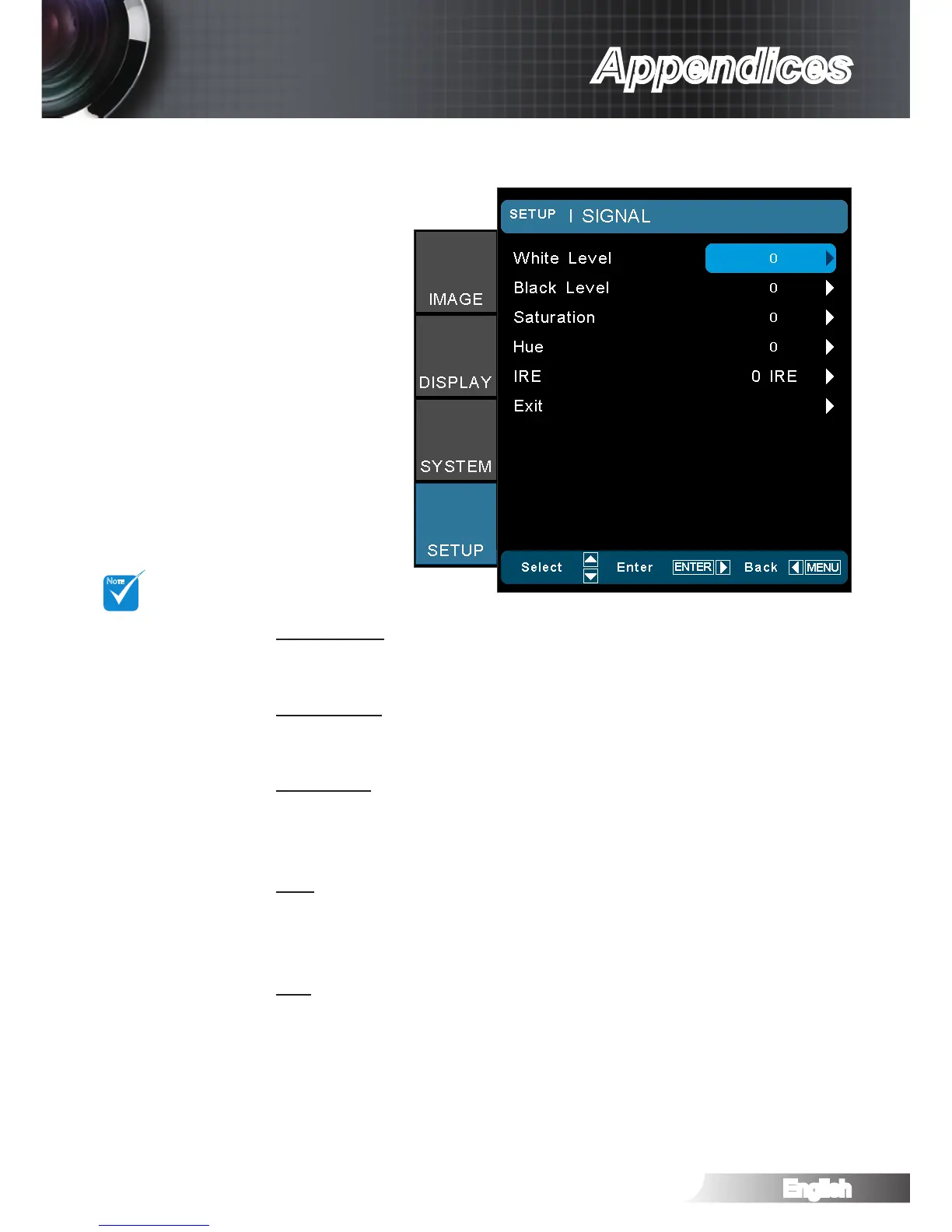
SETUP | Signal -Video Source
White Level
Allow user adjust White Level when inputting S-Video or Video/
CVBS signals.
Black Level
Allow user adjust Black Level when inputting S-Video or Video/
CVBS signals.
Saturation
Adjust a video image from black and white to fully saturated color.
Press the ◄ to decrease the amount of color in the image. `
Press the ► to increase the amount of color in the image. `
Hue
Adjust the color balance of red and green.
Press the ◄ to increase the amount of green in the image. `
Press the ► to increase the amount of red in the image. `
IRE
Adjust measurement of composite video signals. `
“Signal” is not
supported when
the source is
HDMI or DVI-D.
“IRE” is only sup-
ported on NTSC
signal.



 To Next Page