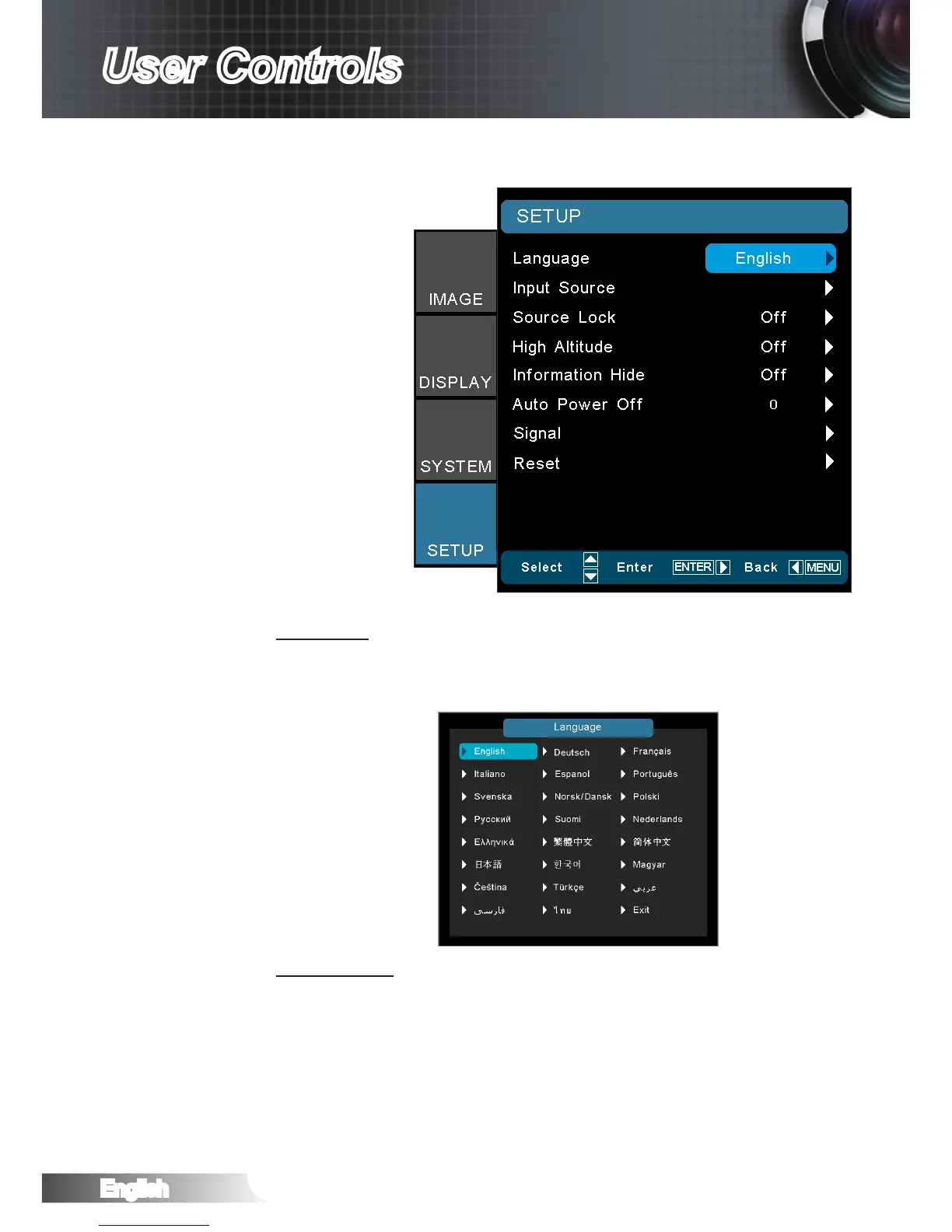
SETUP
Language
Choose the multilingual OSD menu. Press ◄ or ► into the sub
menu and then use the ▲ or ▼ to select your preferred language.
Press “Select (Enter)” to nalize the selection.
Input Source
Use this option to enable / disable input sources. Press ► into the
next menu and then use ▲ or ▼ to select item. Press “Select (En-
ter)” to nalize the selection. The projector will not search inputs
that are de-selected.



 To Next Page