31
On - Screen Menu
Close caption
Content blocking
Close caption mode
N O T E
When the close caption mode function is activated, 3D comb filter will be no function.
If password forgotten case occured, please use universal password- 000000 to re-enter, but
original password will be reset.
More Information
Description: Allows to close texts on the display.
Steps: Selecting close caption item then press
WX to select off, on or on mute to
change caption on display. To press MENU/EXIT to exit sub menu.
Mode: This function works only in composite (AV1) and TV modes.
Description: Allows to set texts mode on the display.
Steps: Selecting close caption mode item then press
WX to select cc1, cc2, t1 or t2
to change caption mode on display. To press MENU/EXIT to exit sub menu.
Mode: This function works only in composite (AV1) and TV modes.
Description: Some TV programs and movies may contains inappropriate material for
viewers at all ages, therefore, are rated base on the following and be
categorised in different levels : violence (V), Sexual situation (S), coarse
language (L), or suggestive dialogue (D). Content blacking feature (V-chip) can
detect the programs or movie rating signal and block accordingly.
Steps :
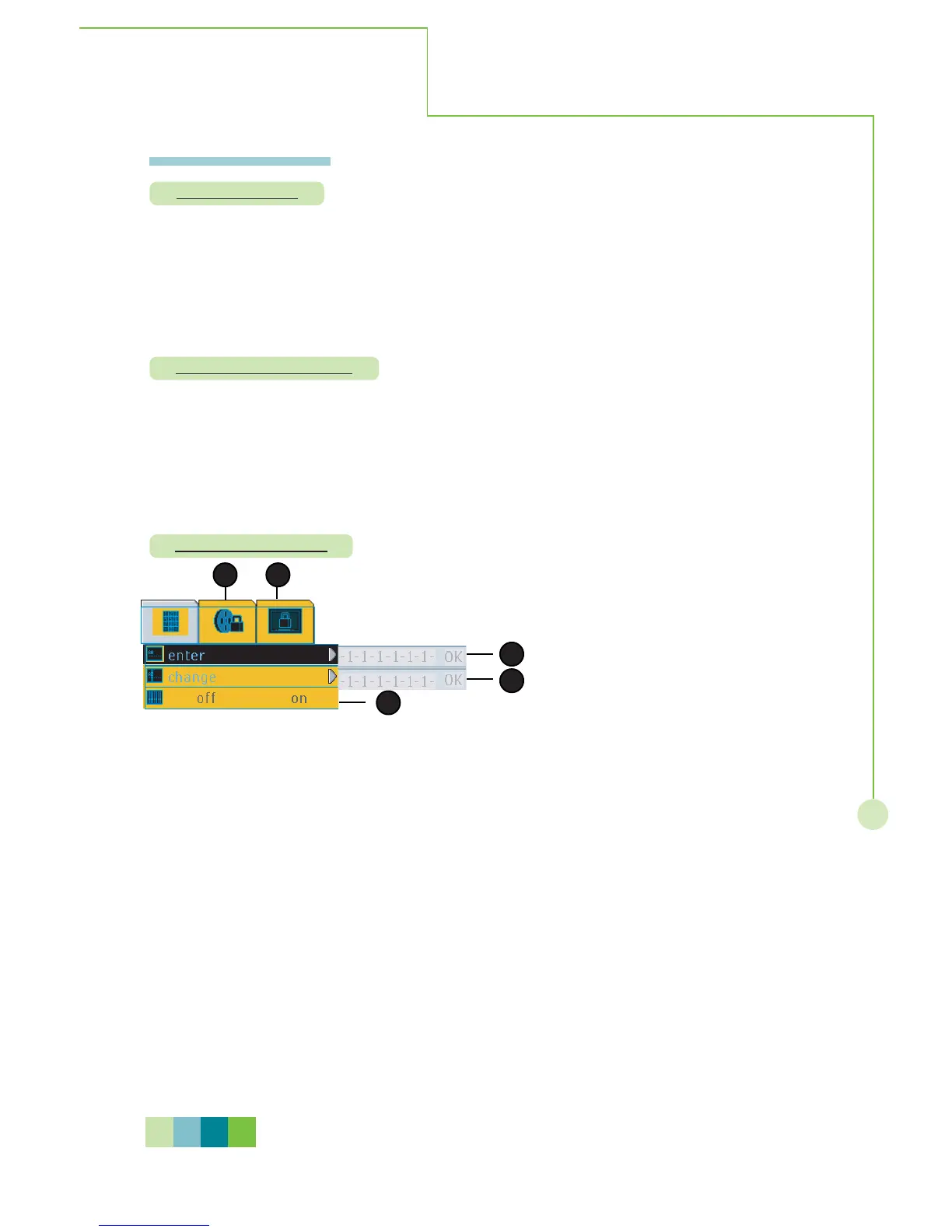
To enable or disable this function, please enter 6-digit password (default:
000000) with pressing STWXbutton then press OK to confirm entry.
Complete password setting, the other functions just can becalled up as
follows.
- Enter password as 1: Enter password every time if you want to activate
content blocking
- Change password as 2 : To change your password.
- Blocking enable/disable as 3 : Enable or disable the selected TV blocking or
movie blocking.
- Movie blocking as 4 : Select the blocking programs from MPAA rating list
- TV blocking as 5 : Select the blocking programs TV rating list
Mode: This function works only in TV mode.
1
2
54
3


 To Next Page
 Loading...
